Set up departments and doctors
The first-day setup for a hospital or clinic, in order, from the facility profile through departments, doctors, rooms and prices to counters and cashiers.
Before the first patient is registered, the hospital system needs to know your clinics, your doctors and what they charge. Follow these steps in order; each one takes a few minutes.
Before you begin
- Your company is set up, with its logo for receipts. See Company.
- Users exist for the front desk, cashiers and doctors. See Users & Roles.
- Payment methods such as Cash, Card and Bank exist. See Payment Methods.
Where to find it
Everything below is under Hospital → Setup and Hospital → Finance.
1. Enter the facility profile
Open Hospital → Setup → Facility Profile and fill in the legal name and licence numbers. See Facility Profile.
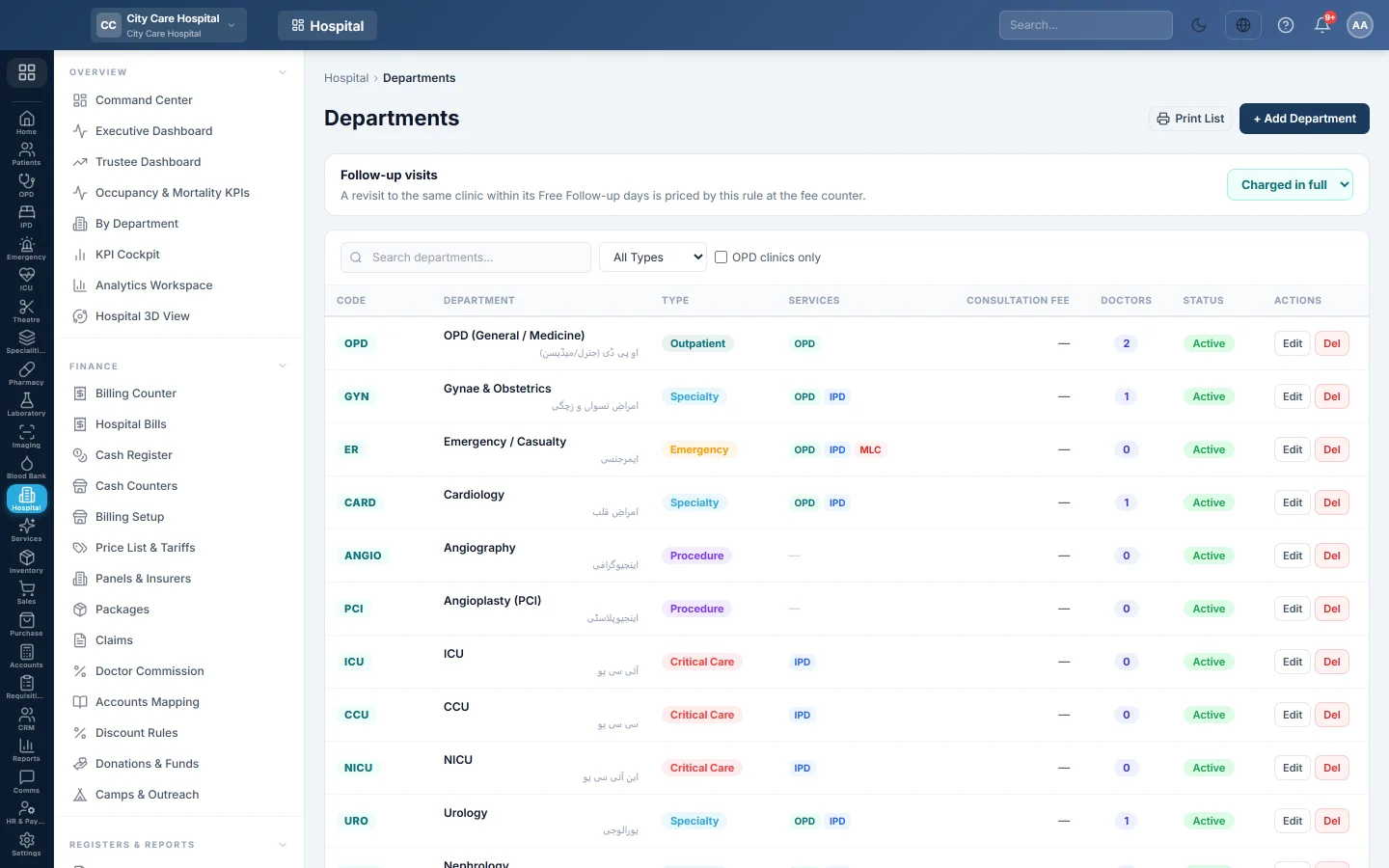
2. Check the departments
- Open Hospital → Setup → Departments.
- Edit the departments already there: code, name, Default Consultation Fee and Free Follow-up (days).
- Tick Runs OPD clinic for every clinic that sees outpatients.
- Add any clinic that is missing with + Add Department.
- Set the Follow-up visits rule at the top.
See Departments.
3. Add the doctors
- Open Hospital → Setup → Doctors.
- Click + Add Doctor and fill in the name, PMDC number and qualifications.
- Under Clinic Assignments, add each clinic the doctor sits in, with their fee.
- Link their Login Account so they see their own queue.
See Add a doctor and set the consultation fee.
4. Set the clinic times
Open Doctor Schedules and add each doctor's weekly sessions, so patients can book. See Doctor Schedules.
5. Add rooms (optional)
Open Hospital → Setup → Rooms and add the rooms, then pick them on doctors or departments. Tokens then print where to go. See Rooms.
6. Set the prices
- Open Hospital → Finance → Price List & Tariffs.
- Click Seed from existing to copy the fees you entered.
- Add prices for procedures, theatre, beds and other charges.
See Price List & Tariffs. Lab tests and scans are priced in the Test Catalog and the Imaging Catalogue.
7. Set up the cash desks
- Add your tills on Cash Counters, if you have more than one window.
- Set discount reasons and the approval limit on Discount Rules.
- Check who may bill what on Billing Setup.
8. Try it
- Register a test patient. See Register Patient.
- Open a shift on Cash Register.
- Bill a consultation at the Billing Counter and check the token on the receipt.
- Void the test bill on Hospital Bills and close the shift.
Common questions
Do I need panels and packages on day one? No. Add Panels & Insurers and Packages when you start billing companies or fixed-price stays.
Where are wards and beds set up? On Wards & Beds, before the first admission.
A doctor sits in two clinics with different fees. Add both clinics on the doctor with their own fee.
Merci. Si vous avez encore besoin d’aide, écrivez à info@eloerp.net.