Packages
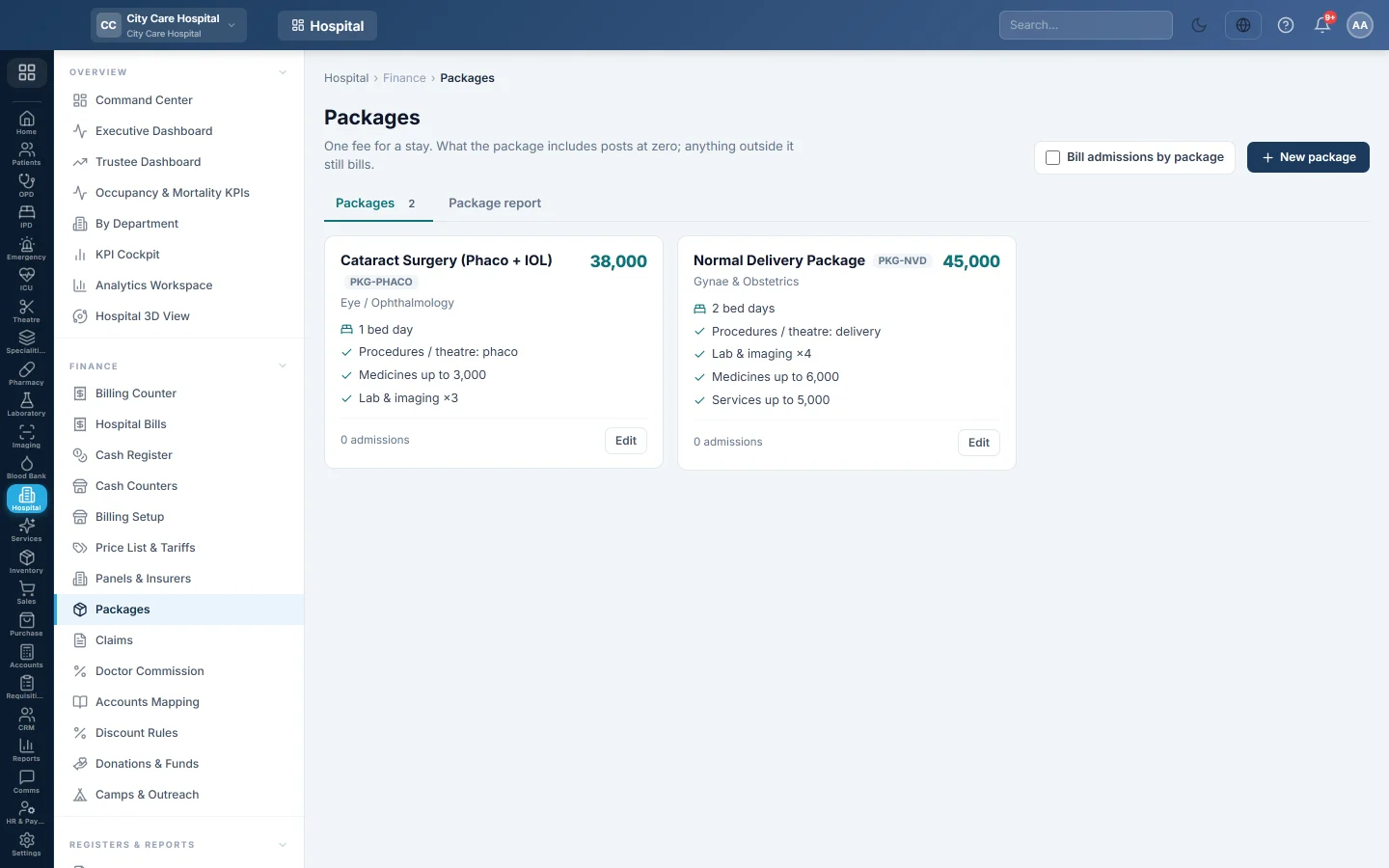
Fixed-price packages for a hospital stay, such as a normal delivery or a cataract operation, with what is included and a report of what each package really cost.
A package is one fee for a whole stay. Charges the package includes post at zero; anything outside it still bills normally. The package report shows whether a package charged more or less than its items would have cost.
Before you begin
- You need the HIMS pricing manage right to create or change packages.
- Departments exist. See Departments.
- Admissions are taken on Admissions.
Where to find it
Open Hospital → Finance → Packages.
Offer packages at admission
Tick Bill admissions by package at the top. The admission desk and surgical bookings then show the package picker. Untick it and admissions bill item by item.
Create a package
- Click New package.
- Type the Name, for example Normal delivery, and optionally a Code.
- Type the Price.
- Type the Bed days included, or leave it empty for none.
- Choose the Department, or Any.
- Optionally pick the ledger in Fee posts to. Empty uses the department's revenue ledger.
- Under What it includes, click Add a row for each kind of charge:
- choose the charge type, such as Lab & imaging;
- optionally type words the description must contain;
- optionally set a Qty limit or Value limit.
- Add Notes for the desk, for example exclusions or validity.
- Keep Active — offered at the admission desk ticked.
- Click Save package.
Charges that match a row post at zero until its limit is reached; the rest bill normally.
Read the package report
- Click the Package report tab.
- Set From and To and click Show.
The report lists each package admission with its Fee, what was given Inside, at list price, what was billed Outside, and Fee vs list. A negative Fee vs list means the package gave away more than it charged.
Common questions
A package shows "Fee only — every charge bills normally". It has no bed days and no rows. Add rows under What it includes.
How do I stop offering a package? Edit it and untick Active. Admissions already on it keep it.
Where do I see a package admission's bill? Click the admission number in the package report. It opens the admission's billing screen.
Thank you. If you still need help, write to info@eloerp.net.