Add a doctor and set the consultation fee
A worked example of adding a consultant to two clinics with their own fees, linking their login and checking the fee the counter will charge.
This example adds Dr. Ayesha Malik, a consultant who sits in Medicine for Rs 1,500 and in Cardiology for Rs 2,500, and checks what the Billing Counter will charge.
Before you begin
- The Medicine and Cardiology departments exist and run an OPD clinic. See Departments.
- The doctor has a user login if they will use their own queue. See Users & Roles.
- Your plan has room for another active doctor. Turning an inactive doctor back on also takes a place. See Doctors.
Where to find it
Open Hospital → Setup → Doctors.
Add the doctor
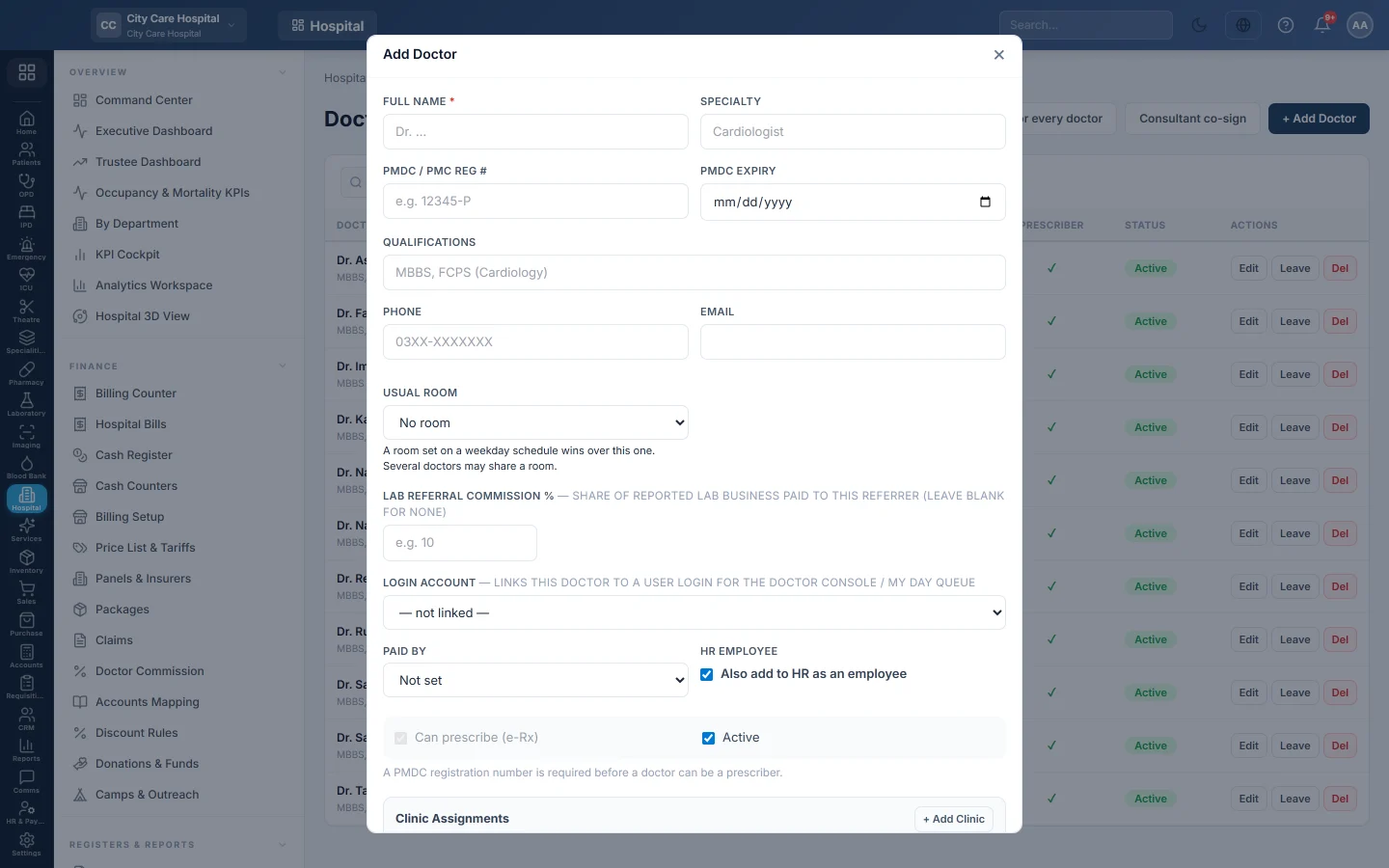
- Click + Add Doctor.
- In Full Name, type Dr. Ayesha Malik. In Specialty, type Cardiologist.
- Type her PMDC / PMC Reg # and PMDC Expiry. Without the number she cannot prescribe.
- In Qualifications, type MBBS, FCPS (Cardiology).
- In Login Account, pick her user.
- In Paid by, choose how the hospital pays her.
Assign the clinics and fees
- Click + Add Clinic.
- In Department, choose Medicine. In Fee, type 1500.
- Leave Token empty to use the department code, or type a prefix such as AM.
- Click + Add Clinic again, choose Cardiology and type 2500.
- Click Save.
An empty Fee uses the department's Default Consultation Fee.
Check the fee at the counter
- Open the Billing Counter and pick a test patient.
- On the Consultation tab, find the doctor. Each clinic shows its fee and the next token number.
If the counter shows a different amount, a row on Price List & Tariffs prices this consultation. Tariff rows win over the doctor's fee.
Common questions
Can she charge less for follow-ups? Follow-ups within the department's free days follow the hospital's follow-up rule on Departments.
She is away next week. Click Leave on her row and add the dates. Bookings on those days are refused.
How is her share paid? Add commission rules on the Commission tab. See Doctor Commission.
Thank you. If you still need help, write to info@eloerp.net.