Front Desk Reports
The front desk's reports in the Reports Library - registrations, the patient index, next of kin, merges, referrals, alerts and the age/sex pyramid.
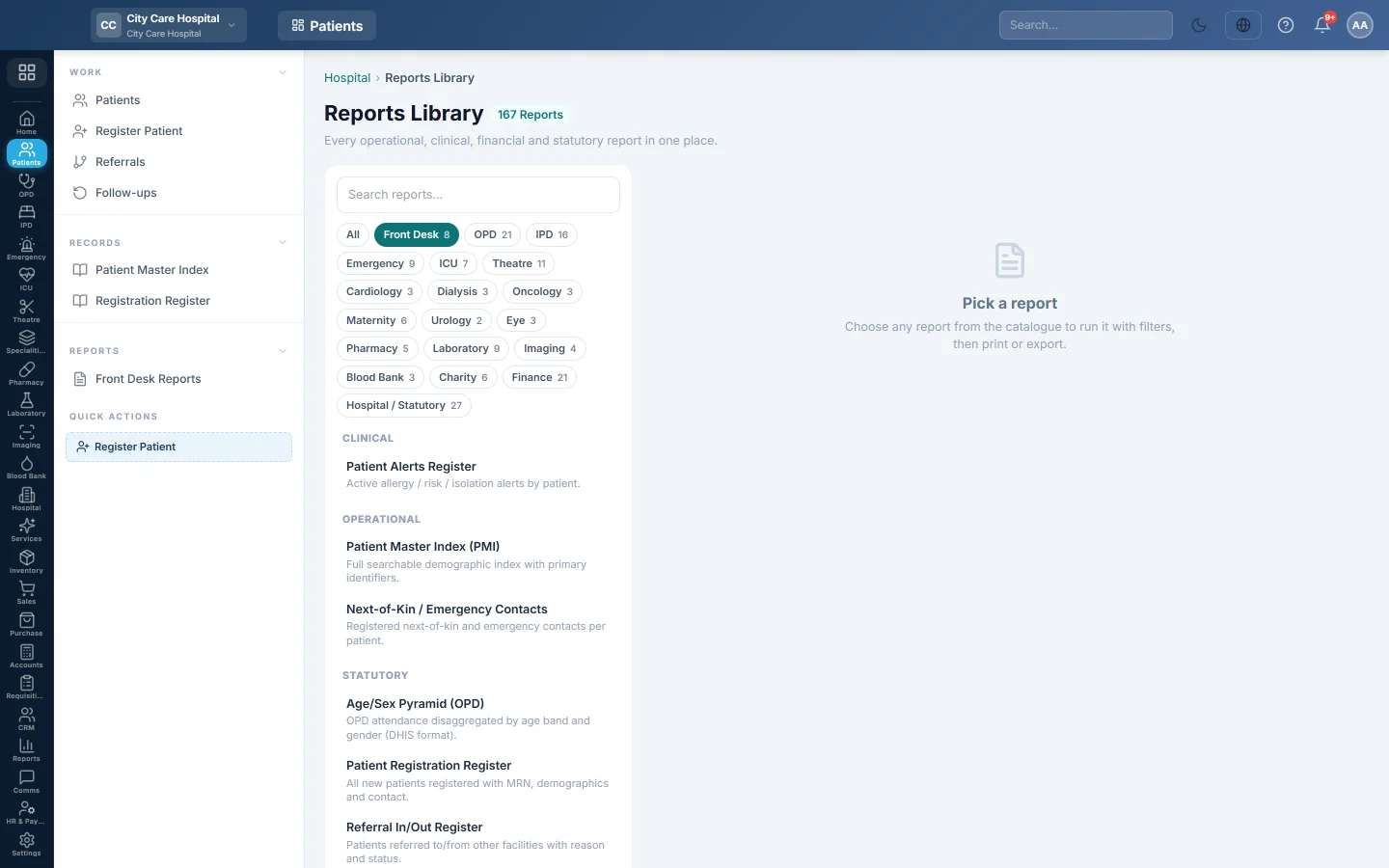
Front Desk Reports opens the Reports Library filtered to the reports about patients and registration. Pick one to run, print or export it.
Before you begin
- Your role needs the hospital reports permission. See Users & Roles.
Where to find it
Open Patients → Reports → Front Desk Reports. The library opens with the Front Desk chip selected.
The reports
| Report | What it shows |
|---|---|
| Patient Registration Register | New patients registered in the period. See Registration Register. |
| Patient Master Index (PMI) | Every registered patient with identifiers. See Patient Master Index. |
| Next-of-Kin / Emergency Contacts | Each patient's relatives and emergency contacts, with phone numbers. |
| Patient Merge Audit | Patient files merged into another, such as an unknown emergency patient later identified, with the reason. |
| Referral In/Out Register | Referrals in the period, with type, from, to and status. See Referrals. |
| Referral Compliance (PHC) | Outward referrals and whether they were answered. |
| Age/Sex Pyramid (OPD) | Consultations by age band and gender, in the format used for DHIS returns. |
| Patient Alerts Register | Active allergy, infection and other alerts by patient, highest severity first. |
Run a report
- Click the report in the list on the left. It runs at once for the current month.
- Change From and To, and any other filters the report has, such as Status or Entered By.
- Click Run.
- Click A4 to print with your letterhead, or CSV to download every row.
Type in Search reports… to find a report by name. Click All to see the reports of every department.
Common questions
A report shows no rows. Nothing matches the dates or filters. Widen From and To, or set the filters back to All.
Where are the visit counts and token reports? They belong to OPD. See OPD Reports.
Do the lists without dates change with From and To? No. The patient index, next of kin, merge audit and alerts lists always show everything current.
Teşekkür ederiz. Hâlâ yardıma ihtiyacınız varsa info@eloerp.net adresine yazın.