OPD Reports
The outpatient reports in the Reports Library - footfall, new versus follow-up, tokens, appointments, consultations, diagnoses, prescriptions, follow-ups and orders.
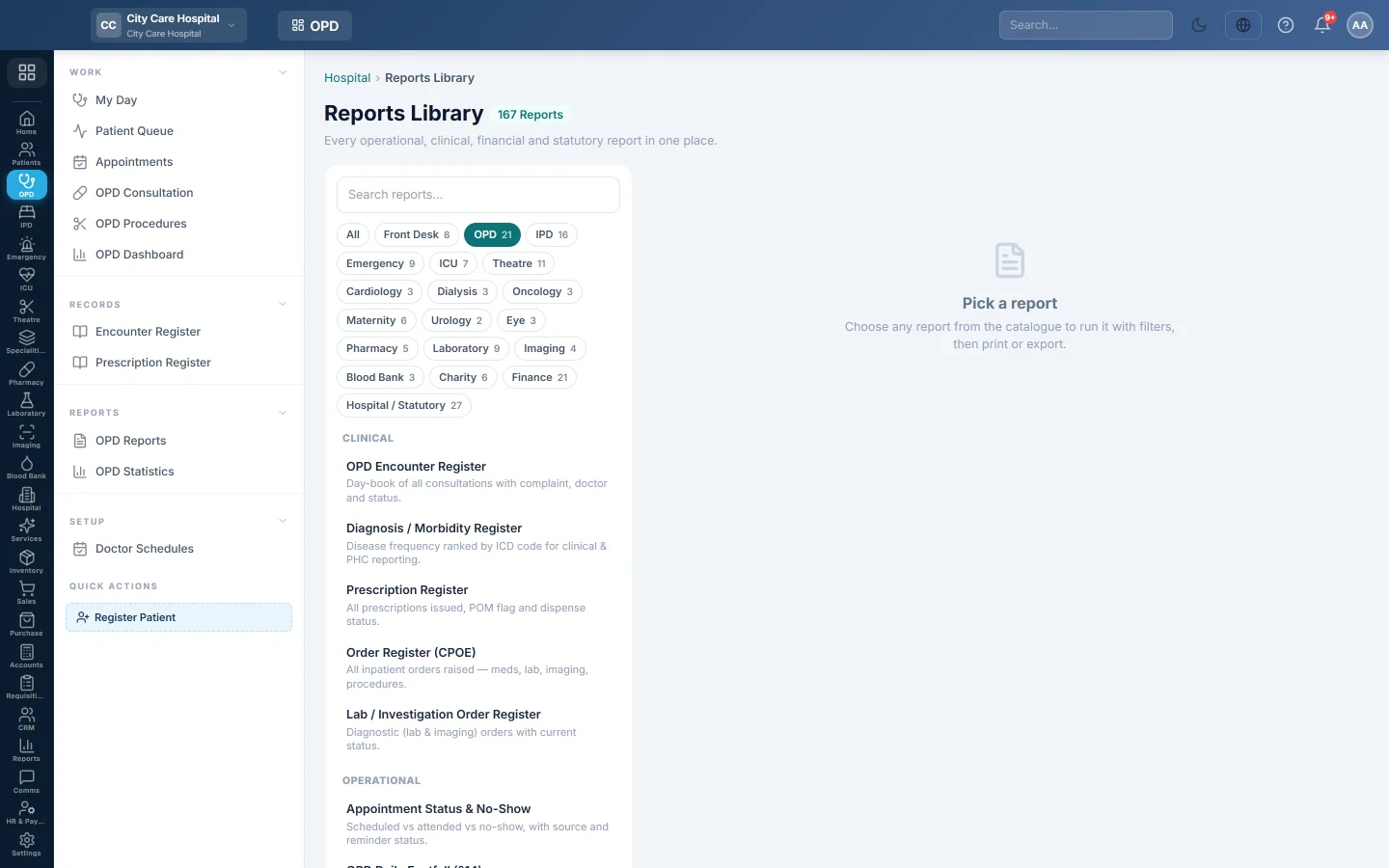
OPD Reports opens the Reports Library filtered to the outpatient reports. Each one runs for a date range and can be printed on A4 or exported to CSV.
Before you begin
- Your role needs the hospital reports permission. See Users & Roles.
Where to find it
Open Outpatients (OPD) → Reports → OPD Reports. The library opens with the OPD chip selected.
The reports
| Report | What it shows |
|---|---|
| OPD Encounter Register | Every consultation. See Encounter Register. |
| Diagnosis / Morbidity Register | Diagnoses ranked by how often they occur, with ICD codes. |
| Disposition Register | Where patients went after the consultation: home, admitted, referred or review. |
| Unsigned Encounter Aging | Consultations not yet signed, grouped by how old they are. |
| Encounters by Doctor / Department | Each doctor's consultations, patients and share signed. |
| Doctor Consultation Load | Consultations per doctor per day. |
| OPD Daily Footfall (§14) | New and follow-up visits by day and department. |
| New vs Follow-up Patient Split | First visits against revisits per department. |
| Token Queue Performance | Tokens issued, called, served and skipped, and the average wait. |
| Appointment Status & No-Show | Booked, attended and no-show appointments, by source. |
| Schedule Slot Utilisation | Booked appointments against the slots doctors offered. |
| Follow-ups Due / Overdue | Follow-ups falling due, and whether they are booked. |
| Follow-up Compliance | Follow-ups due against those booked or re-attended, per doctor. |
| Prescription Register | Every prescription. See Prescription Register. |
| Prescriptions Issued | Prescriptions with item count, dispense state and sign-off. |
| Rx Item Register (Line Level) | Every medicine line with dose, route, frequency and days. |
| Prescription Funnel | Consultations, with a prescription, issued and dispensed. |
| Prescription-Template Usage | How much each department uses prescription templates. |
| Lab / Investigation Order Register | Lab and imaging orders with their status. |
| Order Register (CPOE) | Orders raised on inpatients: medicines, tests and procedures. |
| Order Turnaround-Time (TAT) | Time from order to completion per order type. |
Run a report
- Click the report in the list on the left. It runs at once for the current month.
- Change From and To, and the filters the report has, such as Department, Doctor, Status or Entered By.
- Click Run.
- Click A4 to print with your letterhead, or CSV to download every row.
Common questions
Where is the OPD money report? On OPD Statistics: collections by department, payment method and doctor.
A report is empty. Nothing matches the period or filters. Widen the dates or set filters back to All.
Where are registration and referral reports? Under Front Desk Reports.
Thank you. If you still need help, write to info@eloerp.net.