Follow-ups
The recall list of patients whose doctor set a follow-up date, so the front desk can call them and book their next appointment.
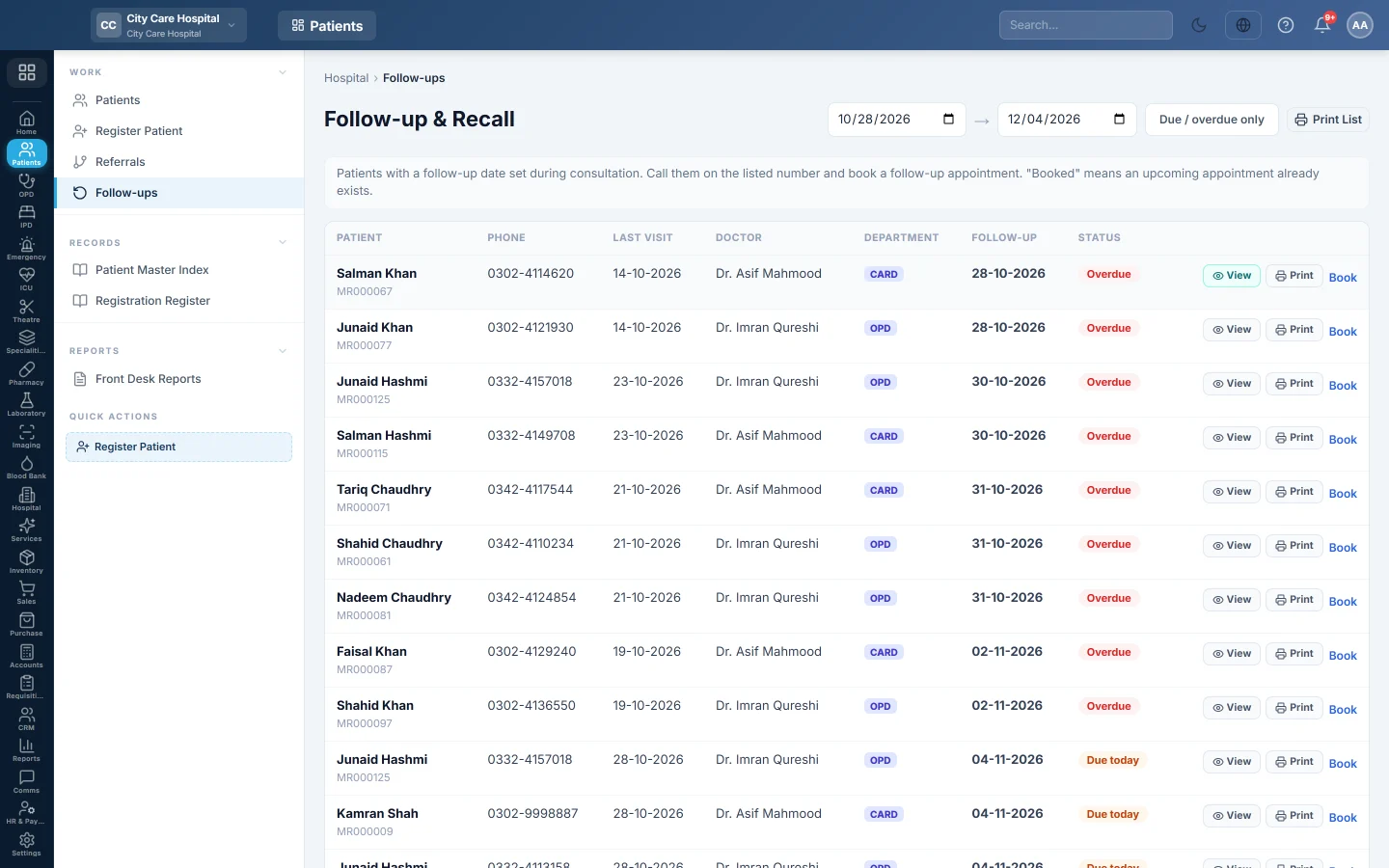
Follow-ups lists patients whose doctor set a follow-up date during the consultation. The front desk calls them on the number shown and books their next appointment.
Before you begin
- Your role needs the appointment view permission. Booking needs the appointment create permission. See Users & Roles.
- Patients appear only when the doctor fills in the follow-up date in OPD Consultation.
Where to find it
Open Patients → Work → Follow-ups. The page is titled Follow-up & Recall.
Work the recall list
- Set the date range at the top. It starts one week back and runs 30 days ahead.
- Click Due / overdue only to hide patients who are not due yet.
- Call the patient on the Phone shown.
- Click Book to open Appointments with the patient already filled in, and book the visit.
The Status shows Overdue, Due today or Upcoming. ✓ booked means the patient already has an upcoming appointment, so Book is hidden.
Click View or Print to open or print the prescription from the visit that set the follow-up. The print button at the top prints the Follow-up & Recall Register.
Common questions
A patient I expect is missing. The doctor did not set a follow-up date, or the date is outside the range at the top. Widen the range.
Why does Book not show? The patient already has an upcoming appointment (✓ booked), or your role cannot book appointments.
Can patients get a reminder message? Reminders are sent by notification rules, not from this page. This list is for calling patients from the desk.
Teşekkür ederiz. Hâlâ yardıma ihtiyacınız varsa info@eloerp.net adresine yazın.