Registration Register
The register of new patients registered in a date range, with MRN, demographics, contact and the user who registered them.
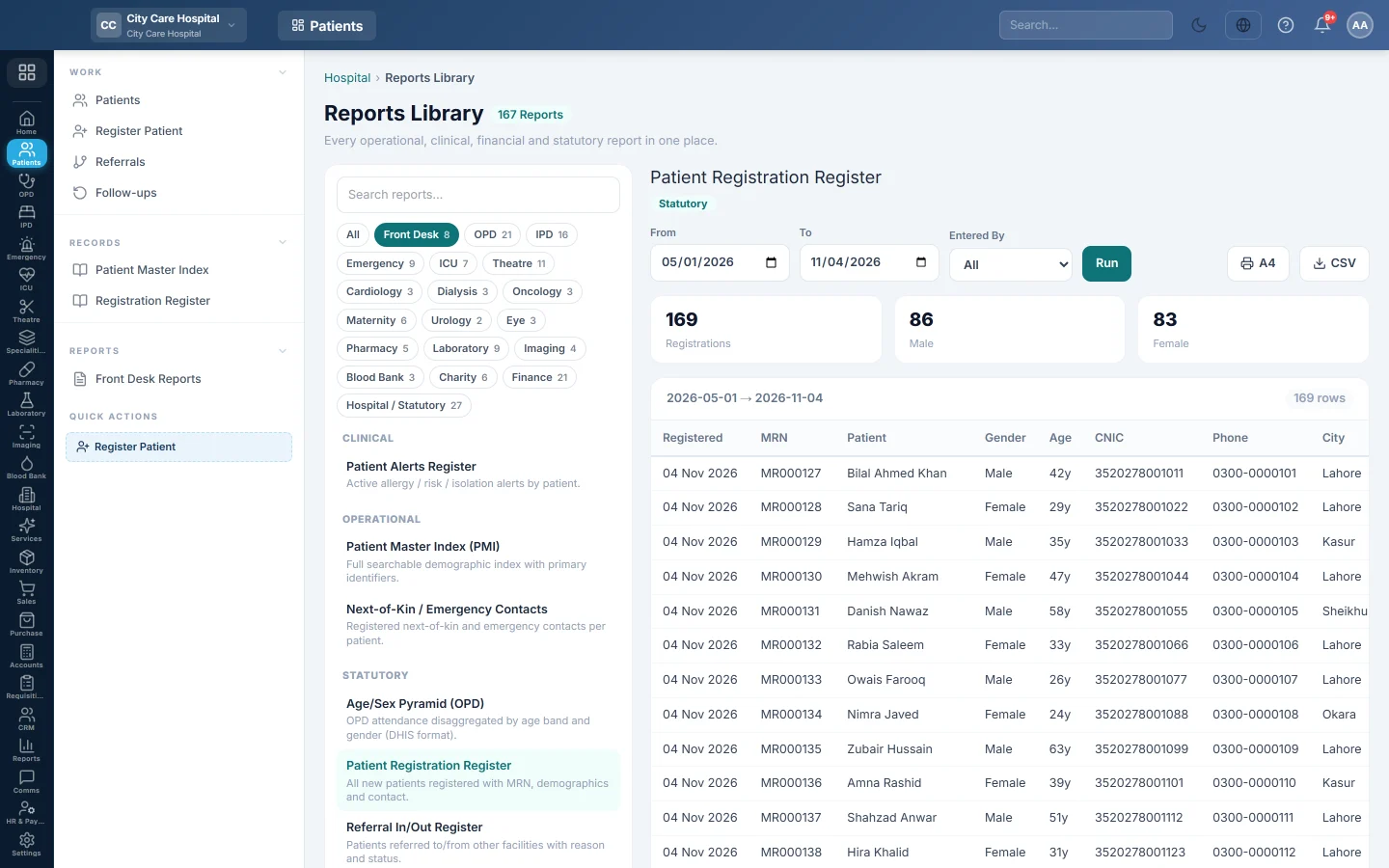
The Registration Register lists the patients registered in a date range. Use it for the daily or monthly count of new patients, and to see which desk user registered each one.
Before you begin
- Your role needs the hospital reports permission. See Users & Roles.
- The report runs in the Reports Library.
Where to find it
Open Patients → Records → Registration Register. It opens as Patient Registration Register and runs for the current month.
Run the register
- Set From and To.
- Optionally pick a user in Entered By to see one desk user's registrations.
- Click Run.
- Click A4 to print, or CSV to download every row.
What the report shows
The tiles count Registrations, Male and Female for the period.
| Column | What it shows |
|---|---|
| Registered | The date the patient was registered. |
| MRN, Patient | The new MR number and name. |
| Gender, Age | Age from the date of birth, or the age typed in. |
| CNIC, Phone, City | Identity and contact details. The CNIC is masked unless your role may see full CNICs. |
| Entered By | The user who registered the patient. |
The newest registrations are at the top. Archived patients are left out.
Common questions
The count is lower than the patients we saw today. Returning patients are not registered again, so only first-time patients count here. For all visits, see OPD Reports.
Why is the CNIC masked? Your role does not have the permission to see full CNICs. The print and the CSV mask it too; ask your administrator if you need it.
Can I see registrations for one counter? Pick the counter user in Entered By.
Patients registered through the patient box on another screen, are they here? Yes. Every registration counts, wherever it was made.
Thank you. If you still need help, write to info@eloerp.net.