The offline till: what it is and when to use it
What the offline till (the POS app on a counter PC) does, how it differs from the online POS Terminal, what it can and cannot do without internet, and when your shop needs one.
The online POS Terminal runs in a web browser and needs the internet for every sale. The offline till is the POS app installed on a Windows PC at the counter. It keeps selling when the internet drops and sends the sales to EloERP when the connection is back.
Before you begin
- Your service provider switches Offline POS on for your company and sets how many tills you may pair. Until then POS Devices says Offline POS not enabled.
- Each till needs a Windows PC with internet for the first set-up.
- Add the branch the till sells in. See Branches.
Where to find it
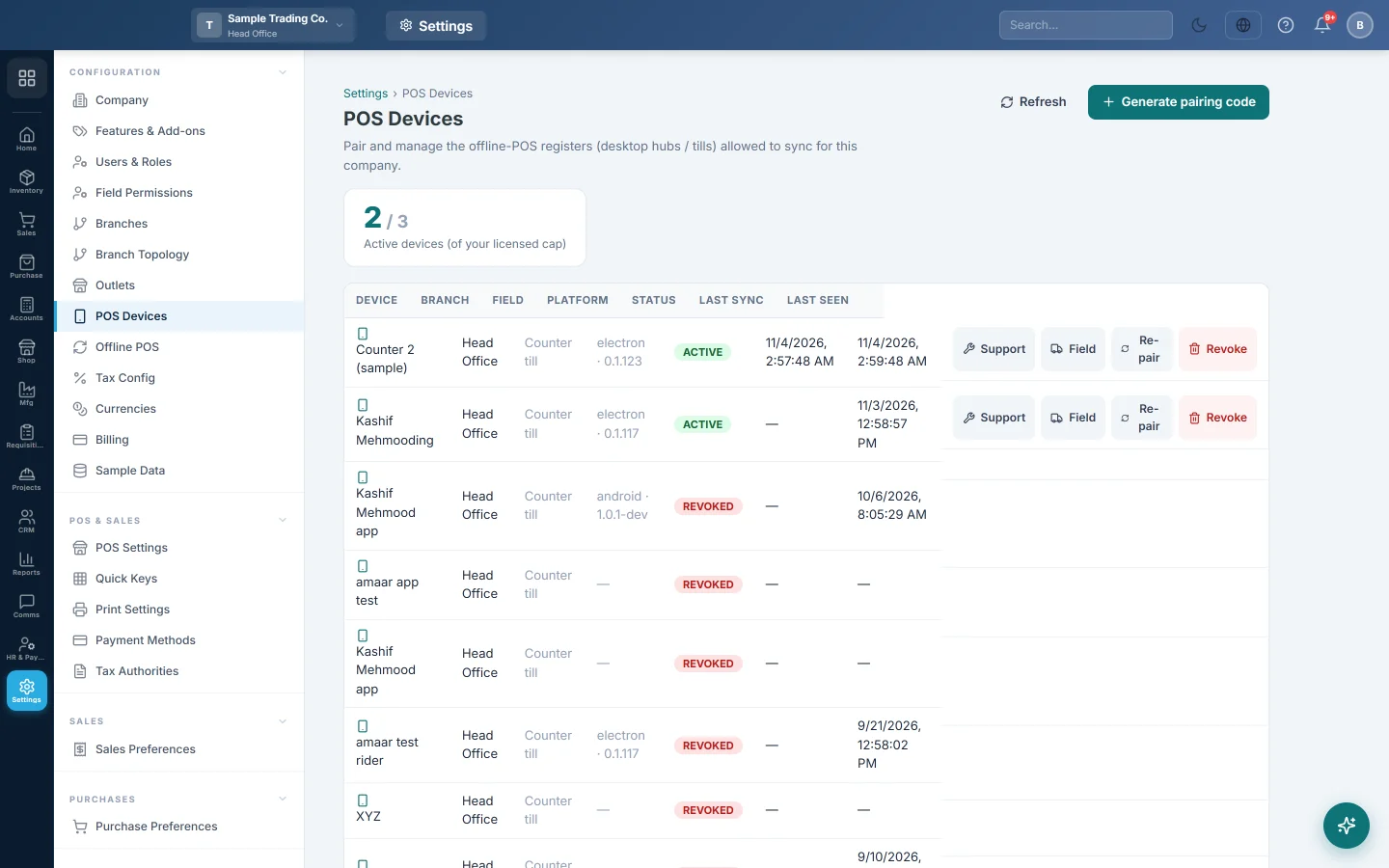
- You pair and manage the tills in Settings → Configuration → POS Devices. See POS Devices.
- On the PC, the app opens from the POS Hub shortcut on the desktop or in the Start menu.
Online till or offline till
| Online POS Terminal | Offline till | |
|---|---|---|
| Where it runs | Any browser, Sales → POS → POS Terminal | The POS app on a Windows PC, paired in POS Devices |
| Internet | Needed for every sale | Needed only to send and fetch data |
| Screens | Terminal, Sales History, Cash Register, X Report, Sale Return | The same five screens, with the same buttons |
| When a sale reaches the books | At once | When the till syncs, within seconds of the connection returning |
| Z-Report | Online | Online, after the till's shift has synced |
You can use both in the same branch. Many shops sell on the offline till and use the browser for everything else.
What works without internet
- Cash, card, bank and split payments, discounts, Hold and Held Orders.
- Returns of sales rung on that till, and reprints from Sales History.
- Opening and closing the shift, Cash In and Cash Out, and the X-Report.
- Credit sales to a customer with a ledger. See Credit sales on the offline till.
- New customers added at the till with + New. They upload with the sales.
- Restaurant orders: dine in, take away, delivery and kitchen tickets.
- Silent receipt printing and weighing on a scale. See Printers, cash drawer and scale on the offline till.
What needs the online POS Terminal
The offline till does not offer these, even when its internet is up:
- Installment sales.
- Redeeming loyalty points, gift cards and store credit.
- Charge to Room for hotel guests.
- Products tracked by batch or serial number. Their tiles show 🌐 Online only.
A PRA sale is also refused while the internet is down when the branch rule is Block. See Tax Authorities.
How it works
- You pair the PC once with a code from POS Devices.
- The till downloads your products, prices, customers, payment methods, users and POS settings.
- Each sale is saved on the PC and printed straight away.
- While the PC is online, the till uploads waiting sales every 15 seconds and fetches changes every 10 minutes.
- Each uploaded sale becomes a normal sales invoice, with its payment, stock movement and ledger entries.
One PC or several
- Each counter PC with the POS app is its own device. It uses one slot of your allowance and has its own shifts and receipt numbers.
- Two cashiers can share one PC. Open POS Hub a second time to get a second till window, and each cashier signs in to their own. See Sign in on the offline till.
Set it up step by step
- Install the POS app on a PC and pair it
- Sign in on the offline till
- Printers, cash drawer and scale on the offline till
- Sell on the offline till when the internet is down
- Shifts, X and Z reports on the offline till
- How offline sales sync, and what to do with sync problems
Common questions
Do I need the offline till if my internet is reliable? No. The online POS Terminal is enough. The offline till is for shops where power cuts or weak internet would otherwise stop the counter.
Are unsynced sales safe on the PC? They are kept in an encrypted store tied to that PC and Windows user. Completed sales survive a power cut. Copying the files to another PC does not open them.
How many tills can I pair? Your service provider sets the allowance. The box at the top of POS Devices shows how many are active out of it.
Does it run on a Mac or a tablet? The POS app is for Windows PCs. Field sales phones use their own app, set up in POS Devices.
Can I use the rest of EloERP on the till PC? Yes, in a browser. Back to ERP on the offline till does nothing, because the till holds only the selling screens.
Gracias. Si todavía necesita ayuda, escriba a info@eloerp.net.