Waitlist
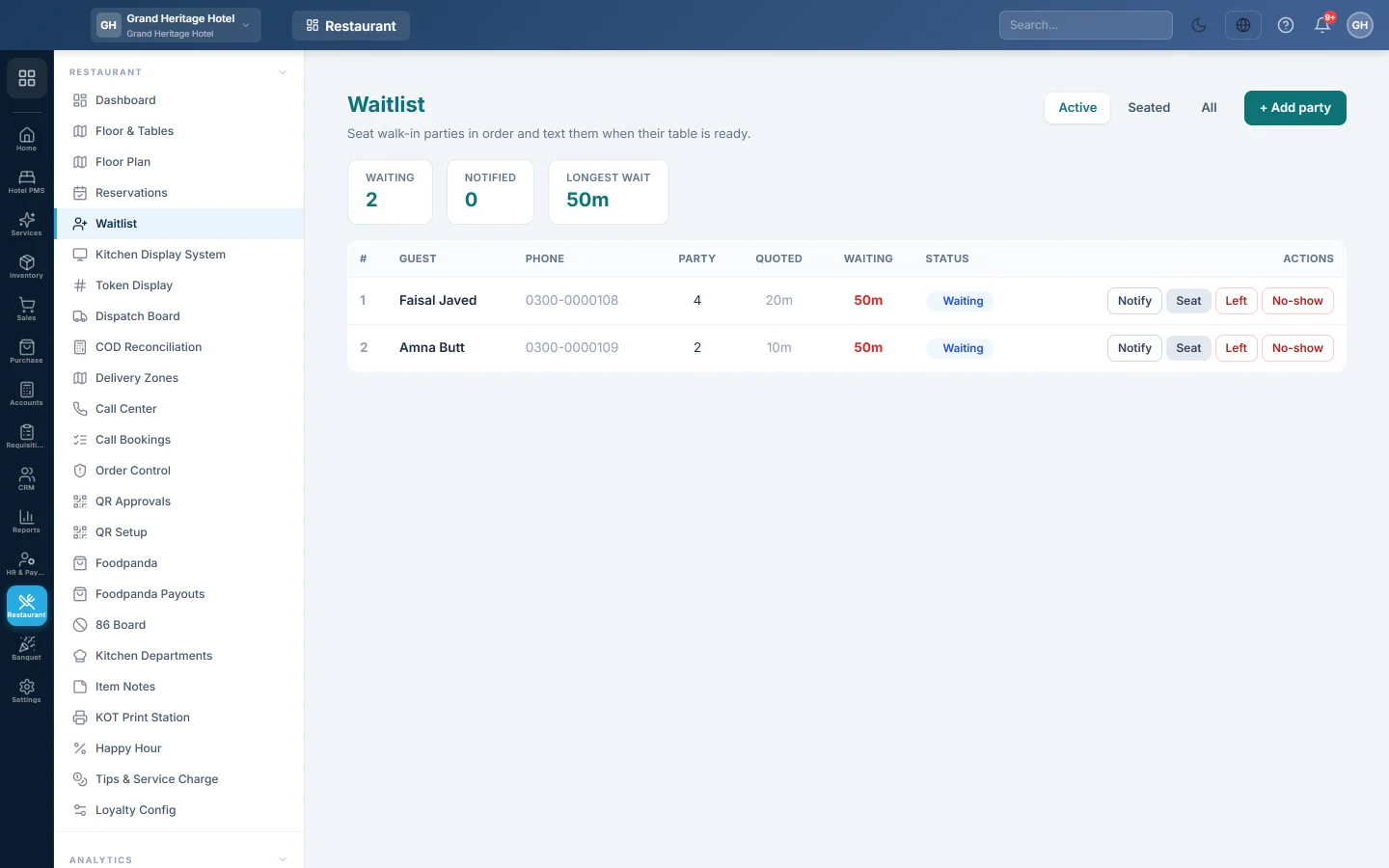
Queue walk-in parties when the restaurant is full, see how long each has waited, tell them their table is ready, and seat them straight onto a table with a new dine-in order.
The Waitlist keeps walk-in parties in order while you have no free table. You note each party's quoted wait, send a table-ready message when a table frees up, and seat them, which opens their dine-in order.
Before you begin
- Your role needs Manage Reservations & Waitlist, also just to see the list. See Users & Roles.
- Your tables exist on Floor & Tables.
- The table-ready message goes out only when a rule for the Waitlist: table ready event is set up under Settings → Notifications → Rules, and an SMS or WhatsApp channel is connected. See Notification Channels.
- The list belongs to the branch you are in.
Where to find it
Open Restaurant → Restaurant → Waitlist.
Add a party
- Click + Add party.
- Type the **Guest name *** and the Phone. Without a phone you cannot notify them.
- Enter the Party size and the Quoted wait (min) you told them.
- Add Notes if needed, for example high chair.
- Click Add to queue.
The party joins the bottom of the list with the status Waiting.
Read the list
The counters at the top show how many parties are Waiting and Notified, and the Longest wait. In the list, Waiting is the time since the party was added. It turns red once it passes the quoted wait.
Use the tabs to switch between Active (waiting and notified), Seated and All.
Tell a party their table is ready
- Click Notify on the party's row.
The status changes to Notified and the row shows ✓ notified. If a table-ready rule is set up, the guest gets the message.
Seat a party
- Click Seat on the party's row.
- Pick a free Table, or — No table (assign later) —.
- Click Seat party.
EloERP opens a dine-in order for the party's size on that table and marks the party Seated. The table turns occupied. Carry on with the order in the till or the waiter app.
Remove a party
Click Left for a party that gave up, or No-show for one that did not come back. Confirm, and the party leaves the active list.
Common questions
The Notify button is greyed out. The party has no phone number. Seat them when they come to the desk.
The guest did not get a message. Notify only sends when a rule for Waitlist: table ready and a working channel exist. Check them under Settings → Notifications.
A table is missing from the Seat list. Only tables whose status is available are listed. A table that is occupied, reserved or being cleaned is left out.
Is this the same as Reservations? No. Reservations are bookings made in advance. The Waitlist is for guests waiting at the door now.
Gracias. Si todavía necesita ayuda, escriba a info@eloerp.net.