Token Display
A screen for the pickup counter that shows which token number is being served and which are next, with a caller panel to call the next token or hand out a manual token.
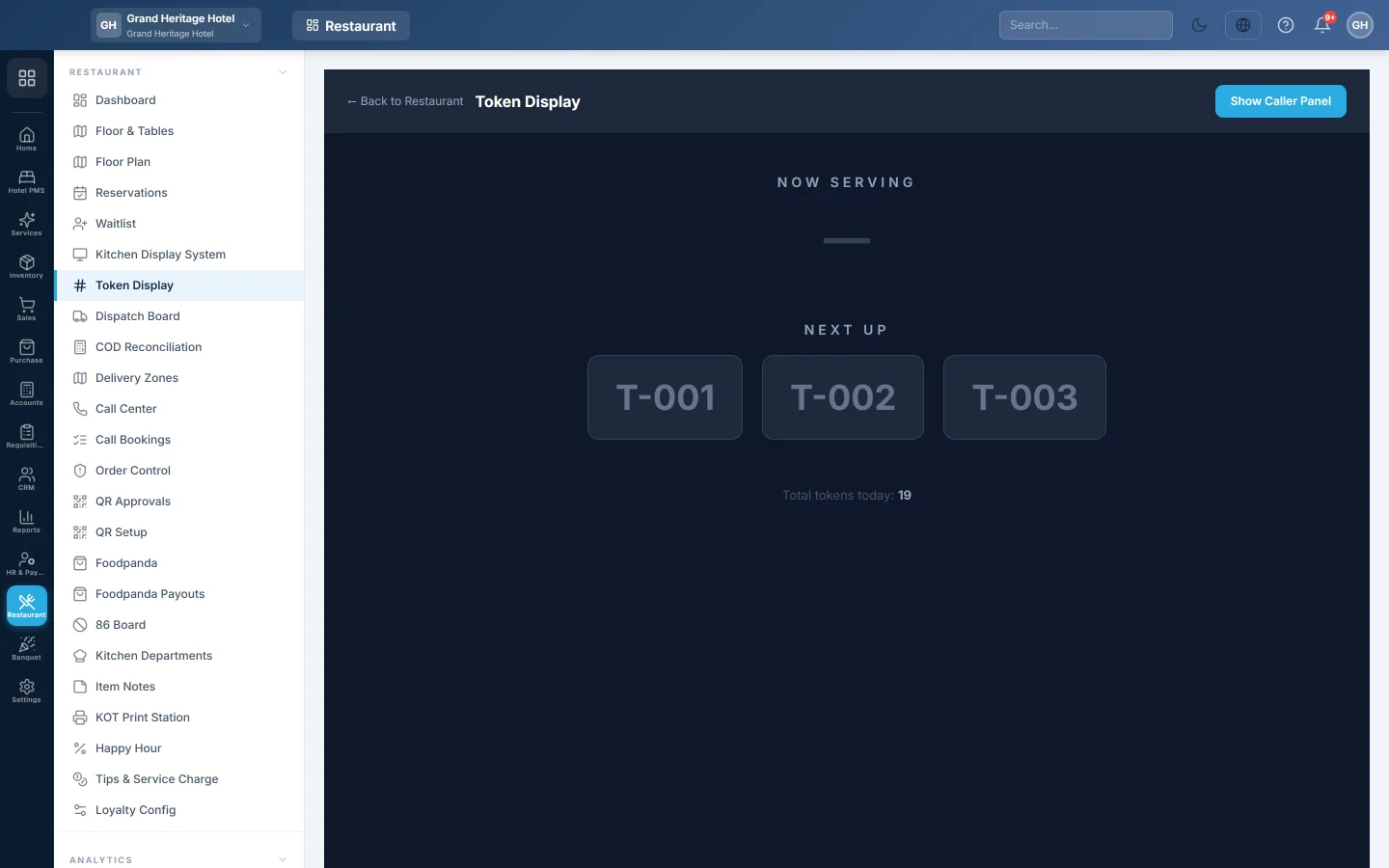
Token Display is the big screen over your pickup counter. It shows the token being served now and the next tokens in line, so takeaway customers know when to collect their order.
Before you begin
- Your role needs Access Token Display. See Users & Roles.
- Tokens are given out by the till. When a cashier completes a takeaway, delivery or drive-thru sale on the POS Terminal, the receipt window shows a TOKEN NUMBER, such as T-007. Dine-in sales get no token.
Where to find it
Open Restaurant → Restaurant → Token Display. Open it on the screen facing customers, full screen in the browser (F11 in most browsers).
Read the screen
| Part | What it shows |
|---|---|
| Now Serving | The token called last, in large green numbers. |
| Next Up | The next three tokens still waiting, in order. |
| Total tokens today: | How many tokens were given out today. |
The screen updates every 5 seconds. Token numbers start again from T-001 each day.
Call the next token
- Click Show Caller Panel at the top right.
- When an order is ready at the counter, click 📢 Call Next Token.
The token being served is marked done, and the lowest waiting token moves to Now Serving. Click Hide Caller Panel to clear the panel from the customer screen.
Hand out a token by hand
For a customer who needs a number without a till sale, click + Generate New Token in the caller panel. The next number joins the end of Next Up. Write or call out the number to the customer.
Common questions
Call Next Token says there are no tokens to call. Nobody is waiting. Every token today has been called already.
Can I skip a token? No. Call Next Token always calls the lowest waiting number.
Do the tokens show which branch they belong to? No. All branches share one token sequence each day, so with several branches the screen shows every branch's tokens.
Is this the kitchen screen? No. The kitchen works from the Kitchen Display System.
Gracias. Si todavía necesita ayuda, escriba a info@eloerp.net.