Room Types
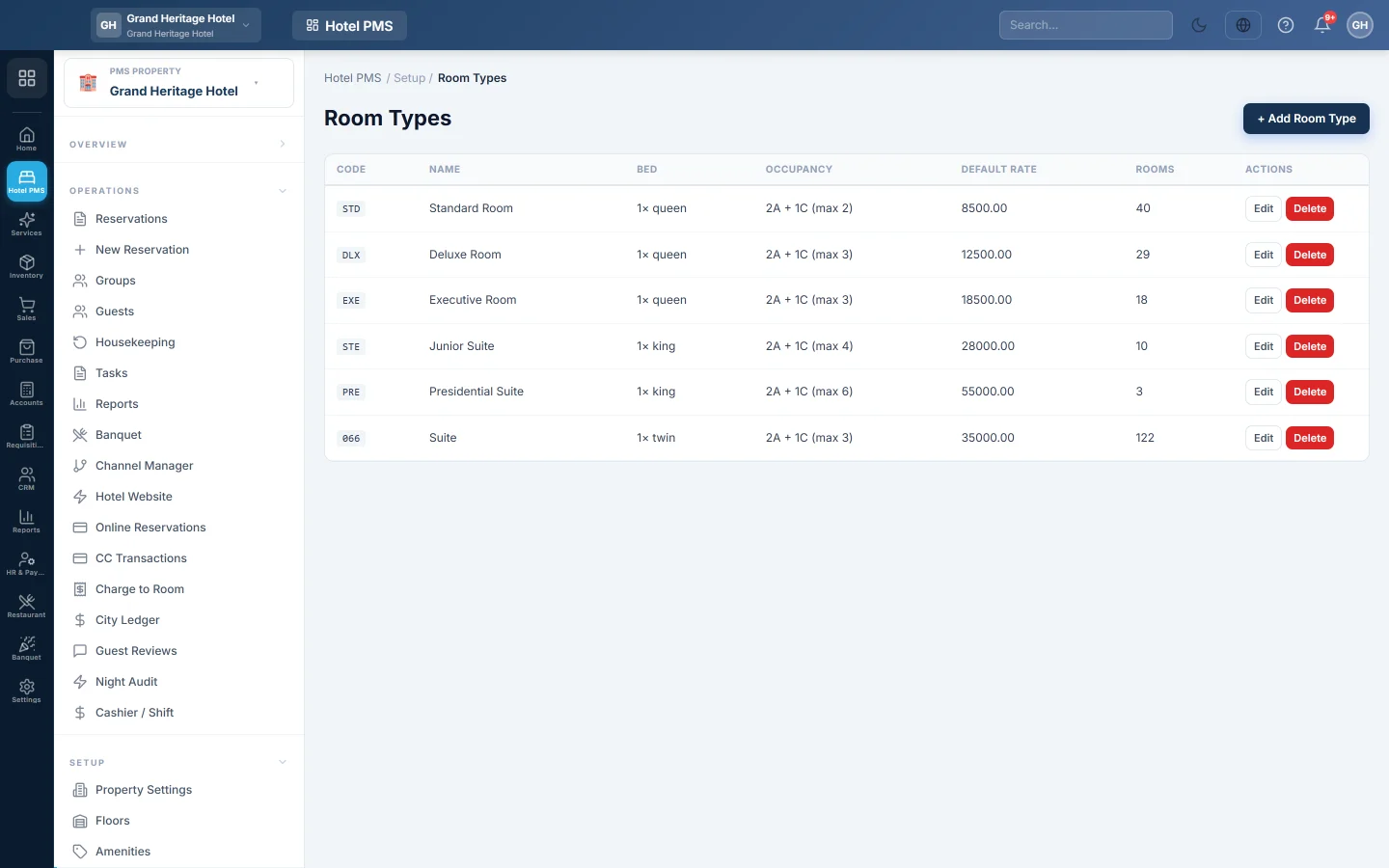
Define the kinds of room you sell, such as Standard, Deluxe and Suite, with their beds, occupancy limits, default prices and amenities.
A room type is a kind of room you sell, such as Standard, Deluxe or Suite. Every room belongs to one type, and prices, availability and online channels all work by room type.
Before you begin
- Add your amenities first so you can tick them here. See Amenities.
- Your role needs the room type permissions. See Users & Roles.
Where to find it
Open Hotel → Setup → Room Types.
Add a room type
- Click + Add Room Type.
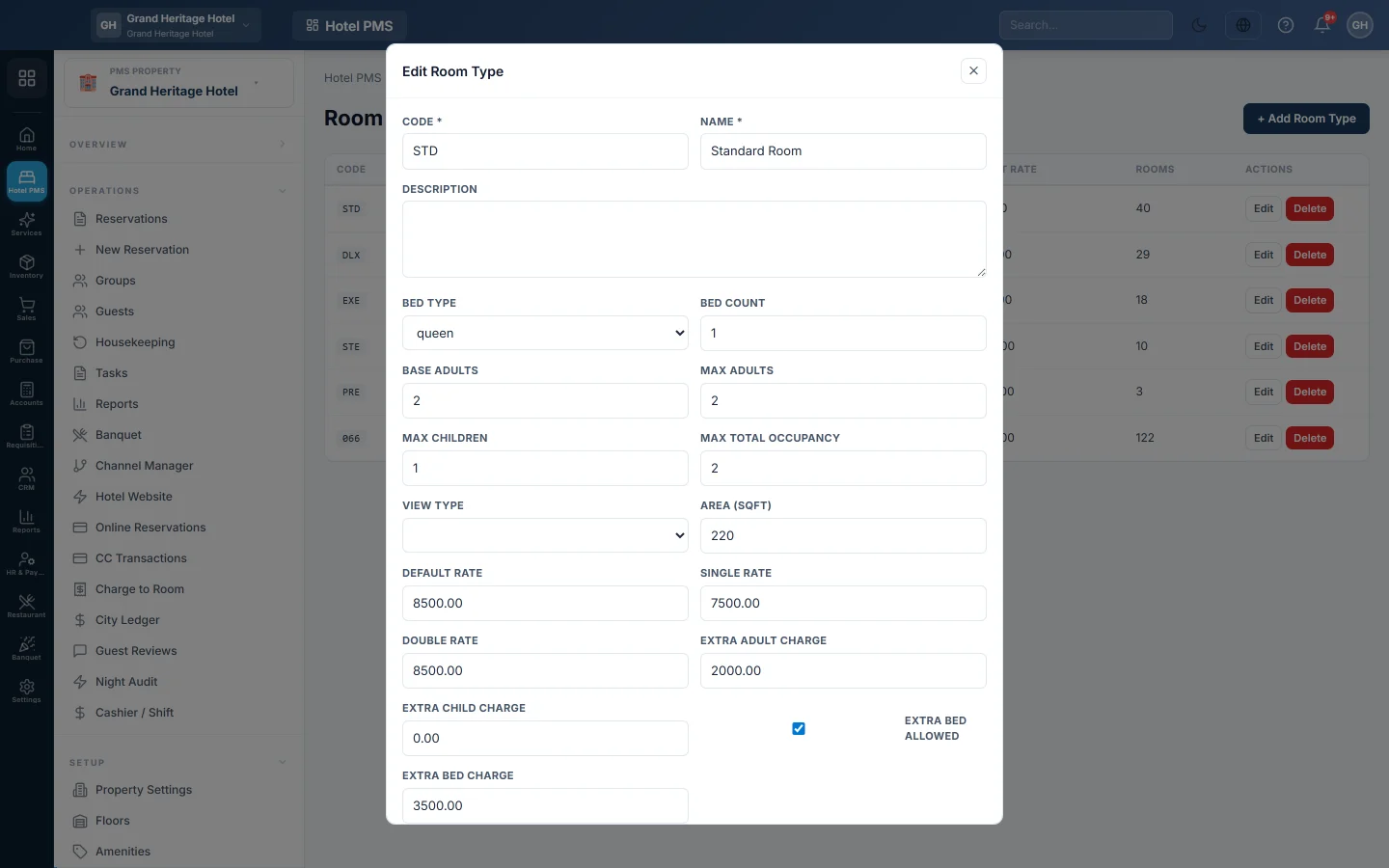
- Enter a Code, for example STD, DLX or STE, and a Name, for example Deluxe Double. Both are required.
- Optionally add a Description of the room type.
- Pick the Bed Type (single, twin, double, queen or king) and the Bed Count.
- Set the occupancy: Base Adults, Max Adults, Max Children and Max Total Occupancy.
- Optionally pick a View Type and the Area (sqft).
- Enter the prices: Default Rate, Single Rate and Double Rate, then Extra Adult Charge and Extra Child Charge.
- Tick Extra bed allowed if you can add a bed, and enter the Extra Bed Charge.
- Under Amenities, tick what this room type has.
- Click Save.
How the prices here are used
Your real prices normally live in a rate plan's Rate Grid, see Rate Plans. The prices on the room type are the fallback for any night the grid does not cover:
- One adult pays the Single Rate; two or more adults pay the Double Rate. When those are empty, the Default Rate is used.
- Each adult above Base Adults adds the Extra Adult Charge, and each child adds the Extra Child Charge.
- Each extra bed on a booking adds the Extra Bed Charge, even when the price comes from a rate plan.
Edit or delete a room type
Click Edit to change a type; the changes apply to new quotes. Click Delete and confirm to remove it. A type that still has rooms cannot be deleted; EloERP shows Cannot delete: room type has rooms assigned.
Common questions
What does the Rooms column show? How many rooms of this type you have added on Rooms.
Why does a booking for two adults cost more than the default rate? Two adults use the Double Rate, and any adult above Base Adults adds the extra adult charge.
How do I add photos of the room type for my website? Photos are managed on Hotel Website.
What next? Add the rooms of each type, see Rooms.
Thank you. If you still need help, write to info@eloerp.net.