Statutory Registers
The registers a regulator inspects, admissions, deaths, births, operations and emergency, for any period, printed on A4 with the hospital's registration number or exported to CSV.
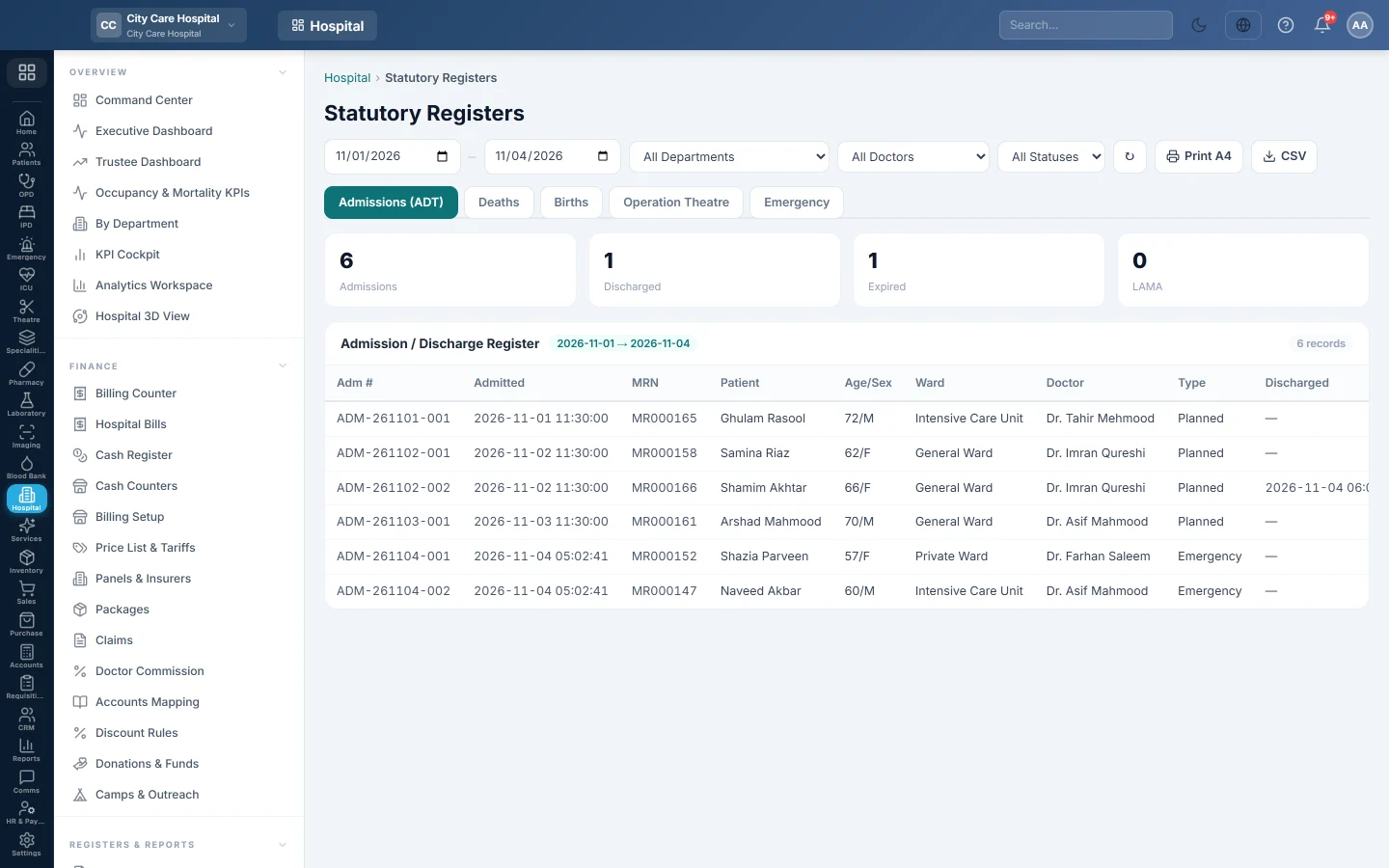
Statutory Registers prints the registers inspectors ask for, straight from the hospital's own records. Pick a register and a period, then print it on A4 or export it.
Before you begin
- You need the HIMS reports view right.
- Enter the hospital's registration number on Facility Profile. It prints in the register's subtitle.
Where to find it
Open Hospital → Registers & Reports → Statutory Registers.
Print a register
- Click the tab: Admissions (ADT), Deaths, Births, Operation Theatre or Emergency.
- Set the two dates. This month is shown first.
- Narrow it if needed: All Departments and All Doctors on admissions, All Doctors on theatre, and All Statuses where the register has a status.
- Click ↻ to refresh.
- Click Print A4, or CSV to export.
Long registers have Prev and Next pages. The print and the export cover the whole period, up to 2,000 rows.
Where the records come from
- Admissions from Admissions.
- Deaths from Deaths & Mortuary and Mortality & MRC.
- Operations from the OT Board.
- Emergency visits from the ER Board.
Common questions
The subtitle has no PHC number. Fill in HCE Registration No on Facility Profile.
A death is missing from the register. It was not recorded with a date in the period. Check the death's date and time.
Can I get more registers? The Reports Library has more statutory reports under Hospital / Statutory.
Спасибо. Если помощь всё ещё нужна, напишите на info@eloerp.net.