Record Access Log
See who opened or changed which patient's record, on which screen and when, for a patient complaint, a medico-legal enquiry or a privacy audit.
The Record Access Log answers "who looked at this patient's file?". It notes each time a patient's record is opened or changed, by whom, on which screen and when.
Before you begin
- You need the HIMS settings manage right.
- Recording must be on. Openings before you switch it on cannot be recovered.
Where to find it
Open Hospital → Registers & Reports → Record Access Log.
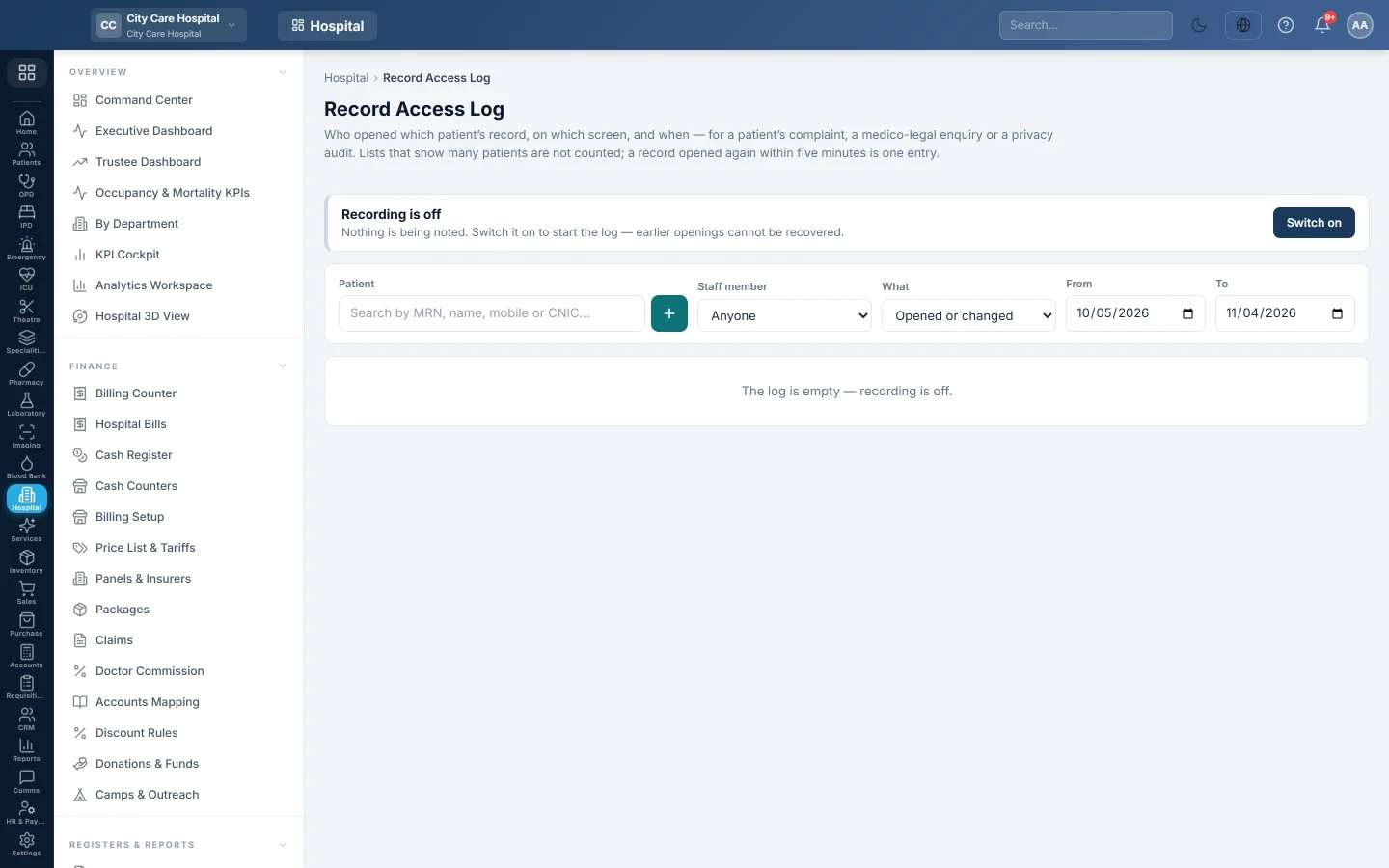
Switch recording on
At the top, the page says Recording is on or Recording is off. Click Switch on to start the log, or Switch off to stop it.
Search the log
- Choose the Patient, or leave it blank for all.
- Choose the Staff member, or Anyone.
- Under What, choose Opened or changed, Opened or Changed.
- Set From and To.
When you pick a patient, Who opened sums up each staff member with how many times and when last.
The list shows When, Staff member, Patient, Screen, Record and What. Use Newer and Older to page through it.
Common questions
The log is empty. Recording is off, or nothing matches your filters.
Can a staff member delete their entries? No. The log is read-only on this screen.
Does it show what was changed? It shows that the record was changed and on which screen. For field-level changes, see the company Audit Log.
Спасибо. Если помощь всё ещё нужна, напишите на info@eloerp.net.