Imaging Reports
The imaging department's reports in the Reports Library, covering the order register, revenue by exam, turnaround time and the critical findings log.
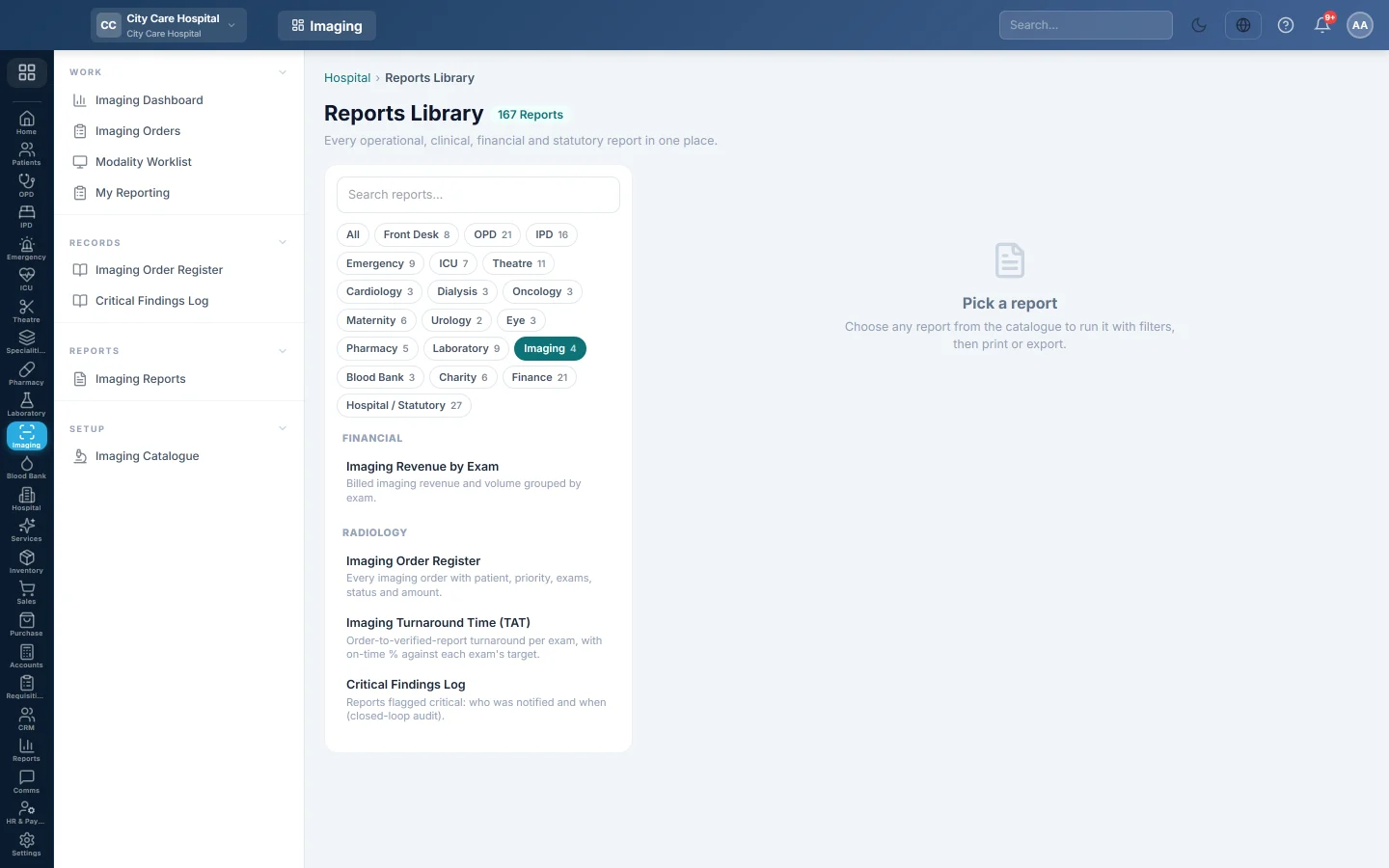
Imaging Reports opens the hospital's Reports Library filtered to the imaging department. All four imaging reports run with a date range and print or export the same way.
Before you begin
- Your role needs access to the hospital's Reports Library. See Users & Roles.
Where to find it
Open Imaging → Reports → Imaging Reports. The Imaging chip is already chosen in the catalogue on the left.
Run a report
- Click a report in the list on the left.
- Set From and To, and any other filter the report offers.
- Click Run.
- Click A4 to print or CSV to export every row.
The imaging reports
| Report | What it shows |
|---|---|
| Imaging Order Register | Every order with patient, priority, exams, amount, status and sign-out time. See Imaging Order Register. |
| Imaging Revenue by Exam | Billed orders grouped by exam: orders, times ordered, revenue and its share of the total. |
| Imaging Turnaround Time (TAT) | Signed reports per exam with the average hours from order to sign-out, and the On time % against each exam's target. |
| Critical Findings Log | Critical reports with who was notified and when. See Critical Findings Log. |
Common questions
Where do the turnaround targets come from? From Turnaround target (hours) on each exam in the Imaging Catalogue. It is 24 hours unless you change it.
Does Imaging Revenue by Exam include discounts? No. It adds up the catalogue price of each exam on billed orders. Discounts and panel rates are in the hospital's billing reports.
Why are ward patients missing from revenue? Orders charged to an admission or ER bill have no imaging bill of their own, so the report leaves them out.
Can I search all reports? Yes. Click All to clear the chip, or type in Search reports….
Vielen Dank. Wenn Sie weitere Hilfe brauchen, schreiben Sie an info@eloerp.net.