Critical Findings Log
The audit log of imaging reports flagged critical, showing who was notified and when, for the closed-loop critical result check.
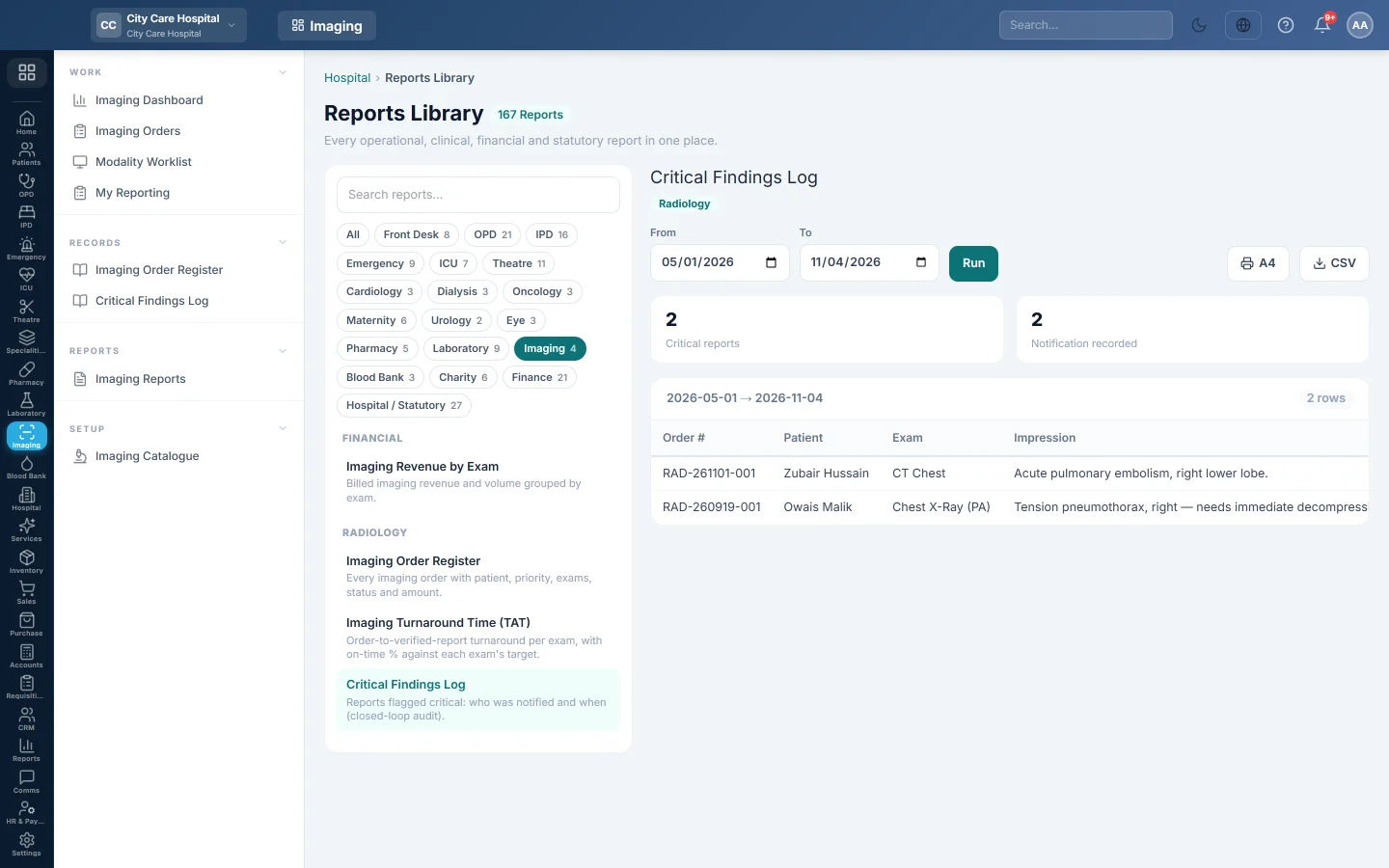
The Critical Findings Log lists every imaging report flagged critical, with who was told and when. Quality teams use it to prove each critical result reached a doctor.
Before you begin
- Radiologists flag critical findings while reporting. See Report and sign a scan.
- Your role needs access to the hospital's Reports Library. See Users & Roles.
Where to find it
Open Imaging → Records → Critical Findings Log. It opens in the Reports Library with the report already chosen.
Run the log
- Set From and To.
- Click Run.
The boxes at the top show the number of Critical reports and how many have a Notification recorded. Each row shows the Order #, Patient, Exam, the first part of the Impression, Notified to, Notified at and the Verified time.
Click A4 to print it or CSV to export it.
Check the closed loop
The two numbers at the top should match. A row with — under Notified to is a report marked critical that is still a draft: the radiologist has flagged it but not signed it. Follow it up with the radiologist today.
Common questions
Which date does the range use? The sign-out date, or the draft date for reports not yet signed.
Can I correct who was notified? Amend the report and sign it again. The new name and time are recorded. See Print or correct an imaging report.
Where are this week's criticals at a glance? On the Imaging Dashboard under Critical findings (7d).
Vielen Dank. Wenn Sie weitere Hilfe brauchen, schreiben Sie an info@eloerp.net.