IOL Implant Log
List every intraocular lens implanted in a period with the eye, lens, power, the power planned, serial or lot and surgeon, for traceability and recalls.
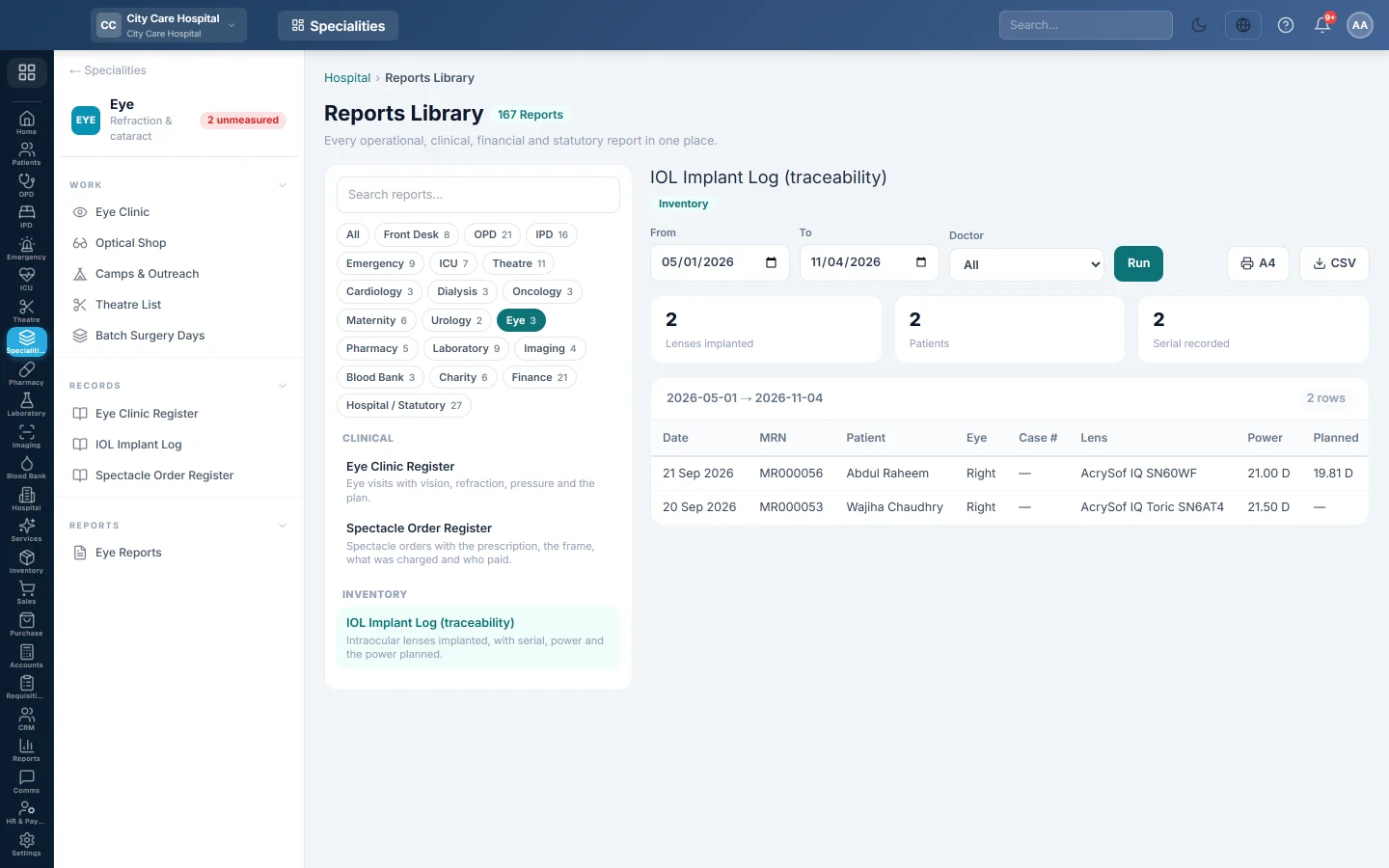
The IOL Implant Log (traceability) lists every intraocular lens that went into a patient, with its power, the power that was planned and its serial or lot number.
Before you begin
- Your role has the permission to view hospital reports. See Users & Roles.
- Lenses are recorded with + Lens or Record lens in the Eye Clinic.
Where to find it
Open Specialities → Eye → Records → IOL Implant Log. It opens in the Reports Library and runs for the current month.
Run the register
- Set From and To. The log uses the date each lens was implanted.
- Narrow it if you like:
- Doctor: lenses implanted by one surgeon.
- Click Run.
The summary shows the number of Lenses implanted, the Patients and how many have a Serial recorded. The table lists Date, MRN, Patient, Eye, Case #, Lens, Power, Planned, Serial / Lot and Surgeon. Long results are paged, 50 rows at a time.
Print or export
- Click A4 to print the register on your letterhead.
- Click CSV to download every row with the same filters, for Excel.
Common questions
Serial recorded is less than lenses implanted. Some lenses were recorded without a serial number. Edit the lens in the Eye Clinic and add it, so a recall can find the patient.
Planned is blank. No biometry was saved for that eye before the operation.
Спасибо. Если помощь всё ещё нужна, напишите на info@eloerp.net.