Camps & Outreach
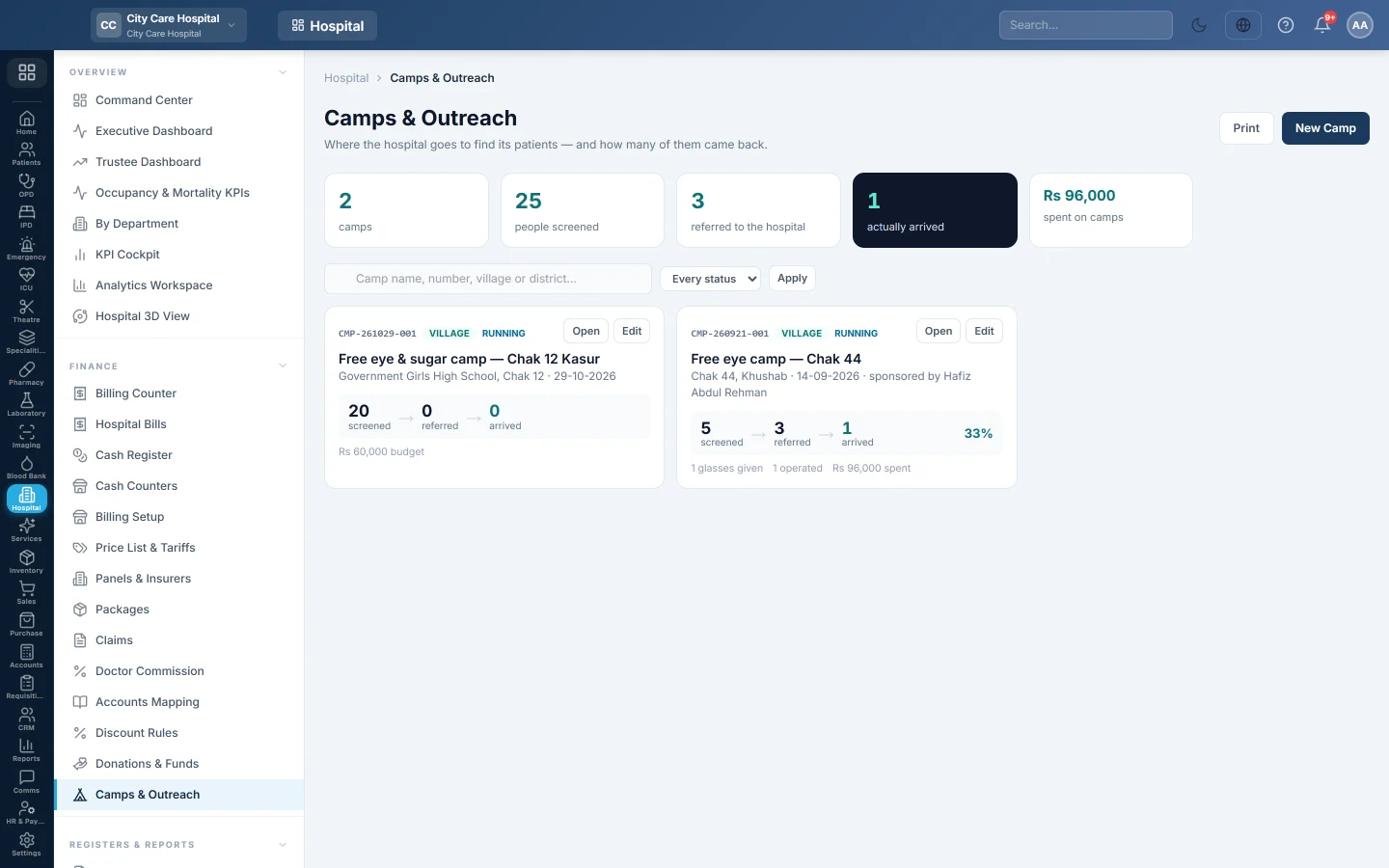
Plan free eye camps, record everyone screened even without signal, refer them to the hospital, register them as patients and see how many arrived and were operated.
Camps & Outreach is where the hospital goes to find its patients. You plan each camp, record everyone screened, and refer those who need the hospital. EloERP links each screening to the patient they become, so the camp shows how many referrals actually came.
Before you begin
- The camps feature is switched on for your hospital, with the charity features.
- Team leads are on the doctors list. A sponsor or fund is set up if someone pays for the camp.
- Your role needs Plan Camps & Record Screenings.
Where to find it
Open Specialities → Eye → Work → Camps & Outreach.
Plan a camp
- Click New Camp.
- Type the Camp name, for example Free eye camp, Chak 44, and pick the Kind: Village, School, Corporate, Mobile unit or Other.
- Set the Status, Starts and Ends.
- Type the Venue, Village / city, District and Host / partner.
- Pick the Team lead and type People we hope to see and the Budget.
- Pick what it is Paid from and who it is Sponsored by.
- List the Volunteers, one a line, and fill in Surgery-day pick-up if you bring patients in.
- Click Save camp.
Record people screened
- Click Open on the camp, then + Screening.
- Type the Name, Father / husband, Gender, Age, Phone and ID card number. The ID card is what finds them again at the hospital.
- Record Vision right and Vision left, and the refraction if done.
- Pick the Finding, such as Cataract or Refractive error.
- Tick Glasses advised, Glasses given here or Referred to the hospital, and pick what for: Surgery, OPD or Optical shop.
- Click Save & next for the next person.
With no signal, screenings are saved on the device and sent when the browser is back online. Click Sync now to send them.
Link screenings to patients
- Click Register as patient on a screening, check the details and click Register & link. An ID card already on the register links to that patient.
- Under These people look like patients on our register, click Link to for each match after checking it.
Once linked, the camp counts the person as arrived when they come to the hospital, and operated after surgery.
Close out a camp
Type What it actually cost, set the Status to Completed and save. The camp then shows cost per arrival. Use Print Report, Print Register, Transport list and Outcomes for the sponsor and the team.
Common questions
Arrived stays at 0. The screenings are not linked to patients. Register or link them.
Screenings were saved on the device. The browser had no signal. They go to the hospital as soon as it is back online, or when you click Sync now.
Should I link a match by phone number? Only after checking. A phone is a household; an ID card is a person.
Спасибо. Если помощь всё ещё нужна, напишите на info@eloerp.net.