OPD Procedures
The price list of OPD procedures and services such as dressings and injections, and the quick way to charge them to a patient and print the receipt.
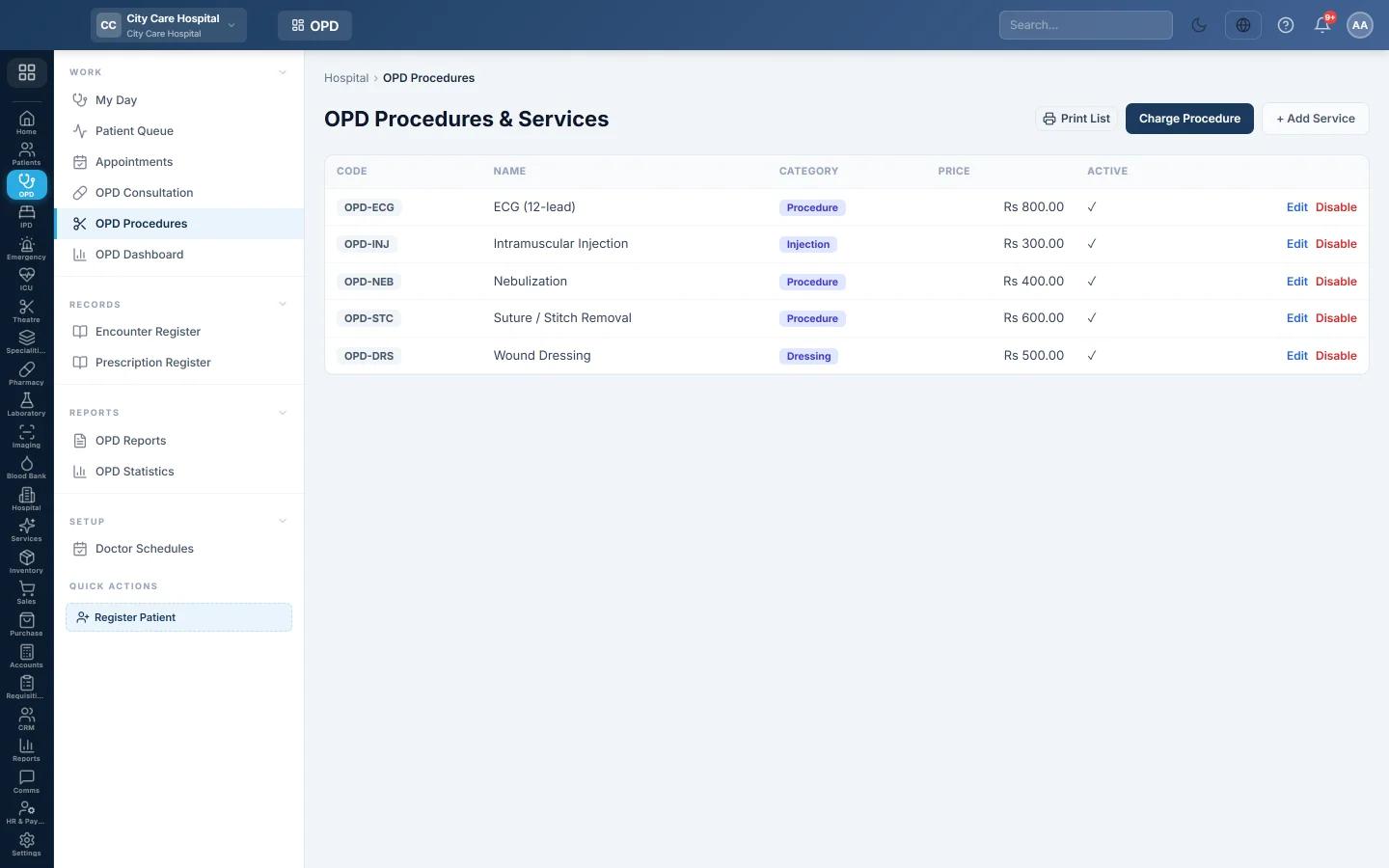
OPD Procedures lists the small services done in the outpatient department, such as dressings, injections and stitching, with their prices. You can also charge them to a patient here and print a receipt.
Before you begin
- Adding services needs the OPD services manage permission. Charging needs the billing permission. See Users & Roles.
- Charging takes money, so you need an open cash shift. See Cash Register.
- Treatment rooms are set up on Rooms if you want the receipt to say where to go.
Where to find it
Open Outpatients (OPD) → Work → OPD Procedures. The page is titled OPD Procedures & Services.
Add a service
- Click + Add Service.
- Type the Code and Name.
- Choose the Category: Procedure, Injection, Dressing or Other.
- Optionally pick the Room where it is done. It prints on the token and receipt.
- Type the Price.
- Optionally choose a Revenue ledger. Left empty, the hospital default from Accounts Mapping is used.
- Click Save.
Click Edit to change a service, or Disable to stop using it.
Charge a procedure
- Click Charge Procedure.
- Find the patient in Patient.
- Pick each service in Add service and set the Qty.
- If your role may give discounts, type the Discount.
- Choose the payment method.
- Click Charge & Bill.
The bill is saved and the receipt prints on the 80 mm printer.
What happens in the books
The bill posts an OPD procedure voucher. Cash or bank for the payment method is debited with what the patient paid, and any discount goes to the discount account. Each service's revenue ledger, or the hospital default, is credited with its amount. The payment goes into your open cash shift.
Common questions
Charge & Bill says no cash shift is open. Open your shift first on Cash Register.
A panel patient needs a different price. Tariffs per payer are set on Price List & Tariffs. The counter applies them.
Can I charge procedures with other items on one bill? Yes, at the Billing Counter. This page is the quick way for procedures only.
How do I print the price list? Click the print button at the top of the list.
Thank you. If you still need help, write to info@eloerp.net.