Equipment register
List every machine the company owns or hires, with its rates, status and the site it is on, for use on the projects' equipment logs.
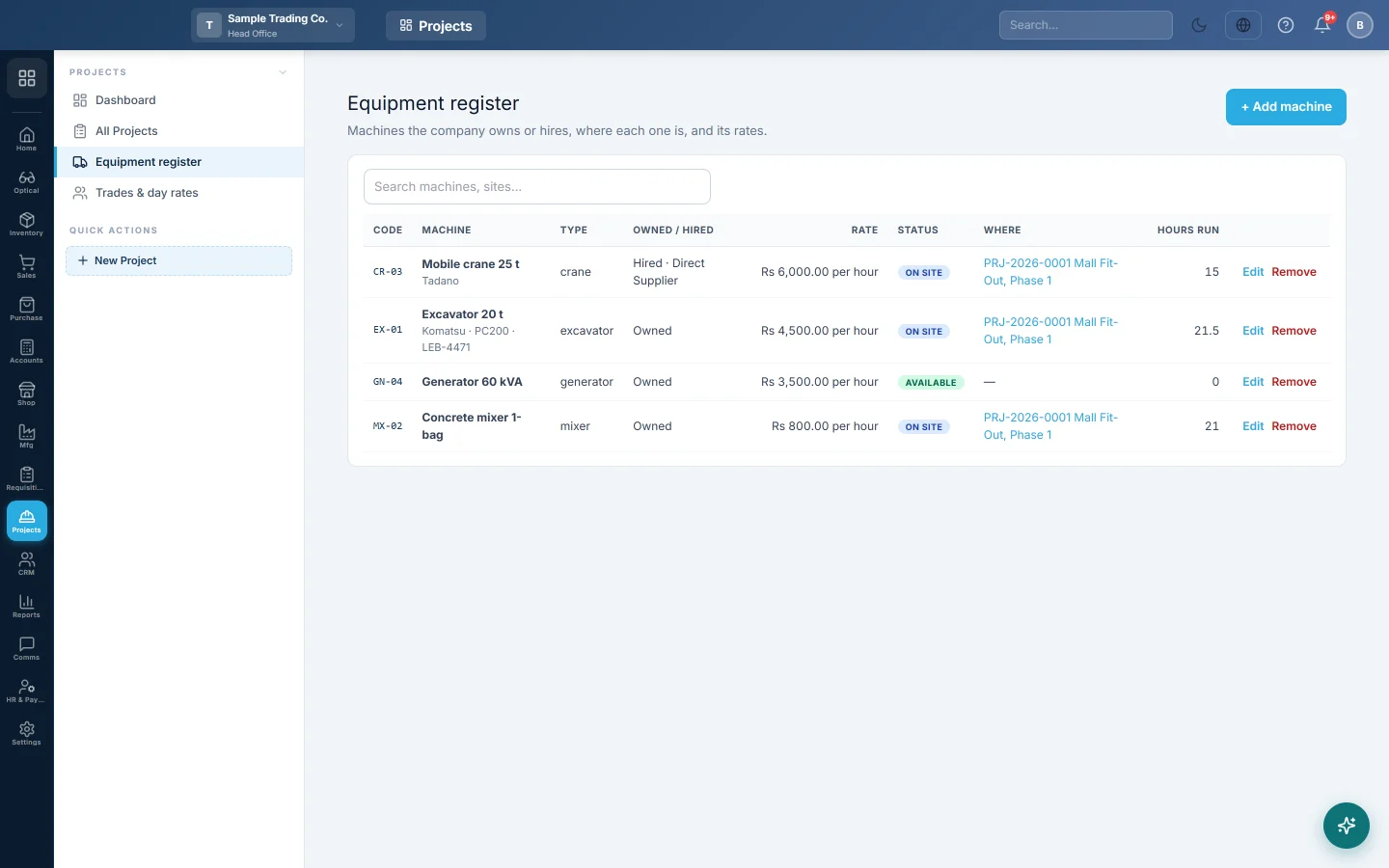
The Equipment register lists every machine the company owns or hires. It shows where each one is, its rates and the hours it has run on projects.
Before you begin
- A hired machine needs its supplier. See All Suppliers.
- Your role needs View Site Equipment Logs to see the register and Manage Equipment Register to add, edit or remove machines. See Users & Roles.
Where to find it
Open Projects → Projects → Equipment register. The Equipment tab of a project also links to it.
Add a machine
- Click + Add machine.
- Type the Code, such as EX-01, and the Name, such as Excavator CAT 320.
- Pick the Type, and type the Make, Model and Plate / serial.
- Pick the Status: Available, On site, Under repair or Retired.
- Pick Owned or hired.
- For an owned machine, type Charge to projects per hour run. Leave 0 to record hours only.
- For a hired machine, pick Hired from, type the Hire rate and pick Charged: per hour, per day or per month.
- Add Notes if needed and click Save.
Each code can be used only once.
Find and change machines
Type in Search machines, sites… to find a machine by code, name, type, plate or site. Where links to the project the machine is on. Hours run is the total from approved logs.
Click Edit to change a machine. Click Remove to take it off the register.
How the rates are used
- Owned: each approved log charges the project hours run × the charge per hour.
- Hired per hour: hours run × hire rate.
- Hired per day: the hire rate for each day the machine ran.
- Hired per month: the hire rate ÷ 26 for each day the machine ran.
A hired machine's approved hours become a draft purchase invoice when you make a hire bill on the project.
Common questions
What does the internal charge do in the books? It debits Project Equipment Cost and credits Equipment Recovery. Company-wide they cancel out, but each project carries its share.
How do I move a machine to another site? Open that project's Equipment tab and send it there. It leaves the old site the day before.
Why is the status On site? The machine was sent to a project and has not been released.
Gracias. Si todavía necesita ayuda, escriba a info@eloerp.net.