All Suppliers
Add and manage the suppliers you buy from, with contact details, credit limit, payment terms and opening balance.
The supplier list holds everyone you buy from. Each supplier gets its own ledger account, so every bill, payment and return is tracked against them.
Before you begin
- Your role needs the supplier permissions to add, edit, import or delete. See Users & Roles.
- For a supplier who bills in another currency, the currency must be set up first, see Currencies.
Where to find it
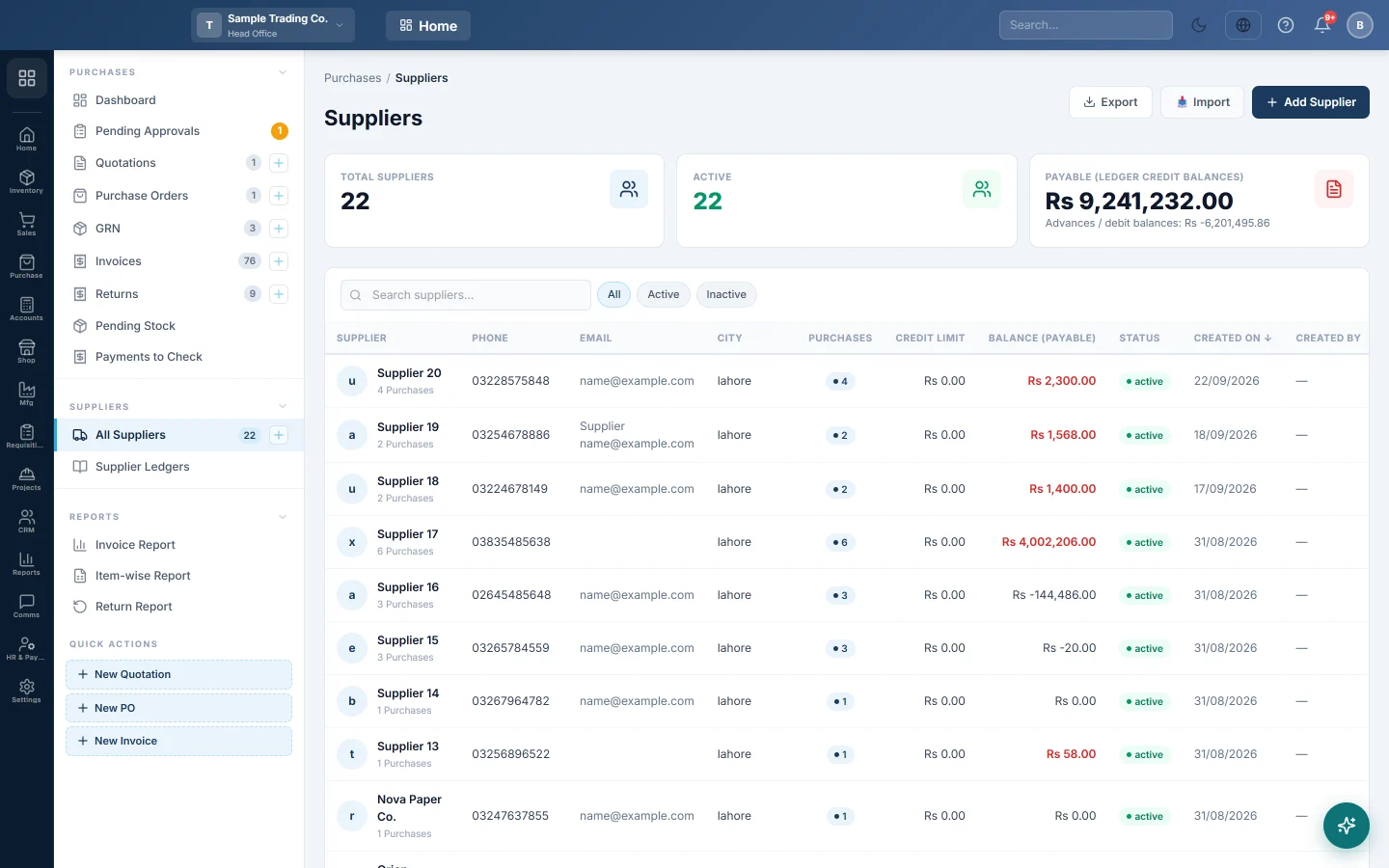
Open Purchases → Suppliers → All Suppliers.
Add a supplier
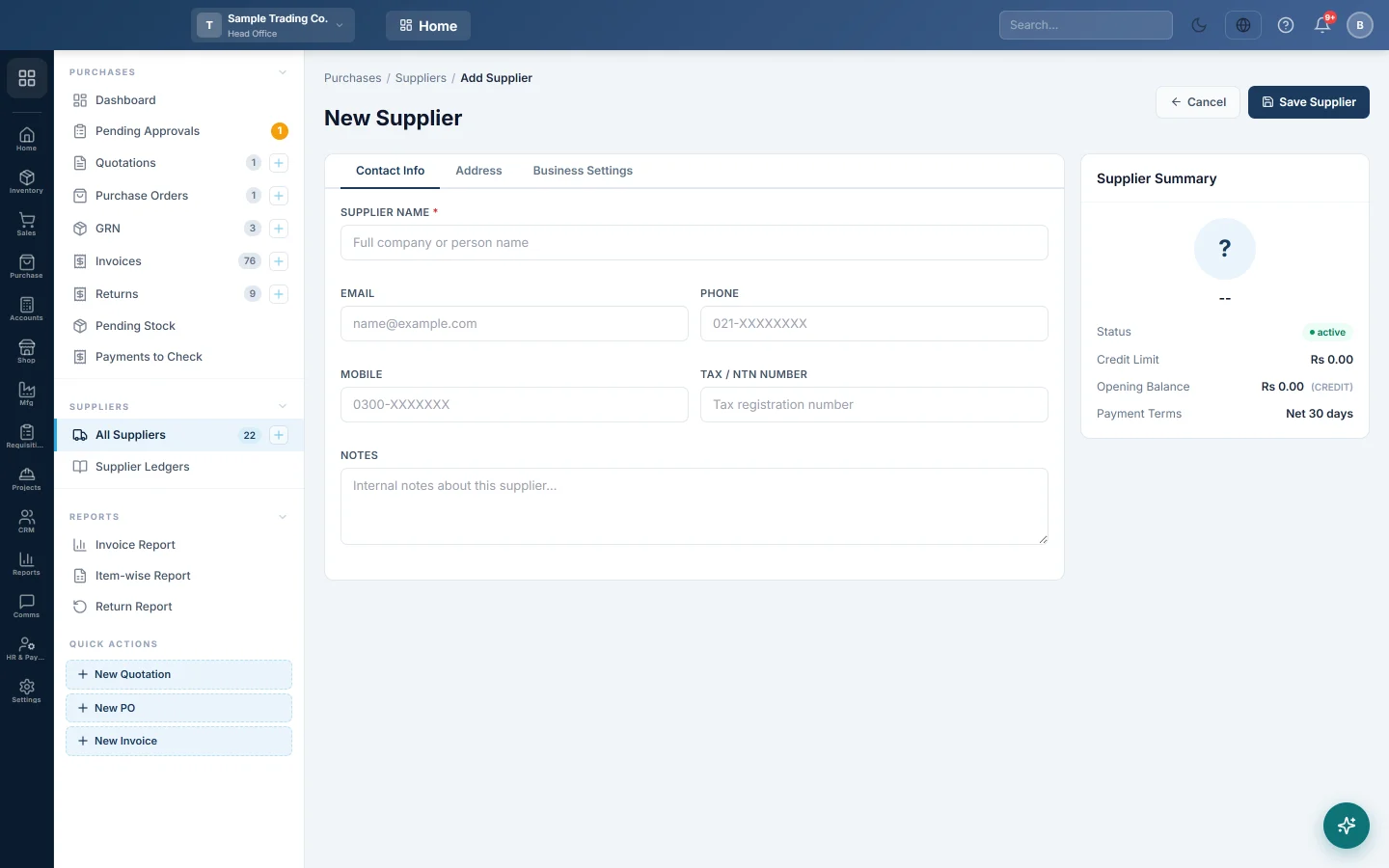
- Click Add Supplier.
- Type the Supplier Name. This is the only required field.
- Add Phone, Mobile, Email and Tax / NTN Number as needed.
- Fill in the address: Street Address, City, State / Province, Country and Postal Code.
- Set the Credit Limit (Rs) if you want a warning or block when bills go over it.
- Set Payment Terms (days). Purchase invoices take their due date from it.
- If you already owe the supplier money, enter it in Opening Balance (Rs). Set Balance Type to Credit — We owe supplier and pick the Opening Balance As of date.
- Click Save Supplier.
Find and manage suppliers
- Type in Search suppliers... or use All, Active and Inactive.
- Click a column heading such as Balance (Payable) to sort.
- Click the three dots on a row for Edit, Ledger or Delete.
- Export downloads the list to Excel. Import brings in many suppliers from a spreadsheet.
A red badge next to the credit limit means the supplier's balance is over it. A Customer badge means the same business is also one of your customers, with one shared account.
What happens in the books
Saving a supplier creates its ledger account under your payables. An opening balance is posted on the Opening Balance As of date. The other side goes to the Opening Offset Account; leave it on Default unless your accountant says otherwise.
Common questions
I cannot change the opening balance. It is locked once the supplier has transactions. Reverse those first, or ask your accountant to adjust it with a journal voucher.
Delete does nothing. A supplier with bills, payments or returns cannot be deleted. Set Status to Inactive instead so it stops appearing in pickers.
What does the Payable card add up? The suppliers' ledger credit balances, which is what you owe. Any advances you paid are shown under it as Advances / debit balances.
Where do I set what happens over the credit limit? In Supplier Credit Limit on Purchase Preferences: off, warn or block.
Where is the supplier's statement? Click Ledger in the row menu, or see Supplier Ledgers.
Thank you. If you still need help, write to info@eloerp.net.