Win a deal and bill the customer
Follow one sale from a new lead to a won deal, then make the quotation or invoice for it in Sales.
This page follows one sale from start to finish: a new enquiry becomes a lead, the lead gets a deal, the deal is won, and you bill the customer in Sales.
Before you begin
- The CRM and Sales modules are on, and your role can work with leads, deals and sale invoices.
- Your products have sale prices. See All Products.
Where to find it
The steps start on CRM → CRM → Leads and finish on CRM → CRM → Deals.
1. Record the lead
- Open Leads and click New Lead.
- Type the Full Name, for example Sara Khan, her Company, Ali Traders, and her phone and email.
- Choose the Source and Priority, and click Save Lead.
- Open the lead and use + Log Activity for each call or meeting.
- Click Edit and set the Status to Qualified once she is a real buyer. Click Save Changes.
2. Open a deal for the sale
- Open Deals and click New Deal.
- Type the Title, for example Ali Traders – 20 office chairs, and the Value, Rs 300,000.
- Choose the first Stage, such as Prospect, and the Expected Close Date.
- Pick the lead in Linked Lead. If Ali Traders is already a customer, pick them in Customer instead.
- Click Create Deal.
3. Move the deal forward
Change the stage as the sale progresses, for example to Proposal when you send prices and Negotiation while you agree terms. Use Change Stage on the deal or drag the card on Pipeline (Kanban).
4. Win the deal
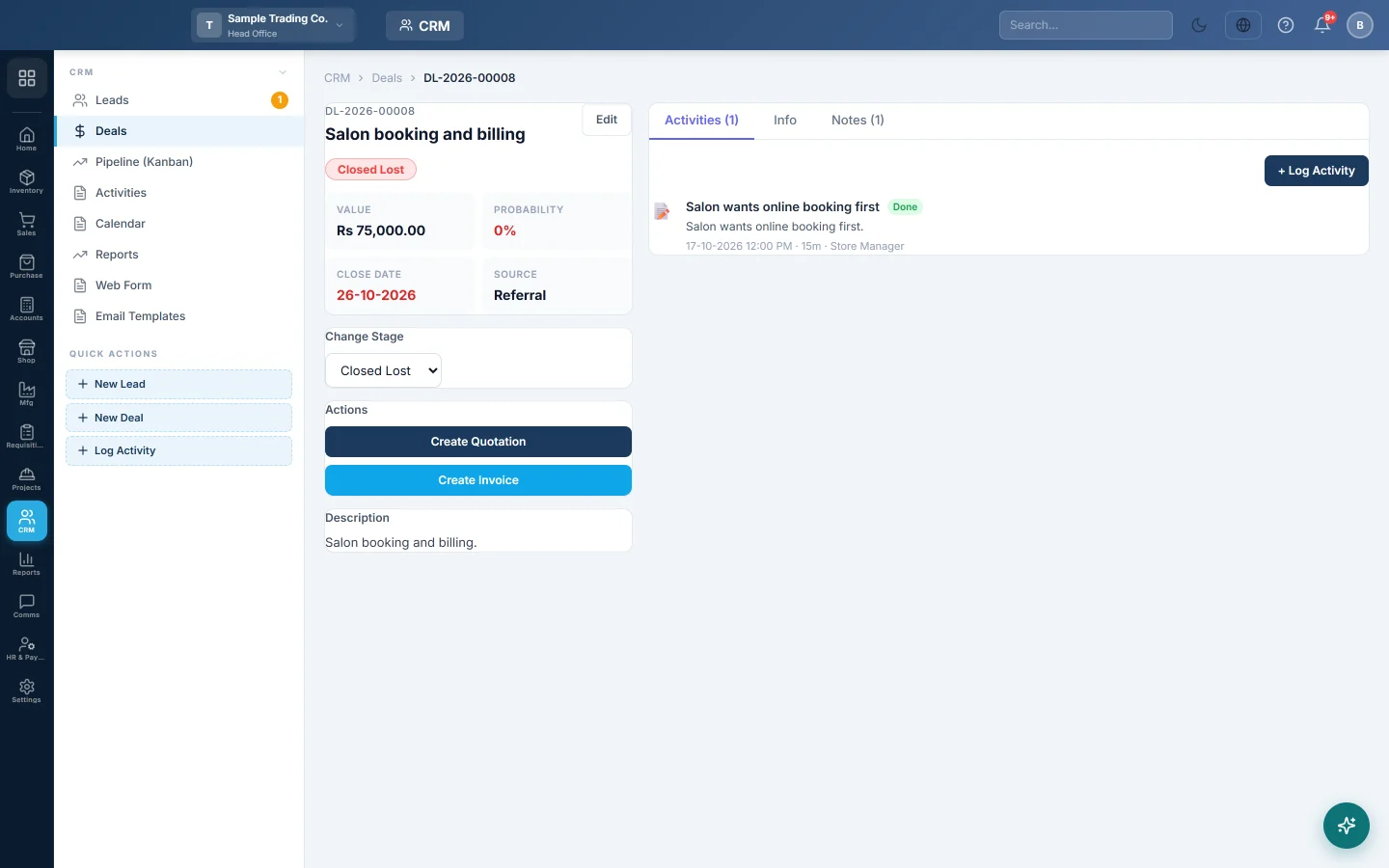
Move the deal to Closed Won. EloERP closes it today, marks the lead Converted and links a customer. It reuses a customer with the lead's email or phone, or creates one.
5. Bill the customer
- Open the deal.
- Under Actions, click Create Quotation to send prices first, or Create Invoice to bill now.
- EloERP makes a draft with the customer and the deal number as its reference, and opens it.
- Add the items, check the totals and save. See Sales Quotations or Sales Invoices.
- Confirm the invoice when the goods or service are delivered.
The deal now shows the document under Linked Documents. The buttons change to View Quotation and View Invoice.
What happens in the books
Nothing posts from CRM itself. Leads, deals and stages are a record of your sales work only. The invoice posts the sale, the customer's balance and the stock when you confirm it in Sales, as described in Sales Invoices.
Common questions
Create Quotation says the deal must have a customer. Pick a Customer on the deal with Edit, or win the deal so a customer is linked.
Can I make a second invoice from the same deal? No. A deal keeps one quotation and one invoice. For more, make them in Sales directly.
The invoice has no items. That is expected. The deal only carries the customer and value; add the items on the invoice.
شكرًا لك. إذا كنت لا تزال بحاجة إلى مساعدة، راسلنا على info@eloerp.net.