Deals
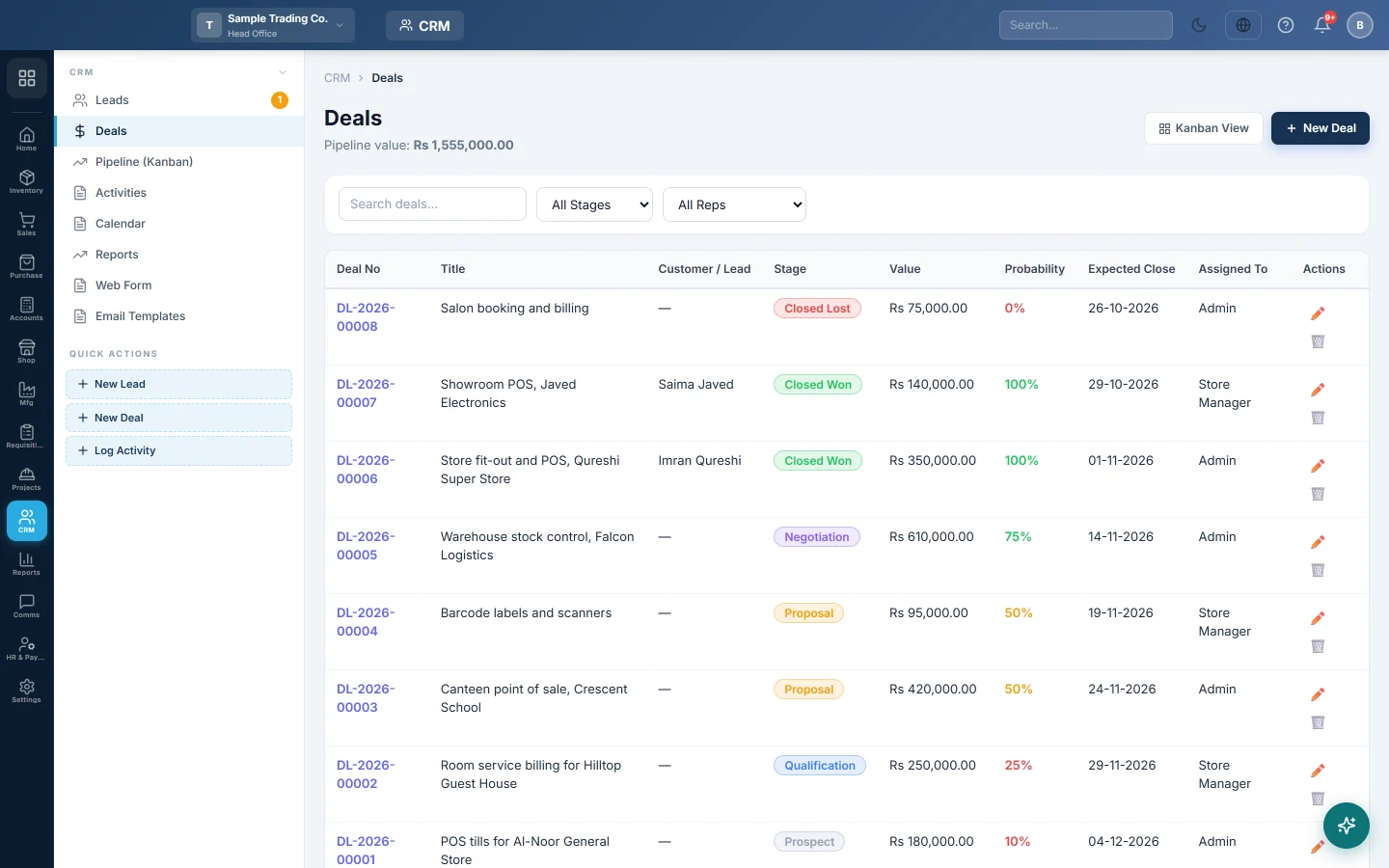
Track each sale you are chasing with its value, stage, chance of winning and close date, and turn a won deal into a quotation or invoice.
A deal is one sale you are working on: what it is worth, which stage it has reached and when you expect to close it. Deals add up to your sales pipeline.
Before you begin
- Your role needs the CRM deals permissions. See Users & Roles.
- To make a quotation or invoice from a deal, the deal needs a customer. See All Customers.
- Deals belong to the branch selected in the top bar.
Where to find it
Open CRM → CRM → Deals. The side menu also has a New Deal quick action.
Add a deal
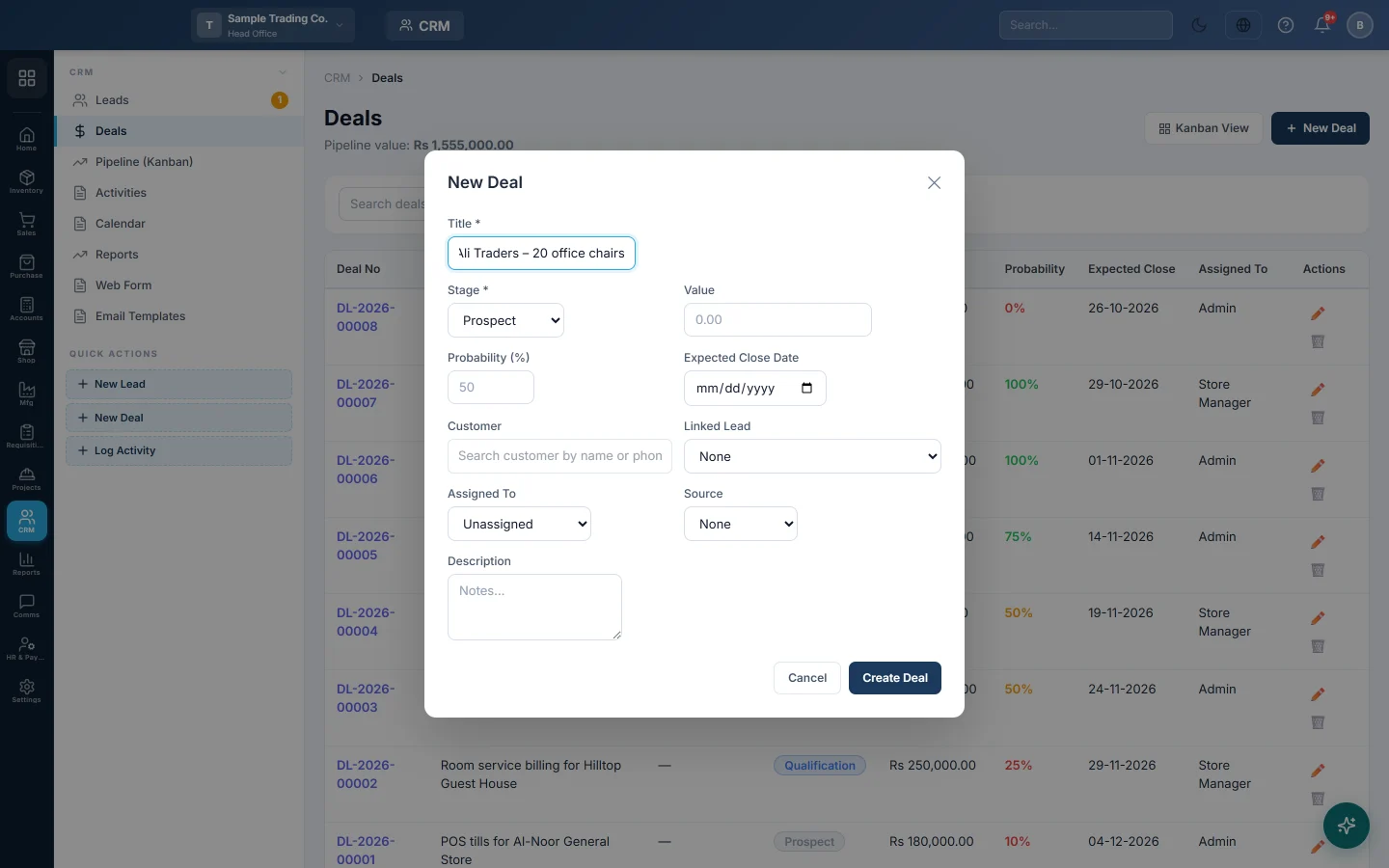
- Click New Deal.
- Type a Title, for example Ali Traders – 20 office chairs.
- Choose the Stage. A new company has Prospect, Qualification, Proposal, Negotiation, Closed Won and Closed Lost.
- Type the Value. Pick a Currency if you are quoting in a foreign currency.
- Leave Probability (%) empty to use the stage's usual chance, or type your own.
- Set the Expected Close Date.
- Search for the Customer, or pick the Linked Lead if they are not a customer yet.
- Choose who it is Assigned To, the Source and add a Description.
- Click Create Deal.
Find deals
Search by title or deal number, or filter by stage with All Stages and by salesperson with All Reps. Pipeline value: at the top and Total Pipeline: under the table add up the open deals. Kanban View shows the same deals as a board.
Move a deal through the stages
- Click the deal's number or title to open it.
- Under Change Stage, pick the new stage.
The probability changes to the new stage's value unless you typed your own. You can also drag deals between columns on Pipeline (Kanban).
To mark a deal lost, click Edit, choose the lost stage, pick a Lost Reason and click Update Deal. A reason is required, such as Price too high or Lost to competitor.
Win a deal
Move the deal to Closed Won. EloERP then:
- sets the close date to today if it is empty;
- marks the linked lead as Converted;
- links a customer if the deal has none: it finds one with the lead's email or phone, or creates one.
Then click Create Quotation or Create Invoice under Actions. See Win a deal and bill the customer.
Log calls and notes
On the deal, click Log Activity on the Activities tab, or Add Note on the Notes tab. The Info tab shows the customer, the linked lead, the assigned rep and the deal details. View 360° Profile opens the customer's full history.
Common questions
Do deals post anything to the books? No. A deal is a forecast only. The invoice you make from it posts when you confirm it.
Why did the probability change on its own? Each stage has its own probability. Moving a deal to a new stage uses that value, unless you type one yourself.
Why do I not see a won deal on the board? The board shows open deals only. Won and lost deals stay in this list.
Can I add or rename stages? Not on this screen. The six stages come with the CRM module.
Thank you. If you still need help, write to info@eloerp.net.