Pipeline (Kanban)
See open deals as cards in stage columns and drag a card to move the deal to the next stage.
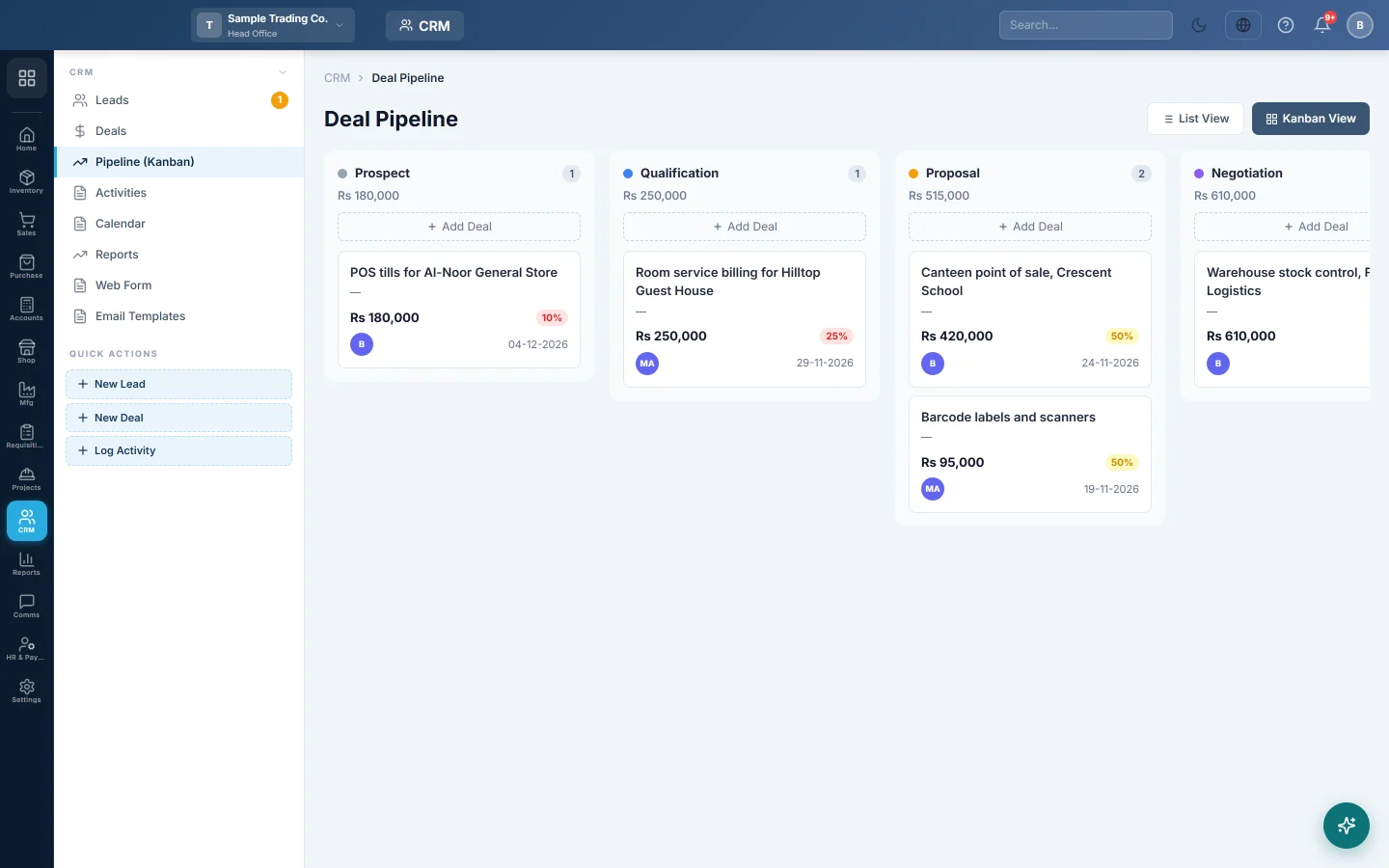
The pipeline board shows every open deal as a card in its stage column. Drag a card to the next column as the sale moves forward.
Before you begin
- Add your deals first. See Deals.
- Your role needs the CRM pipeline permission. See Users & Roles.
Where to find it
Open CRM → CRM → Pipeline (Kanban). On the Deals list, Kanban View opens the same board.
Read the board
Each column is a stage, with the number of deals and their total value. Each card shows the deal's title, customer, value, probability and expected close date. Click a card to open the deal.
Only open deals appear. A deal moved to a won or lost stage leaves the board the next time it loads.
Move a deal
- Drag the card.
- Drop it on the new stage's column.
The deal is saved at once with the new stage and that stage's probability.
When you drop a card on the lost stage, Mark as Lost — Reason Required opens:
- Pick the Lost Reason.
- Add Notes if you like.
- Click Confirm Lost.
Click Cancel to leave the deal where it was.
Add a deal in a stage
- Click Add Deal at the top of the column.
- Fill in the New Deal form. The Stage is already set to that column.
- Click Create Deal.
Common questions
I dropped a card on Closed Won. What happens? The deal is won: the linked lead is marked converted and a customer is linked if the deal had none. See Deals.
The board is empty but I have deals. The deals may be won or lost, or in another branch. Check the branch in the top bar and the Deals list.
Can I move a deal back to an earlier stage? Yes. Drag it back. The probability follows the stage.
شكرًا لك. إذا كنت لا تزال بحاجة إلى مساعدة، راسلنا على info@eloerp.net.