Handle a parcel the customer refused
When a courier cannot deliver, decide re-attempt or return, receive the parcel back and check it into stock, start to finish.
A COD customer refuses the parcel, or is not home. This task walks you from the courier's failed attempt to the box back on your shelf, with the sale reversed and any broken units written off.
Before you begin
- The parcel was booked and invoiced. See Turn an online order into an invoice.
- You know what the customer wants. Call them first if you can.
Where to find it
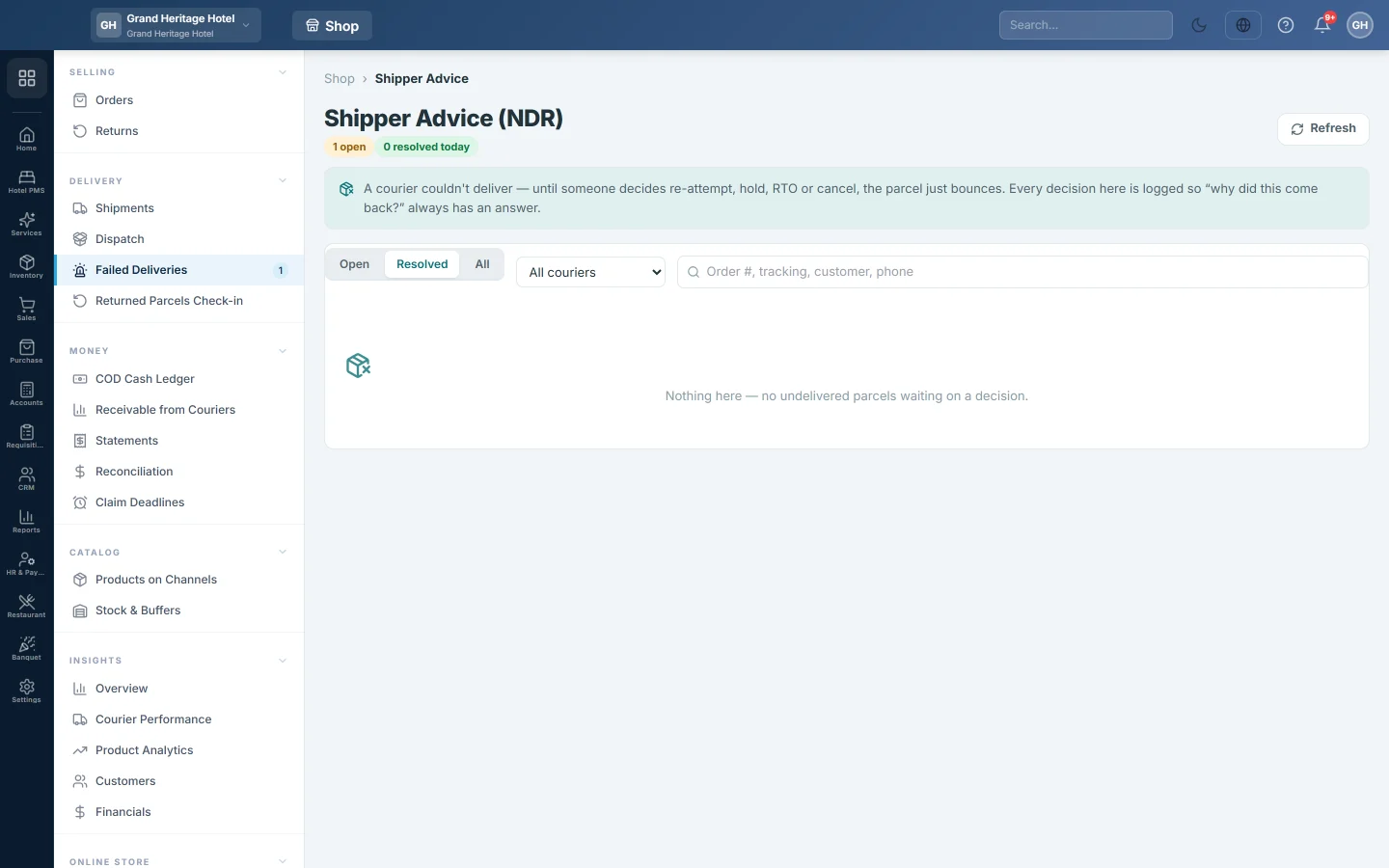
Open Online shop → Delivery → Failed Deliveries.
Decide what happens
- Find the order under Open. If it is not there, open the order and choose Log NDR outcome in its ⋯ menu, then type the courier's reason.
- Click Resolve.
- If the customer still wants it, choose Re-attempt, or Update address with the new address in Note.
- If the customer does not want it, choose RTO.
- Click Apply decision.
When the courier does not take advice through EloERP, the row says so. Give the same instruction in the courier's own portal.
Receive the parcel
- When the parcel arrives, open Online shop → Delivery → Dispatch and the Scan tab.
- Choose Scan in (Receive) and scan the CN.
The banner says Received — grade it in Re-induction, or Already received when the RTO was posted earlier.
Check the box
- Open Online shop → Delivery → Returned Parcels Check-in.
- Click the parcel and type the Damaged and Destroyed units.
- Click Confirm all sellable, or Grade & post write-off.
See Returned Parcels Check-in for the write-off entries.
Common questions
The customer took the parcel but later sent it back. That is a customer return, not an RTO. Open the order, click ⋯ and choose Start return; it opens on Returns.
Does the courier charge for the return? Most do. Their return charges show on the courier's statement on Statements.
How do I spot customers who refuse often? Their past orders and returns show on the order page and on Customers.
Gracias. Si todavía necesita ayuda, escriba a info@eloerp.net.