Order an imaging study
Create an imaging order at the imaging desk for a walk-in or referred patient, with one or more exams, the priority and the referring doctor.
Create an imaging order when a patient comes to the imaging desk with a request, or is referred from outside. Doctors in OPD, the wards and the ER order from their own screens instead.
Before you begin
- Your role needs Order Imaging Exams. See Users & Roles.
- The exams are active and priced in the Imaging Catalogue.
- Referring doctors on staff are set up under the hospital's doctors list. An outside doctor can be typed in.
Where to find it
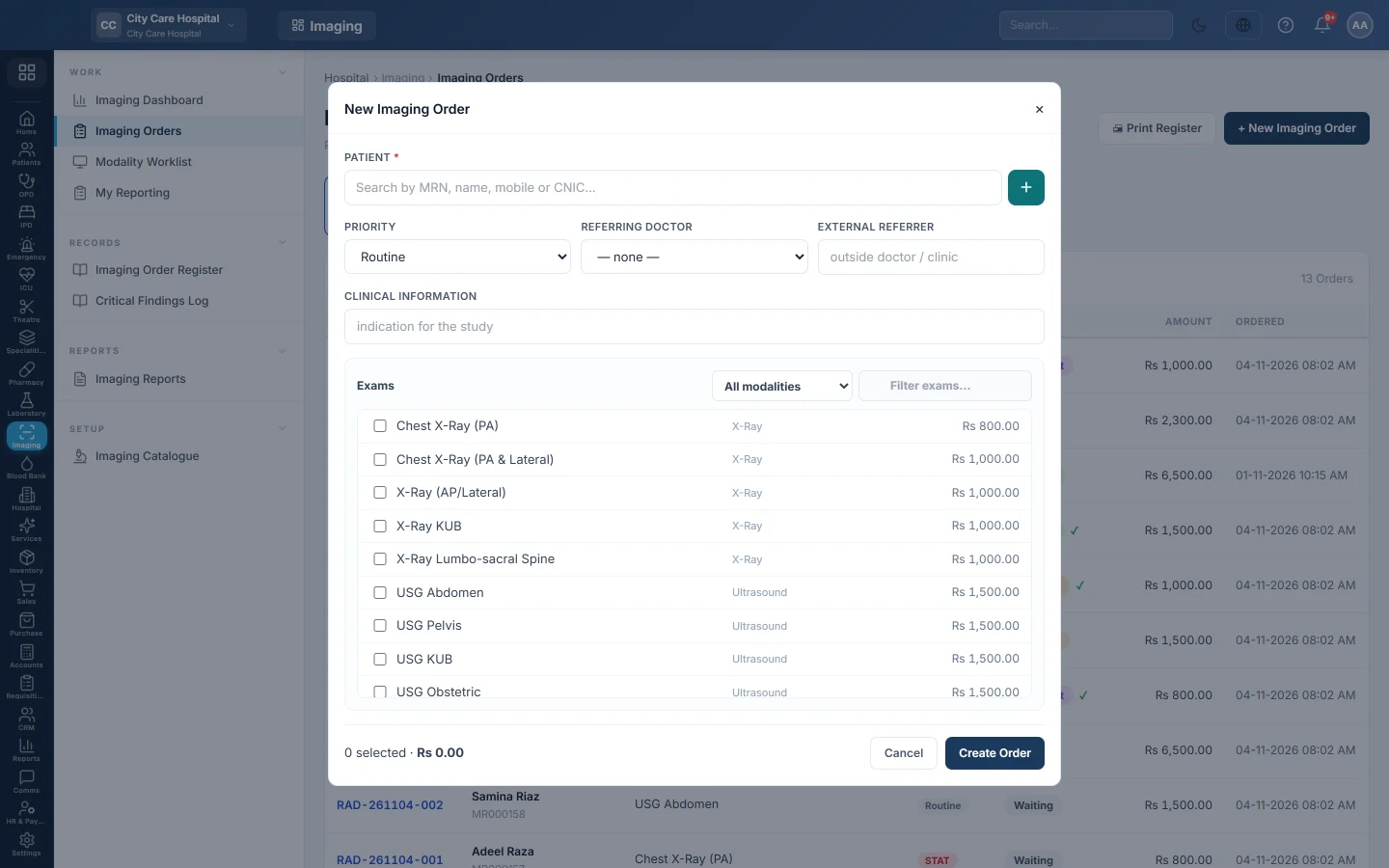
Open Imaging → Work → Imaging Orders and click + New Imaging Order.
Create the order
- Under Patient, search by MRN, name, mobile or CNIC and pick the patient. For a new patient, click + and fill in the Quick Register Patient form.
- Choose the Priority: Routine, Urgent or STAT.
- Pick the Referring Doctor, or type an outside doctor or clinic under External referrer.
- Type the Clinical information, the reason for the study.
- Under Exams, tick each exam. Use All modalities or Filter exams… to narrow the list.
- For an exam marked for a side, choose Left, Right or Bilateral in the side? box.
- Check the count and total at the bottom.
- Click Create Order.
The order opens with a number such as RAD-261104-001, and each exam shows Waiting. The patient now appears on the Modality Worklist.
Take the payment
If your hospital takes payment before the scan, click Bill on the new order. See Bill an order. Or send the patient to the Billing Counter, which finds the order by patient. A scan paid there is never billed again on the order.
Common questions
Create Order stays grey. Pick a patient and tick at least one exam.
It says to choose the side. One of the ticked exams asks for left, right or bilateral. Choose it in the side? box.
Can one order hold an X-ray and an ultrasound? Yes. Each exam goes to its own modality on the worklist.
The patient no longer wants a scan paid at the Billing Counter. Refund that line on Hospital Bills first. The order can then be cancelled.
Does STAT do anything? STAT and urgent exams go to the top of the worklist and of each radiologist's list.
Vielen Dank. Wenn Sie weitere Hilfe brauchen, schreiben Sie an info@eloerp.net.