Sell on the offline till when the internet is down
Ring sales, take returns, hold bills and reprint receipts on the offline till without internet, see what it refuses, and what happens when the connection comes back.
When the internet drops, keep selling on the offline till exactly as you do online. Each sale is saved on the PC and printed, then uploaded when the connection returns.
Before you begin
- The till is paired and has downloaded your catalogue at least once. See Install the POS app on a PC and pair it.
- You are signed in and your shift is open. See Sign in on the offline till and Open and close a shift.
Where to find it
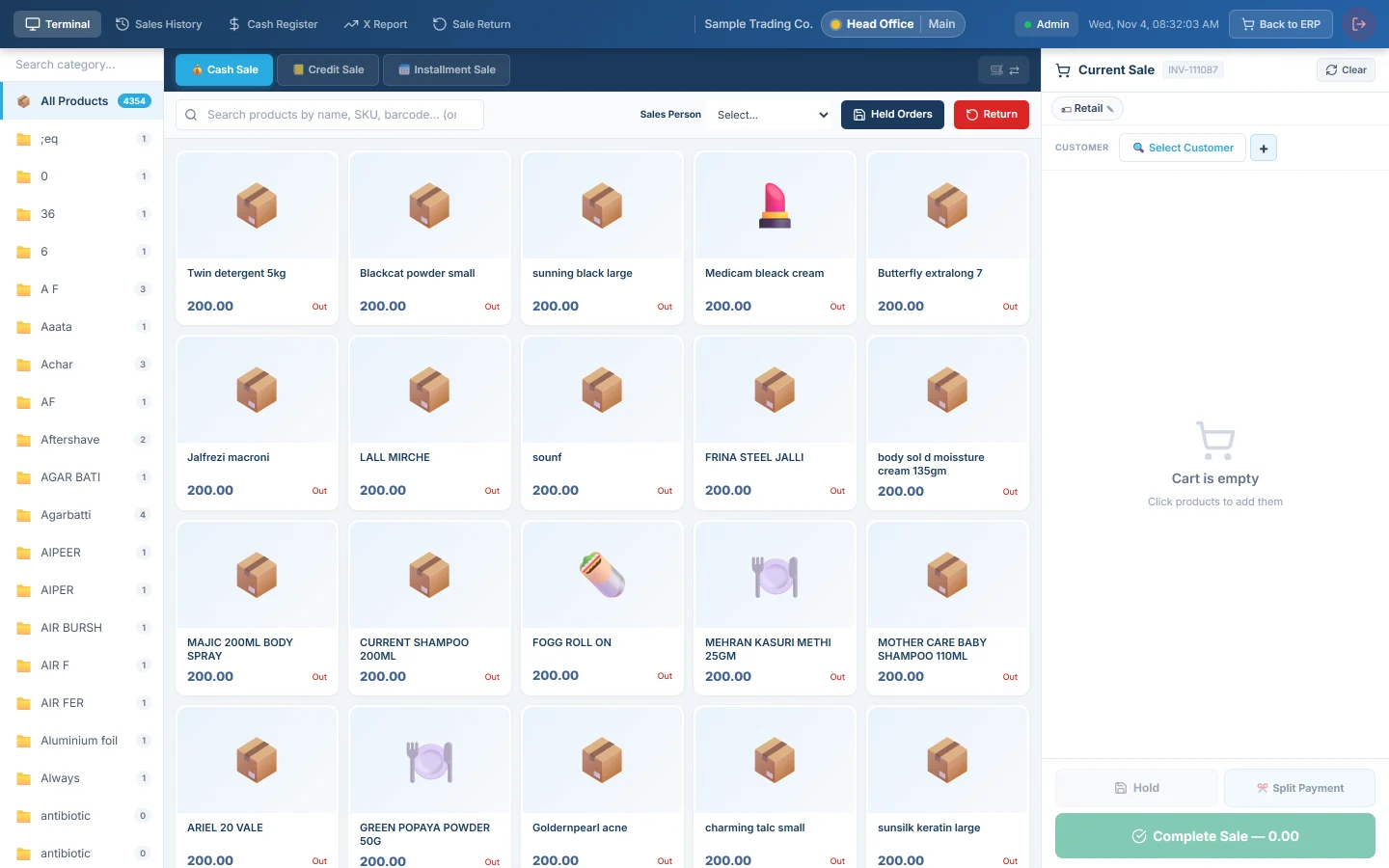
Open POS Hub on the counter PC. The tabs at the top are the same as online: Terminal, Sales History, Cash Register, X Report and Sale Return.
Ring a sale
- Scan the items or click their tiles.
- Pick the Method, for example Cash.
- Type the cash received in Cash Tendered.
- Click Complete Sale or press F12.
- The receipt prints.
Discounts, split payments and held bills work as online. See Take a cash sale at the till and Hold and recall a sale.
The receipt carries the till's own number, such as OFF-00012. The sale gets its invoice number when it syncs. See Invoice numbers from the offline till.
What the offline till does not do
| Sale | What you see | What to do |
|---|---|---|
| Installment sale | No Installment Sale button | Ring it on the online POS Terminal. |
| Loyalty points | No Redeem Points box | Redeem on the online POS Terminal. |
| Gift card or store credit | Not offered under Split Payment | Take it on the online POS Terminal. |
| Charge to a hotel room | No Charge to Room | Charge it on the online POS Terminal. |
| Batch or serial-tracked product | 🌐 Online only on the tile, and "Online only — this item needs batch/serial tracking" | Sell it on the online POS Terminal. |
| PRA sale, branch rule Block, no internet | "Internet not available — a PRA fiscal sale cannot be completed offline (branch policy: Block)." | Wait for the internet, then complete the sale again. |
When the till refuses a sale, the message says the sale was not recorded. Nothing is charged and nothing is queued.
Prices, customers and stock on the till
- Products, prices and customers are as the till last downloaded them. While online it refreshes every 10 minutes.
- A price you change online reaches the till at its next download. Click Pull data in the Manager Console to fetch it now.
- To add a customer, click Select Customer, then + New. The customer uploads with the sale.
- Stock leaves the warehouse when the sale syncs. The invoice keeps the date and time you rang it.
Take a return
- Click Return, or the Sale Return tab.
- In SOURCE SALE INVOICE, search by the receipt number, such as OFF-00012, or the customer's name.
- Enter the quantities coming back, the RETURN REASON and the Refund Method.
- Save the return and print it.
The full steps are in Take a return at the till. On the offline till:
- Only sales rung on this till, and still in its history, can be found. Return other sales online.
- A return always needs its source sale. Return without invoice (manual) works only online.
- Returns of installment sales need the internet.
Reprint a receipt
- Click the Sales History tab. It lists the sales of this till.
- Click the printer icon on the sale.
A PRA or FBR number and QR code print once the sale has been filed. A sale rung offline is filed when it syncs, so reprint it then if the customer needs the QR code.
When the internet comes back
You do nothing. Within seconds the till starts uploading the waiting sales, oldest first. See How offline sales sync, and what to do with sync problems.
What happens in the books
Nothing posts on the PC. When a sale uploads, EloERP posts it as if it was rung online: the invoice, the payment, the stock and the ledgers. See POS Terminal. It is dated when you rang it and joins the cashier's shift.
Common questions
How do I know the till is offline? The till screen looks the same either way. Open the Manager Console on the PC: Waiting to sync shows how many records have not uploaded yet.
Is a sale lost if the power goes? No. A completed sale is written to the PC's disk before the receipt prints. Only a sale that was being saved at that very moment can be lost.
How long can the till stay offline? Connect it at least once a week. A till that has not reached EloERP for 30 days loses its link, and sales older than 45 days are refused when they upload.
Why do the tiles show no stock left? The offline till has no live stock figures, so it hides them. It does not stop a sale for low stock. The stock is taken off when the sale syncs.
The return search does not find an older sale. It was flushed from the till's history, or it was rung online or on another till. Take the return online.
شكرًا لك. إذا كنت لا تزال بحاجة إلى مساعدة، راسلنا على info@eloerp.net.