KOT Print Station
Run a kitchen on a printer alone: leave this page open on the PC next to the department's printer and every new KOT prints by itself.
The KOT Print Station is for a department that has a printer but no kitchen screen. Leave the page open on the PC connected to that printer, and each new KOT prints once, as soon as it is sent.
Before you begin
- Set up the department on Kitchen Departments.
- Make a user for the department's PC, with a role that can view the KDS, such as Kitchen / KDS. See Users & Roles.
- Assign that user to the department, so the PC prints only that department's slips. A user with no department prints every department's slips.
- Set the department's printer as the default printer of the PC.
- The number of copies comes from Number of KOT Prints in POS Settings.
Where to find it
Open Restaurant → Restaurant → KOT Print Station. The page opens full screen.
Start printing
- On the PC next to the printer, sign in as the department's user.
- Open the KOT Print Station page.
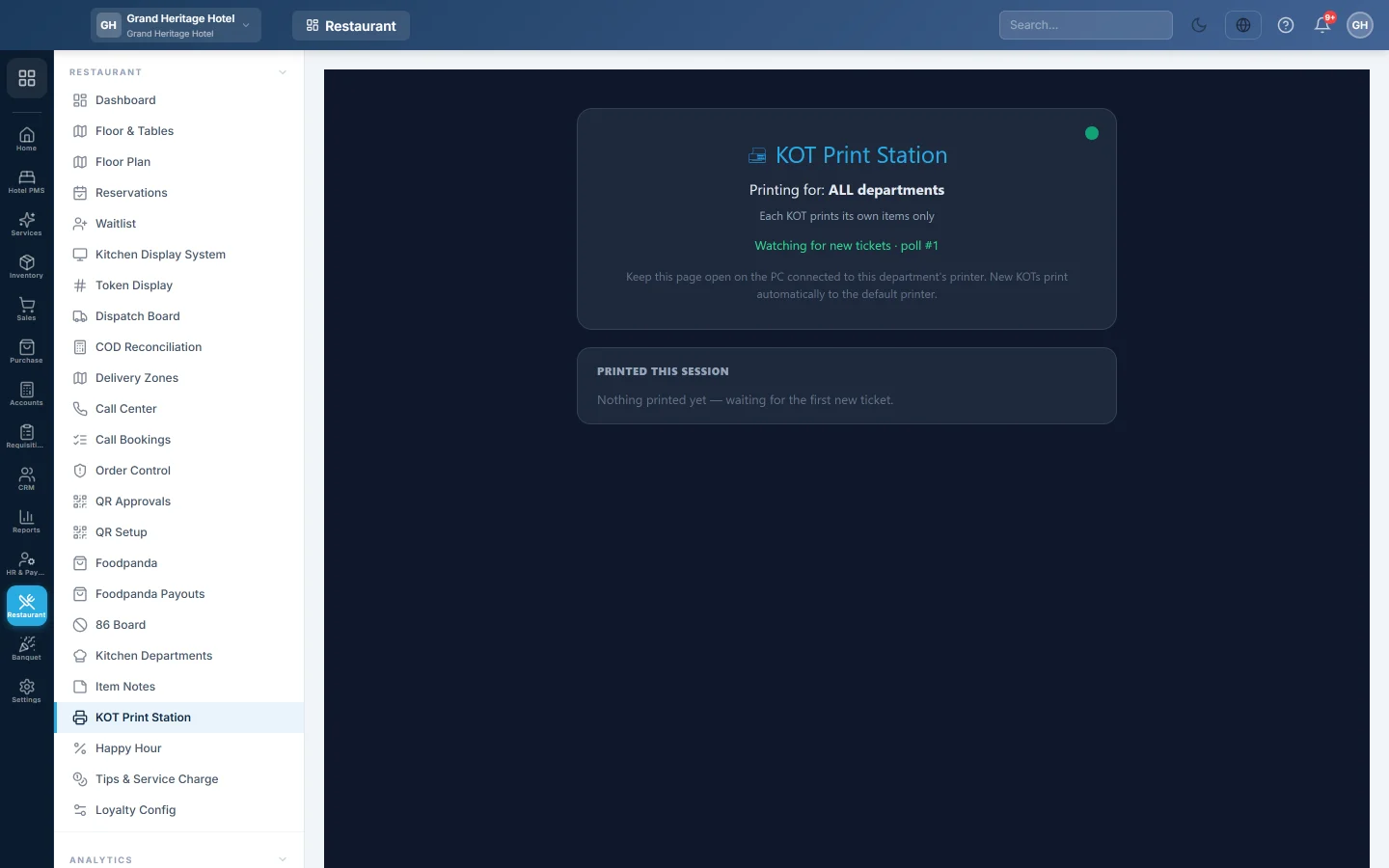
- Check Printing for: shows the right department.
- Leave the page open.
The page checks for new tickets every few seconds. Tickets already waiting when you open it are not printed; only new ones are. Each slip prints once, even if you reload the page.
Read the page
- Printing for: the departments this PC prints for, or ALL departments.
- The line below says whether each slip shows its own items only or the rest of the order (dimmed). Change it on Kitchen Departments.
- Watching for new tickets · poll # counts the checks. A red dot and a ⚠ message mean the page cannot reach the server; it keeps retrying.
- Printed this session lists each slip printed since the page opened: time, KOT number, department and number of items.
Common questions
The print window opens for every slip. The browser asks before printing. Ask your service provider to set the kitchen PC to print without asking. The offline POS hub can print kitchen slips silently on its own.
A slip did not print. Reprint it from the Kitchen Display System with 🖨. Check the PC's printer is on and set as default.
Do I need this if the kitchen has a KDS screen? No. Turn on 🖨 Auto-print on the KDS instead.
Can two PCs print the same department? Yes, but then each slip prints on both.
Gracias. Si todavía necesita ayuda, escriba a info@eloerp.net.