Delivery Zones
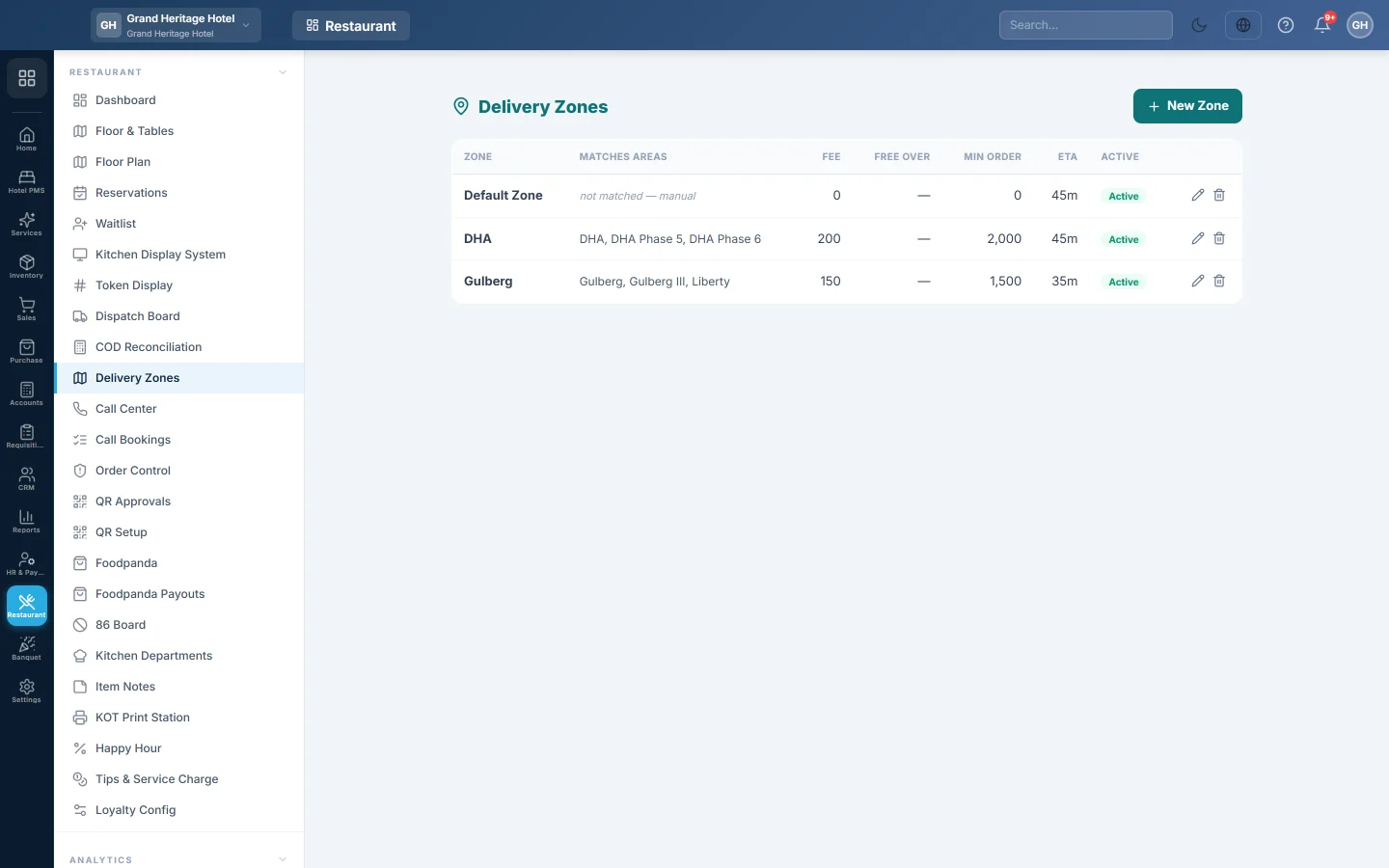
Define the areas you deliver to, with the delivery fee, free-delivery limit, ETA and timing targets, and the words that match a caller's address to the right zone and branch.
A delivery zone is an area you deliver to, such as Gulberg or Model Town. It sets the delivery fee and the time the customer is promised, and tells the call centre which branch delivers there.
Before you begin
- Delivery must be switched on for your company (Delivery & riders, turned on by your service provider).
- Your role needs Manage Delivery Zones. See Users & Roles.
- Switch to the branch that delivers to the zone in the top bar before you add it. A new zone belongs to the branch you are in.
Where to find it
Open Restaurant → Restaurant → Delivery Zones. The list shows the zones of the branch in the top bar, plus any company-wide zones.
Add a zone
- Click New Zone.
- Type the Name, for example Gulberg.
- In Matches areas / cities, type the area and city words that belong to this zone, separated by commas, for example gulberg, liberty, main boulevard.
- Type the Delivery fee and the ETA (min), the usual delivery time.
- Optionally type Free over: orders at or above this amount pay no delivery fee.
- Optionally set Prep SLA (min) and Delivery SLA (min). The call centre adds them to suggest the promised time.
- If two zones could match the same address, give the more specific one a higher Priority.
- Leave Active ticked and click Save.
To change a zone, click the pencil on its row. The bin deletes it.
How a zone is chosen
- Call centre orders. The caller's address area and city are compared with each zone's Matches areas / cities words, highest Priority first. The first match sets the zone, its fee and the branch that delivers. With no match, the list shows not matched — manual and the agent picks the branch by hand.
- Delivery orders from the till. When the order reaches the Dispatch Board, it takes the zone named Default Zone, or else the first active zone of the branch. Its fee, Free over rule and ETA apply.
Common questions
The call centre always asks for a branch. The caller's area does not match any zone's words, or the zone was added while no single branch was selected. Add the area word to the zone, and add zones while switched to the branch that delivers.
Can one word match several zones? Yes. The zone with the highest Priority wins, so give the narrower area the higher number.
I switched a zone off. Inactive zones are skipped. Orders already booked keep the fee they were given.
Where do the areas in the customer form come from? From your areas master, see Areas & Routes. Zone matching uses the words you type here.
Gracias. Si todavía necesita ayuda, escriba a info@eloerp.net.