Banquet
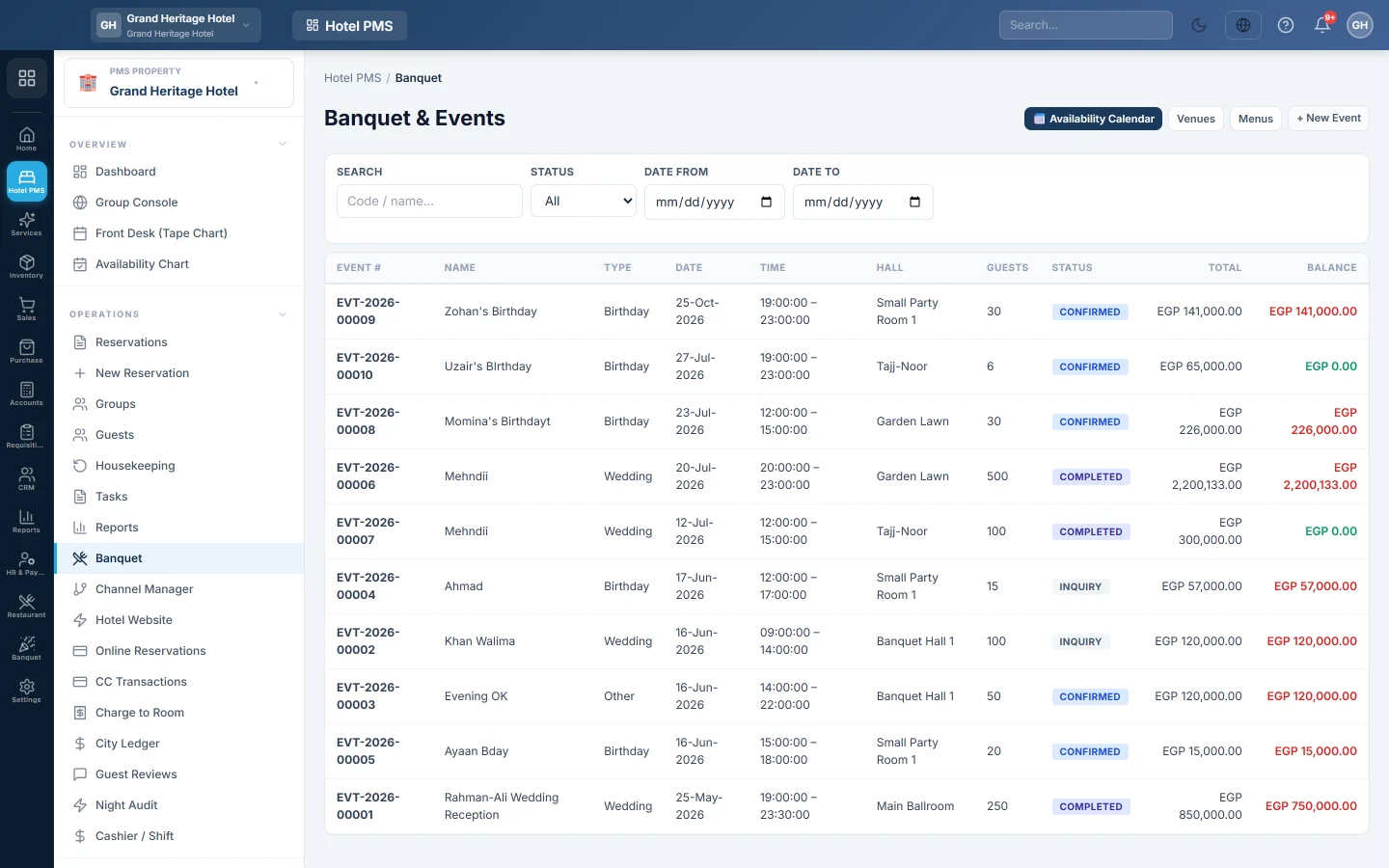
The hotel's banquet and events desk, for weddings, conferences and parties in the hotel's halls, with the event list, venue calendar, halls and menus in one place.
Banquet is where a hotel books its halls and function rooms for weddings, conferences, birthdays and other events. It is the same banquet module that venue-only businesses use, opened from the hotel menu so the front office and the events team share one place.
Before you begin
- Set up your halls and their prices, see Halls / Venues, and your menu packages, see Menus.
- Your role needs the banquet permissions. See Users & Roles.
Where to find it
Open Hotel → Operations → Banquet. The links at the top of the page open the Availability Calendar, Venues and Menus.
What you do here
- See every event: the list shows each event's number, name, type, date and time, hall, guests, total and balance. Filter by Status and dates, or search by code or name.
- Book an event: click + New Event, or pick a free slot on the calendar. See Book a banquet event.
- Bill and collect: open an event to add extras, take advances and settle it. See Events.
- Check what is free: see Venue Calendar.
How banquet money fits with the hotel
Banquet events have their own bill, separate from guests' room folios. Advances post to Banquet Advance Deposits, and settling an event posts hall, food and other event revenue to their own banquet accounts. Cash taken for an event counts in the open Cashier / Shift, like front-desk cash.
Common questions
Can I add an event to a guest's room bill? No. An event is billed on its own. For a company that pays later, any balance at settlement goes to the client's account.
Is the hotel banquet different from the Banquet module? No. Both menu entries open the same screens and data.
Where are banquet reports? In PMS Reports Hub, under banquet.
Obrigado. Se ainda precisar de ajuda, escreva para info@eloerp.net.