Book a banquet event
The whole life of a hall booking, from checking the date and booking the hall and menu, to taking the advance, adding extras on the day and settling the final bill.
This is the usual path of a hall booking: check the date, book the hall and menu, take the advance, add the extras, and settle the bill after the event.
Before you begin
- Your halls and menu packages exist. See Halls / Venues and Menus.
- Your payment methods are set up. See Payment Methods.
- Your role has the banquet permissions. See Users & Roles.
Where to find it
Open Banquet → Banquet & Events, or Hotel → Operations → Banquet in a hotel.
1. Check the date
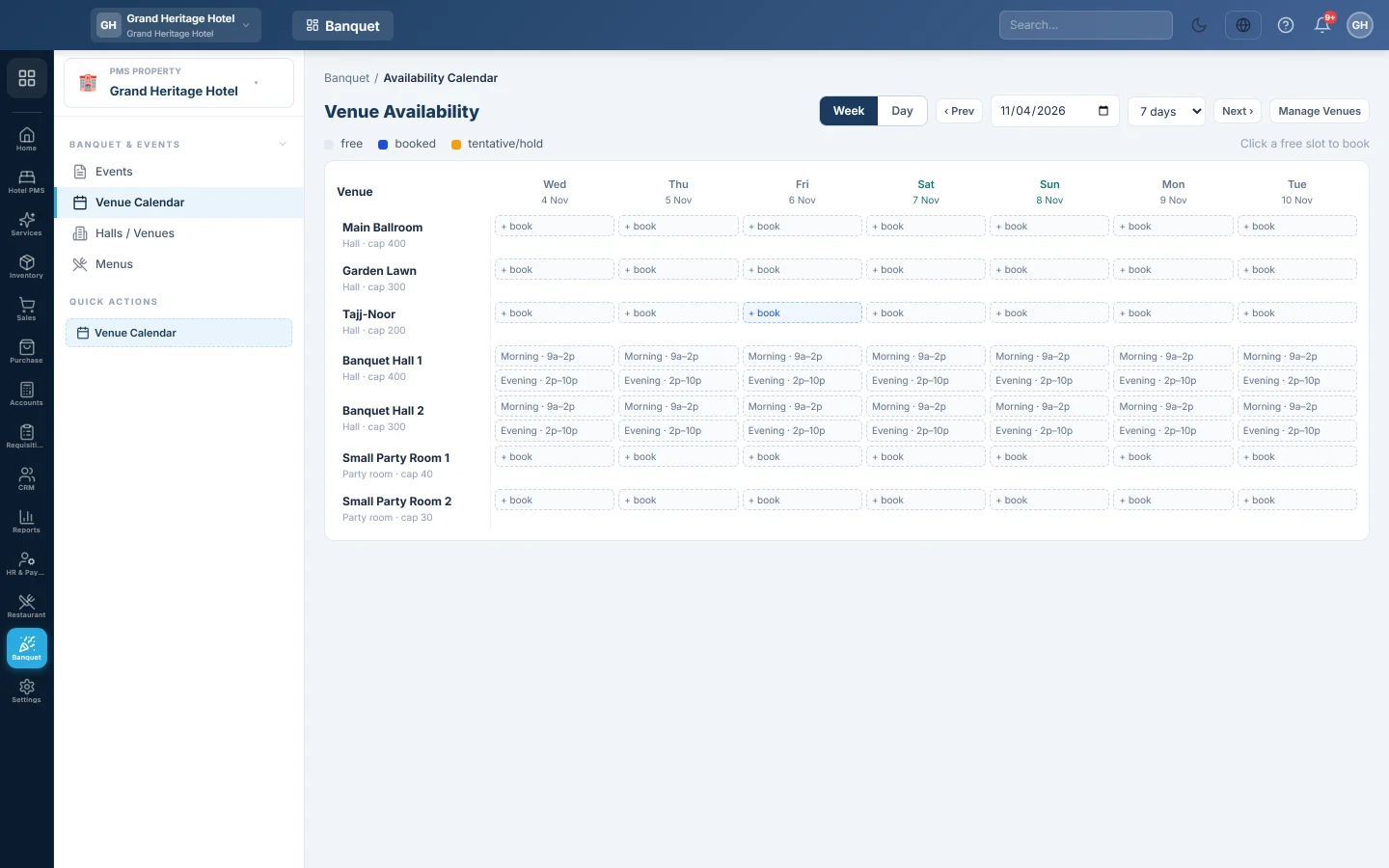
Open the Venue Calendar and find a free slot on the client's date.
2. Book the hall and menu
- Click the free slot, or click + New Event on Events.
- Enter the event name, type, guests and contact details.
- Pick the menu package. The menu is priced per plate, with the menu's minimum plates.
- Enter the Deposit required you agreed.
- Pick Confirmed when the client has committed. Use Inquiry only to hold a date while they decide.
- Save the booking.
When an inquiry client commits, open the event and click Confirm booking. To change the date, hall, menu or guests later, click Edit; a new hall or guest count prices the bill again.
3. Take the advance
- Open the event.
- Click + Payment, pick the Method, enter the amount and a Reference, and click Record.
The advance is held as Banquet Advance Deposits until the event is settled.
4. Add extras
Before or on the day, add decoration, sound, extra dishes or transport: click + Charge, pick the type, enter the price and click Post.
On the day, click Start setup when the decoration begins and Mark ongoing when the event starts. These only show where the event stands; they post nothing.
5. Settle after the event
- Take the final payment with + Payment.
- Click Settle & Close and confirm.
Anything still unpaid goes to the client's account as money owed. The event is now completed.
If the client cancels
Click Cancel on the event. To give back the advance, click Refund Deposit, enter the amount and method, and click Refund.
What happens in the books
Advances are debited to cash or bank and credited to Banquet Advance Deposits. Settling moves the advances out of that liability and credits Banquet Hall Revenue, Banquet F&B Revenue, Other Event Revenue and Sales Tax Payable. See Events for the full entry.
Common questions
Can I print a bill for the client? Print the event page from your browser. The banquet reports in PMS Reports Hub also list each event's total and balance.
Settle & Close does not appear. The event is an Inquiry or has no total yet. Click Confirm booking first.
Two events want the same hall on one day. Book them in different time slots, for example lunch and dinner.
Thank you. If you still need help, write to info@eloerp.net.