Leave Types
Set up the kinds of leave you give, with days per year, paid or unpaid, carry forward, encashment and document rules.
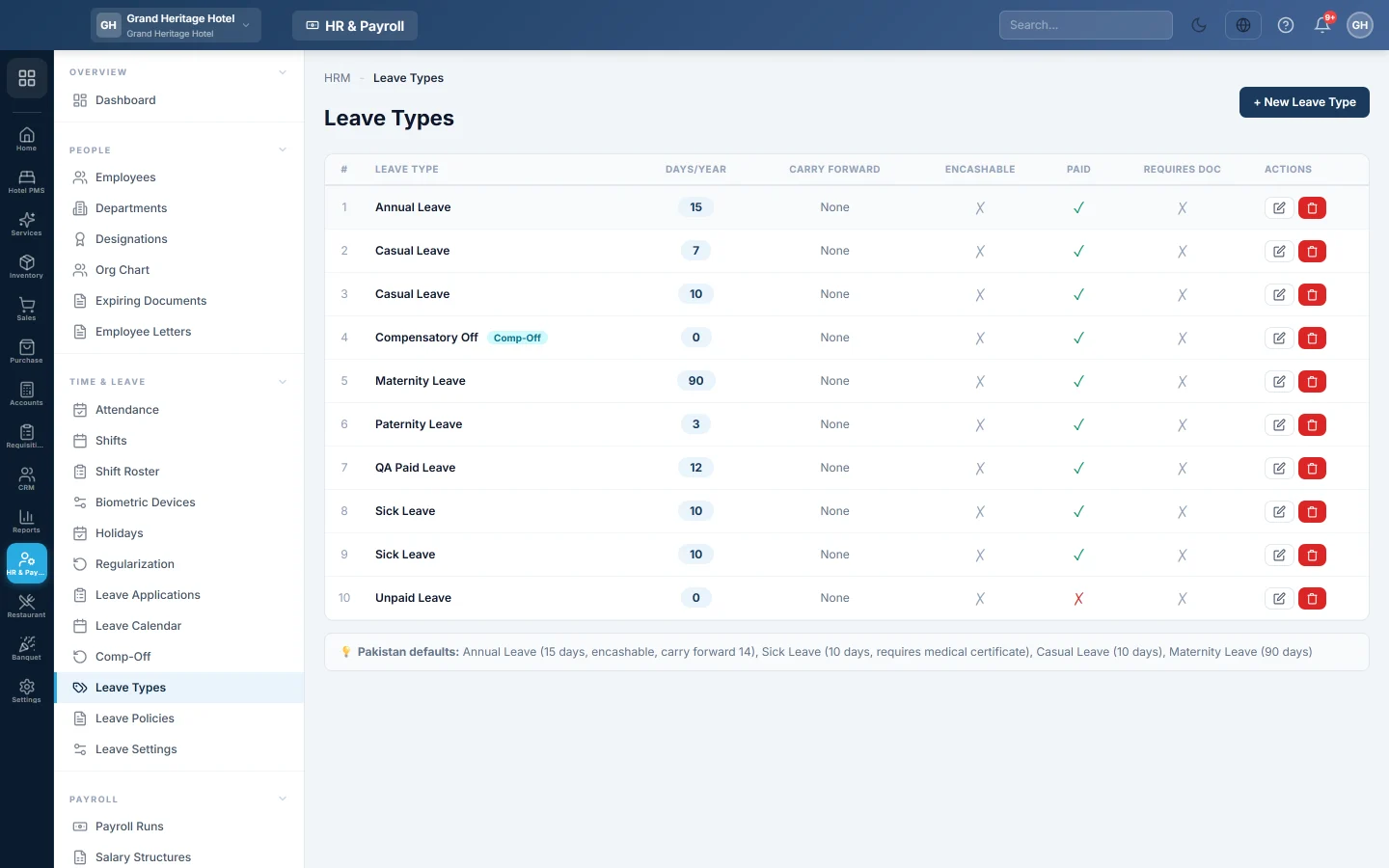
Leave types are the kinds of leave your company gives, such as annual, sick, casual or maternity leave. Each type says how many days a year it gives, whether it is paid, and whether unused days carry forward or are paid out.
Before you begin
- Your role needs the HR permissions to manage leave types. See Users & Roles.
Where to find it
Open HR & Payroll → Time & Leave → Leave Types.
Start from the usual types
Click Seed Defaults to add four common types: Annual Leave (15 days, encashable, carry forward 14), Sick Leave (10 days, needs a medical certificate), Casual Leave (10 days) and Maternity Leave (90 days). Change them afterwards to match your policy.
Add a leave type
- Click + New Leave Type.
- Type the LEAVE TYPE NAME, for example "Annual Leave".
- Type the DAYS PER YEAR.
- Tick Paid Leave if these days are paid. Unpaid leave is deducted like an absence.
- Tick Carry Forward if unused days move to next year, and set the MAX CARRY FORWARD DAYS.
- Tick Encashable if unused days can be paid out, for example in a final settlement.
- Tick Requires Document if the employee must attach proof, such as a medical certificate.
- For leave earned by working on holidays or weekends, tick Comp-Off Type and leave the days per year at 0.
- Click Create.
Change or remove a leave type
Click Edit on its row, make the change and click Update. Click Delete to remove a type you no longer use.
Common questions
What is a comp-off type for? Its balance is not given each year. It is earned by working on holidays or weekends, through Comp-Off, and spent like leave.
How do balances build up through the year? Add the type to a Leave Policy. The policy adds days each month, quarter or year.
How is unpaid leave deducted? Approved days of a type that is not Paid Leave are deducted from salary like an absence, when payroll is worked out.
谢谢。 如果仍需帮助,请发邮件至 info@eloerp.net。