Weight Scales
Define how weight is written and typed, such as tola, masha and ratti or gram and milligram, so every weight is stored exactly without rounding.
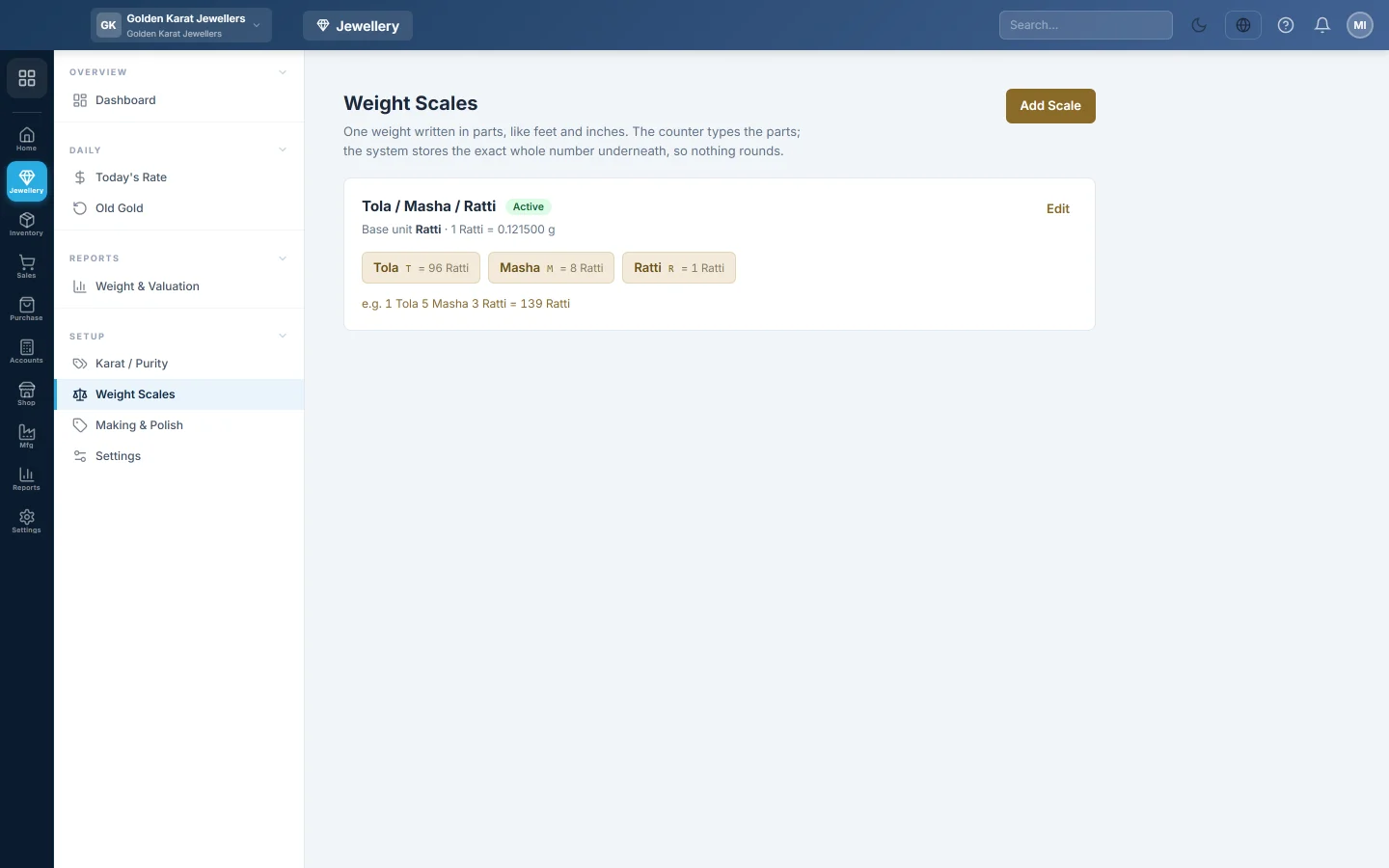
A weight scale writes one weight in parts, the way the trade says it: 1 tola 5 masha 3 ratti. The counter types the parts, and EloERP stores the exact whole number of the smallest part, so nothing rounds.
Before you begin
- Switching selling by weight on in Settings adds a scale for you: Tola / Masha / Ratti or Gram / Milligram.
- You need the Manage Weight Scales permission to add or change a scale.
Where to find it
Open Jewellery → Setup → Weight Scales.
Read a scale
Each card shows the scale's name, its Base unit (the smallest part) and how many grams one base unit weighs. Below are its parts, each with a short label and the number of base units it holds, and an example weight.
On the standard scale, 1 tola is 12 masha or 96 ratti, and 1 masha is 8 ratti. One ratti is 0.1215 g, so one tola is 11.664 g.
Add a scale
- Click Add Scale.
- Type a Code, for example tmr, and a Name.
- Type the Base unit name, the smallest part, for example Ratti.
- Type One base unit in grams. It is only needed if you quote a rate per gram.
- Under Parts, click Add part for each part. Type its label, its short label (such as T) and how many base units it holds. Use whole numbers only.
- Leave Active ticked and click Save.
Parts are saved largest first, whatever order you type them in. Click Edit on a card to change a scale.
Common questions
Why whole numbers only? Whole numbers keep 1 tola 5 masha 3 ratti exactly 139 ratti. A decimal tola would lose money at gold rates.
My shop weighs in grams. Choose Gram under Rate is quoted per in Settings before you stock anything by weight. Weights are then typed as one number, such as 7.900 g.
Which scale does a new line use? The Default weight scale in Settings, or the first active scale.
谢谢。 如果仍需帮助,请发邮件至 info@eloerp.net。