Dashboard
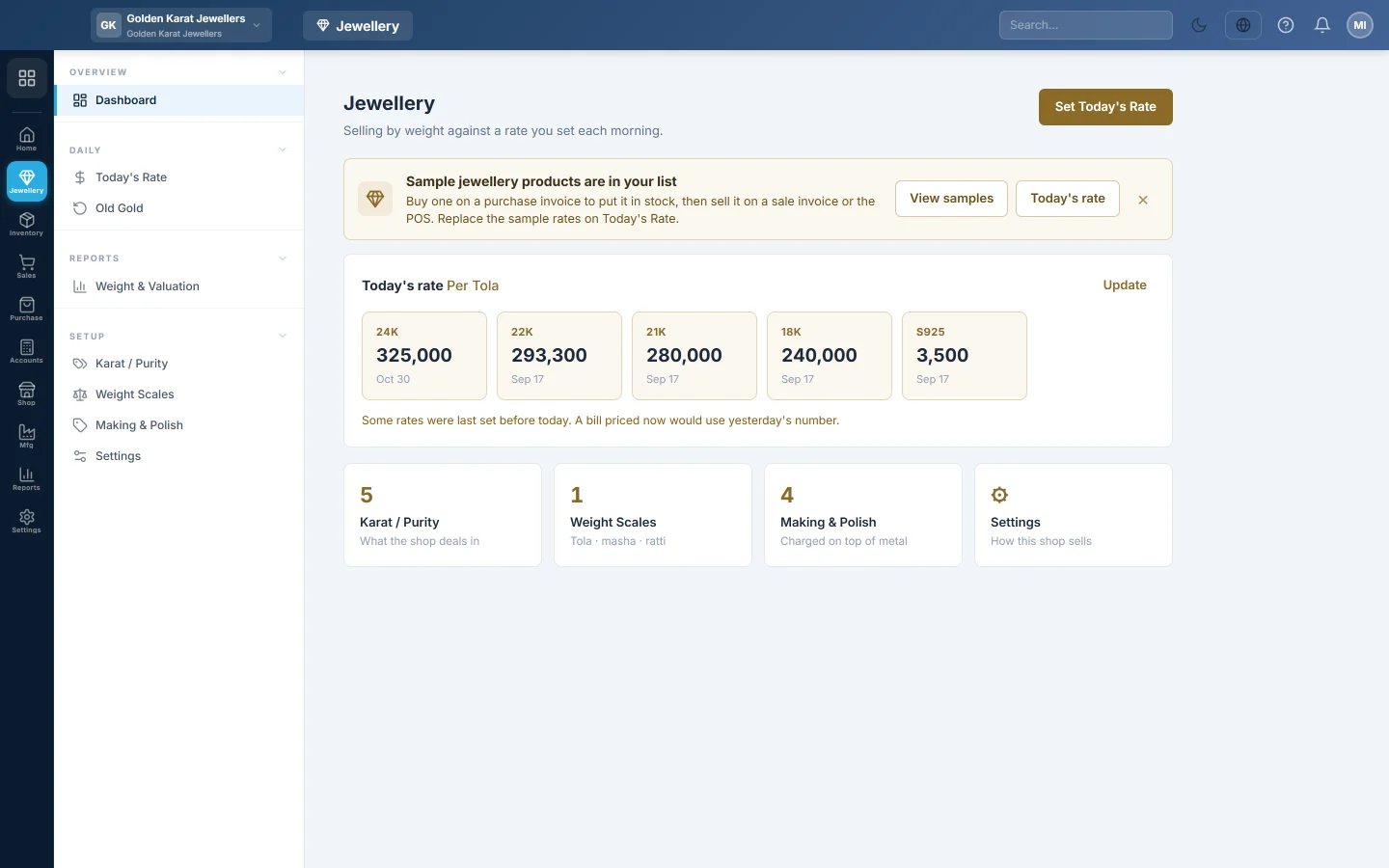
The jewellery home page, with today's rate for every karat at a glance, a warning when a rate is stale, and shortcuts to the setup screens.
The jewellery Dashboard shows today's rate for every karat at a glance and warns you when a rate was last set before today. Tiles below link to the setup screens.
Before you begin
- You need the View Jewellery Dashboard permission.
- Selling by weight must be switched on. Until then the page says Not switched on yet; click Open Settings. See Settings.
Where to find it
Open Jewellery → Overview → Dashboard.
Read the dashboard
- Today's rate: one card per active karat with its rate per tola (or gram) and when it was set. A shaded card was set before today; a faded one has no rate yet.
- Karat / Purity, Weight Scales and Making & Polish tiles show how many of each are active. Click a tile to open that screen.
- Settings opens Settings.
Click Set Today's Rate or Update to record the morning rate. See Today's Rate.
Try it with sample products
A new shop sees a bar See how selling by weight works.
- Click Add Dummy Products for All Jewellery Types.
- Read what will be added and click Add samples.
EloERP adds 8 sample products in a Sample Jewellery category, sample rates for karats with none, and default making, polish and stone rates where they are still 0. No stock is added: buy a sample on a purchase invoice before you sell it. Running it again adds nothing.
Common questions
The rate cards are missing. No karat is active. Add or reactivate one on Karat / Purity.
Can I hide the sample bar? Yes. Click × on the bar.
Will the sample rates be used on real bills? Yes, until you record your own rates on Today's Rate. Replace them before you sell.
谢谢。 如果仍需帮助,请发邮件至 info@eloerp.net。