Custom Fields
Add your own details to every subscription, such as a connection ID, router serial, locker number or unit number, and choose which print on the invoice.
Custom fields hold the details your business keeps for each subscriber: a connection ID, a router serial, a locker number, a unit or meter number. They appear on the subscription form and, if you choose, on every invoice.
Before you begin
- Your role needs permission to manage Subscriptions settings. See Users & Roles.
Where to find it
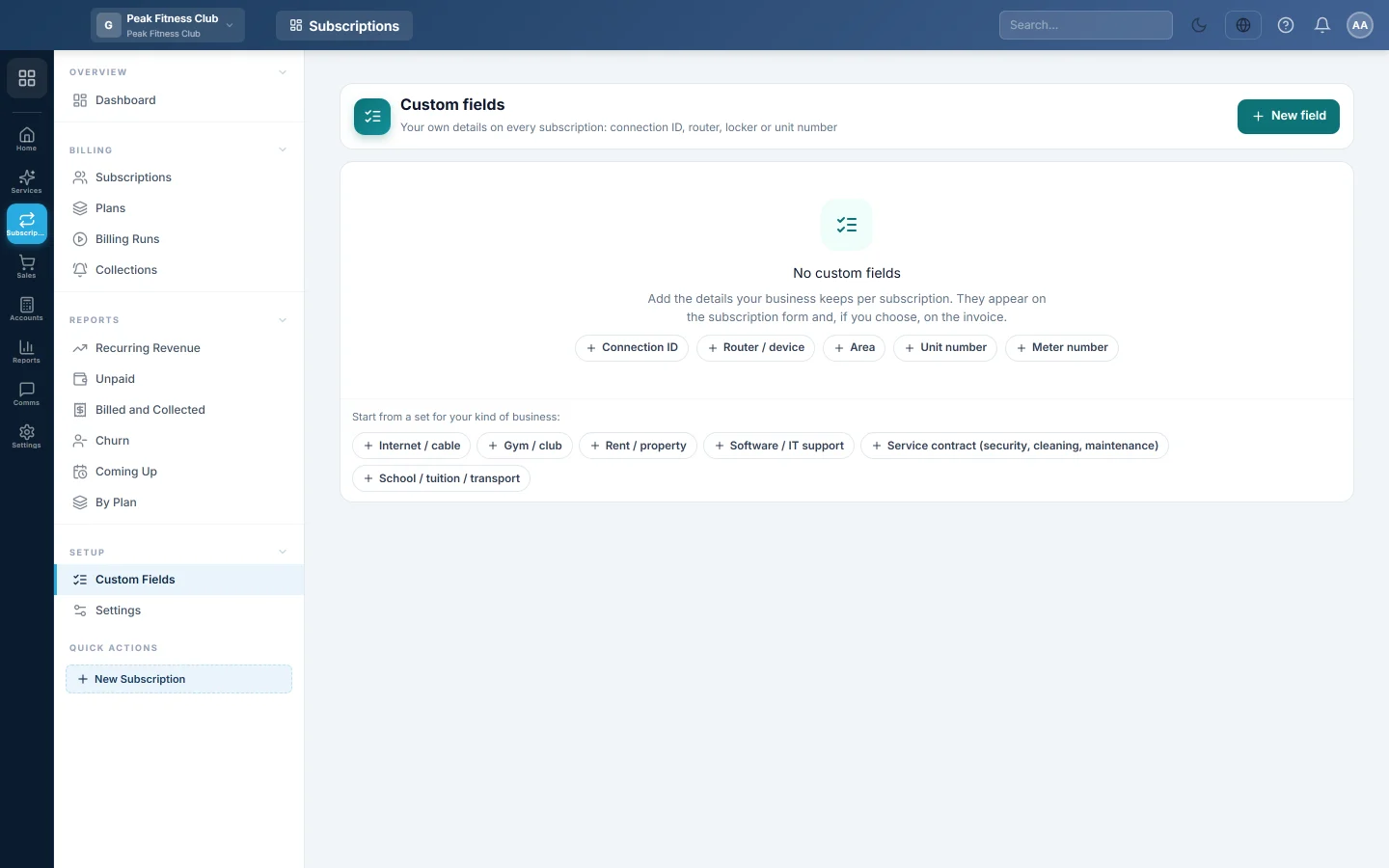
Open Subscriptions → Setup → Custom Fields.
Start from a ready set
When you have no fields yet, the page offers sets for common businesses: Internet / cable, Gym / club, Rent / property, Software / IT support, Service contract (security, cleaning, maintenance) and School / tuition / transport.
- Under Start from a set for your kind of business, click the set that fits.
- Its fields are added at once. Change or delete any of them afterwards.
The Internet / cable set, for example, adds Connection ID, Username, Router / ONT serial, Area and Installation date.
Add a field
- Click New field.
- Type the Label, for example "Locker number".
- Pick the Type: Text, Number, Date, List or Yes / No.
- For a List, type the choices in Options, one per line.
- Tick Required on every subscription if no subscription may be saved without it.
- Tick Print on the invoice to show it on every invoice of that subscription.
- Click Save field.
Change or remove a field
- Click a field in the list to change it, then click Save field.
- Click its delete button and confirm with Remove. Values already saved stay on the subscriptions.
Common questions
Where do I fill these in? In the Details section of the New subscription form, or with Edit on a subscription. See Subscriptions.
Can I search the subscription list by a custom field? The list searches by customer, phone, number and Reference. Put the account name your router knows in Reference if you need to find customers by it.
I made a field required. What about older subscriptions? They keep billing. The field must be filled the next time someone saves changes to them.
Teşekkür ederiz. Hâlâ yardıma ihtiyacınız varsa info@eloerp.net adresine yazın.