Panels & Insurers
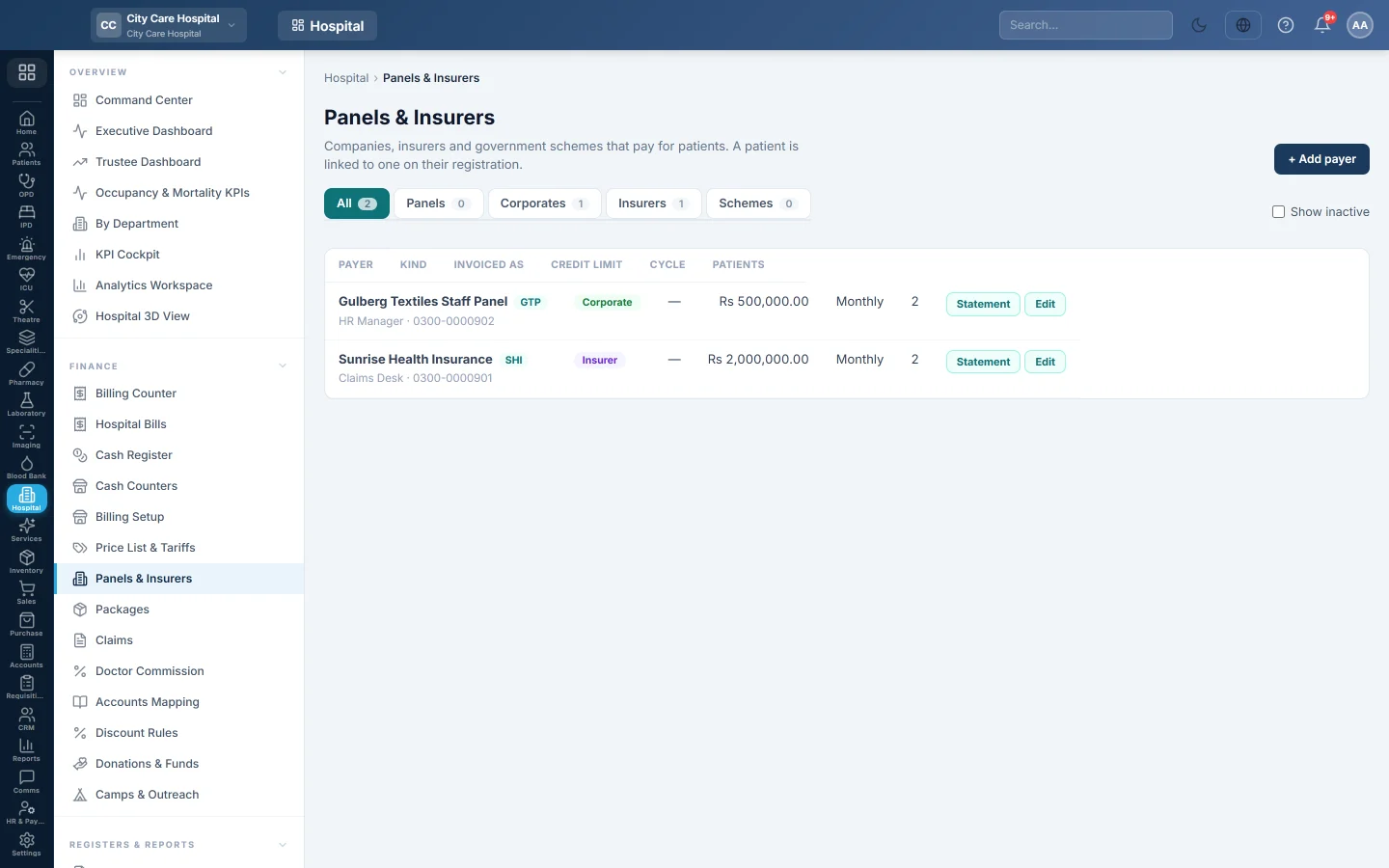
Keep the companies, insurers and government schemes that pay for patients, with their credit limit and billing cycle, and invoice each panel's credit bills at month end.
A panel is anyone other than the patient who pays the bill: a company for its staff, an insurer or a government scheme. You add the panel here, link patients to it on their registration, and bill their visits to the panel's account instead of taking cash.
Before you begin
- You need the HIMS masters edit right to add or change payers.
- The panel receivable ledger (1615) is on your chart. See Accounts Mapping.
Where to find it
Open Hospital → Finance → Panels & Insurers.
Add a payer
- Click + Add payer.
- Type the Name, for example ABC Insurance.
- Choose the Kind: Panel, Corporate, Insurer or Government scheme.
- Optionally type a Code.
- Choose the Billing cycle: Monthly, Fortnightly or Weekly.
- Type the Credit limit. 0 means no limit.
- Add the Contact person, Phone, Email and Address.
- Keep Active ticked and click Save.
Then link patients to the panel on their registration. See Patients.
Bill a panel patient
At the Billing Counter, a linked patient shows their panel under Pays as. Choose the panel in Payer and click Bill to panel. The bill goes on the panel's account; the patient pays nothing at the window.
A bill is refused when the panel is inactive, the patient's card has expired, or the bill would take the panel over its credit limit.
Invoice a panel
- Click Statement on the panel's row.
- Check Owed now, Not invoiced yet and the Credit limit.
- Under Credit bills not invoiced, check the bills.
- Set From and To for the period.
- Click Invoice these bills.
The invoice appears under Invoices with its period, number of bills, total and status. The first invoice creates the panel's customer in Sales if none is linked; record the panel's payments against that customer in Accounting.
Read the list
Use the tabs All, Panels, Corporates, Insurers and Schemes. Tick Show inactive to see retired payers. Invoiced as shows the customer the panel is invoiced as, and Patients shows how many patients are linked.
What happens in the books
- A bill to a panel debits the panel receivable (1615) and credits the department's revenue.
- The panel invoice moves the amount from 1615 to the panel's own customer ledger.
- The panel's payment is a receipt against that customer. See Customer Ledgers.
Common questions
The counter says the panel is at its credit limit. Invoice and collect older bills, or raise the Credit limit.
Can a panel have its own prices? Yes. Use Copy list to panel on Price List & Tariffs.
A patient changed employer. Change the panel on their registration. Old bills stay on the old panel.
Merci. Si vous avez encore besoin d’aide, écrivez à info@eloerp.net.