Birth Register
List the live births in a period for health department and civil registration reporting, with the mother's and baby's MRN, sex, weight and place.
The Birth Register (Statutory) lists the live births in the period, the way the health department and civil registration ask for them.
Before you begin
- Your role has the permission to view hospital reports. See Users & Roles.
- Births come from deliveries recorded in Antenatal & Maternity. A baby's MRN appears once the baby's file is created.
Where to find it
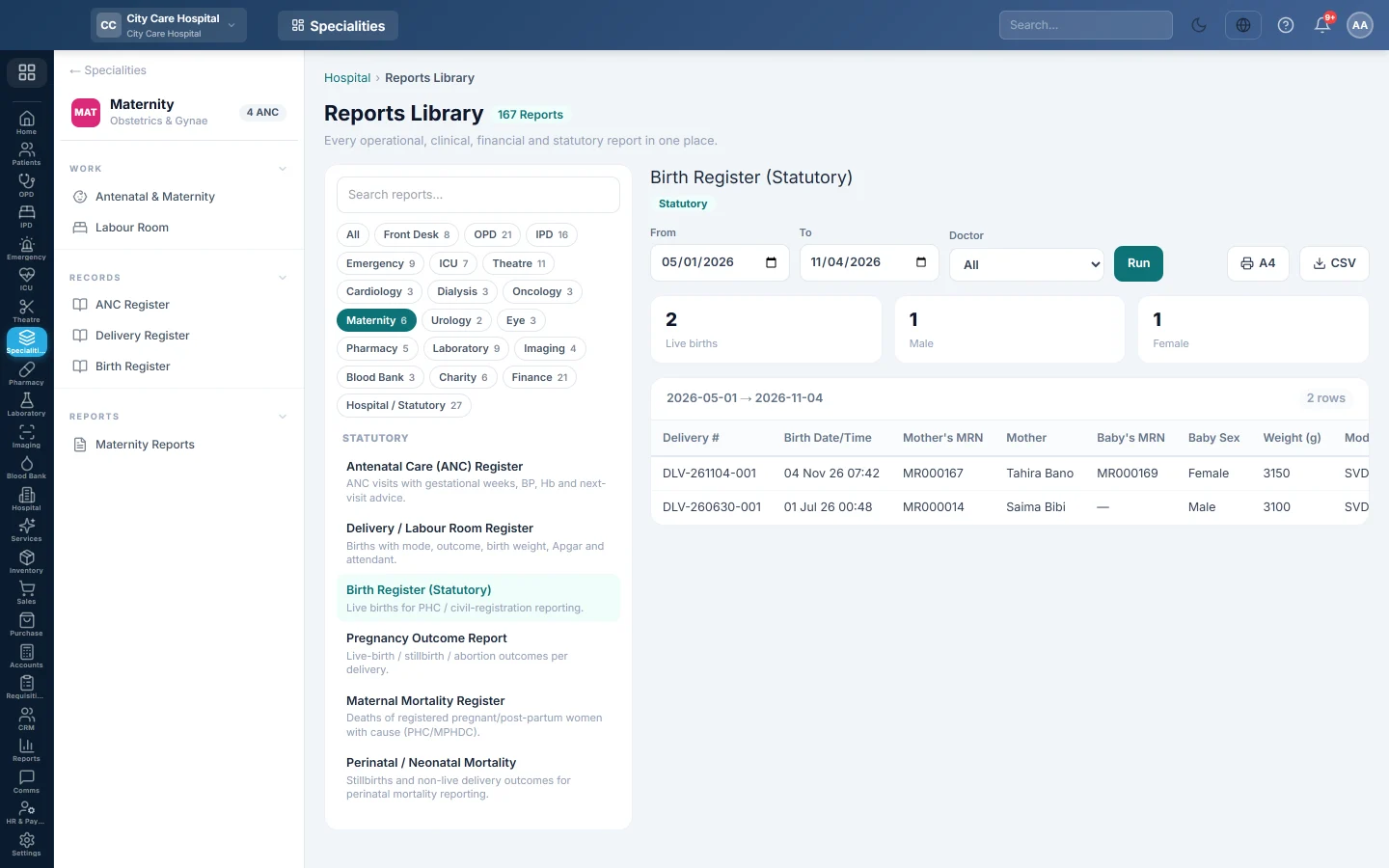
Open Specialities → Maternity → Records → Birth Register. It opens in the Reports Library and runs for the current month.
Run the register
- Set From and To. The register uses the date and time of birth.
- Narrow it if you like:
- Doctor: births conducted by one doctor.
- Click Run.
The summary shows the number of Live births, and how many were Male and Female. The table lists Delivery #, Birth Date/Time, Mother's MRN, Mother, Baby's MRN, Baby Sex, Weight (g), Mode and Place. Long results are paged, 50 rows at a time.
Print or export
- Click A4 to print the register on your letterhead.
- Click CSV to download every row with the same filters, for Excel.
Common questions
A birth is missing. The delivery outcome is not Live birth. Stillbirths are listed in the Delivery Register and the perinatal mortality report.
Baby's MRN is blank. The baby's file was not created. Open the pregnancy and click Create baby's file.
谢谢。 如果仍需帮助,请发邮件至 info@eloerp.net。