Labour Room
See the antenatal patients on the ward, those due in the next three weeks and recent deliveries, and keep the partograph for a woman in labour.
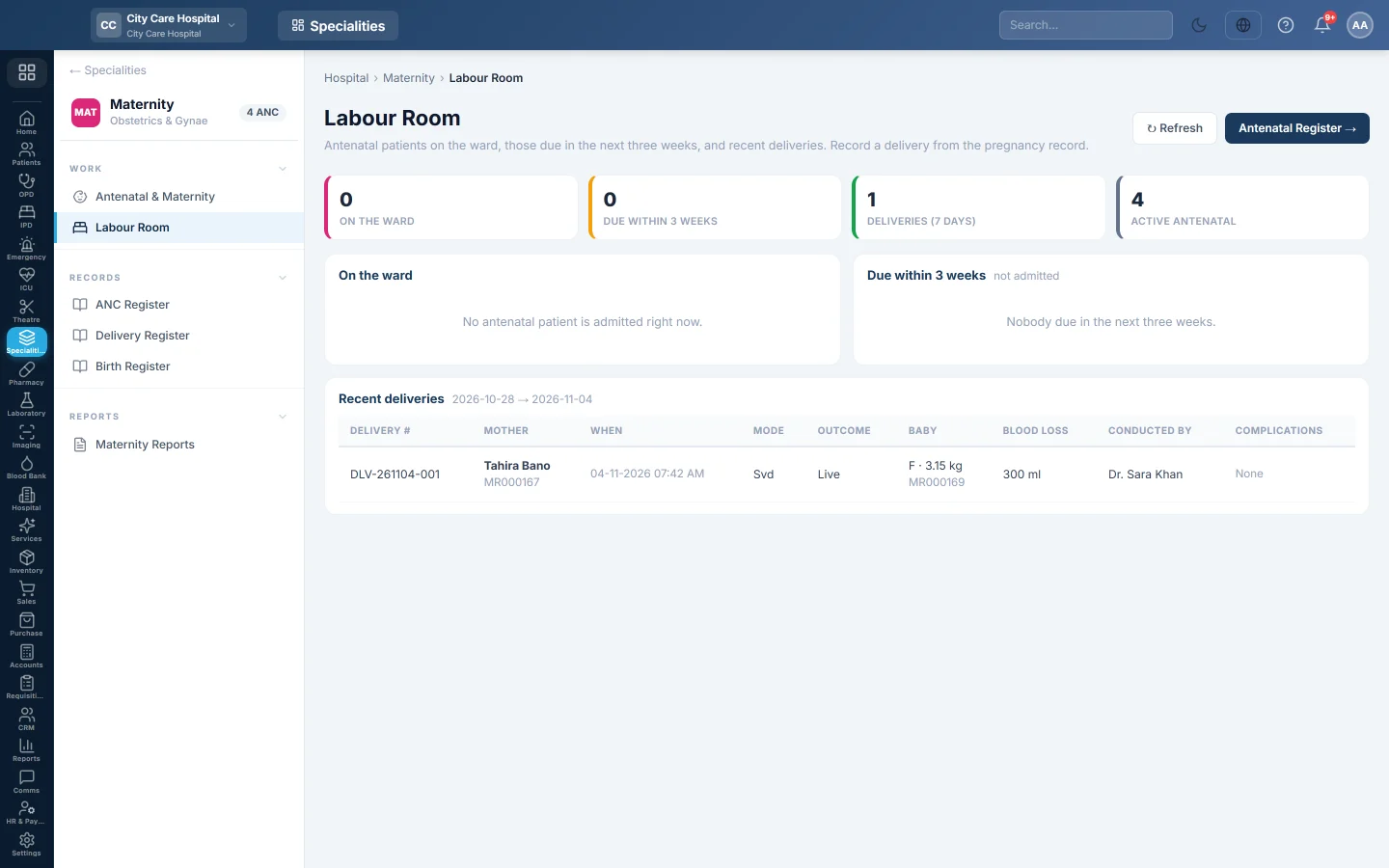
The Labour Room screen shows who is on the ward in pregnancy, who is due in the next three weeks and the recent deliveries. From here you start and keep the partograph for a woman in labour.
Before you begin
- Pregnancies are registered in Antenatal & Maternity. Patients on the ward are admitted. See Admissions.
- Your role needs Manage Antenatal / Deliveries to keep a partograph.
Where to find it
Open Specialities → Maternity → Work → Labour Room.
Read the screen
- On the ward: admitted antenatal patients with bed, gestation, EDD, gravida and para, risk and the partograph.
- Due within 3 weeks: patients not admitted whose EDD is close, with their phone. Past the EDD they are marked post-dates.
- Recent deliveries: the last 7 days, with mode, outcome, baby, blood loss and who conducted them.
Click Refresh to update it, or Antenatal Register to go back to the pregnancies.
Keep a partograph
- In On the ward, click Start in the Partograph column. Or open the pregnancy and click Start partograph.
- Under New observation, set the Time and type the Cervix (cm), Descent (fifths), Contractions / 10 min and how long they last.
- Record the Fetal heart, Liquor and Moulding.
- Record the mother's BP, Pulse, Temp °C and urine.
- Note any Oxytocin U/L, Drops/min and Drugs / IV fluids. Tick Membranes ruptured now when they rupture.
- Click Record observation.
The Cervicograph plots each reading against the Alert line and Action line. All readings are listed under Observations. Click Close partograph after the delivery.
Record the delivery itself on the pregnancy. See Antenatal & Maternity.
Common questions
A patient in labour is not under On the ward. She is not admitted. Admit her first.
Can I edit an observation? No. Record a new observation with the right time.
Where is the full delivery list? See Delivery Register.
谢谢。 如果仍需帮助,请发邮件至 info@eloerp.net。