OT Register
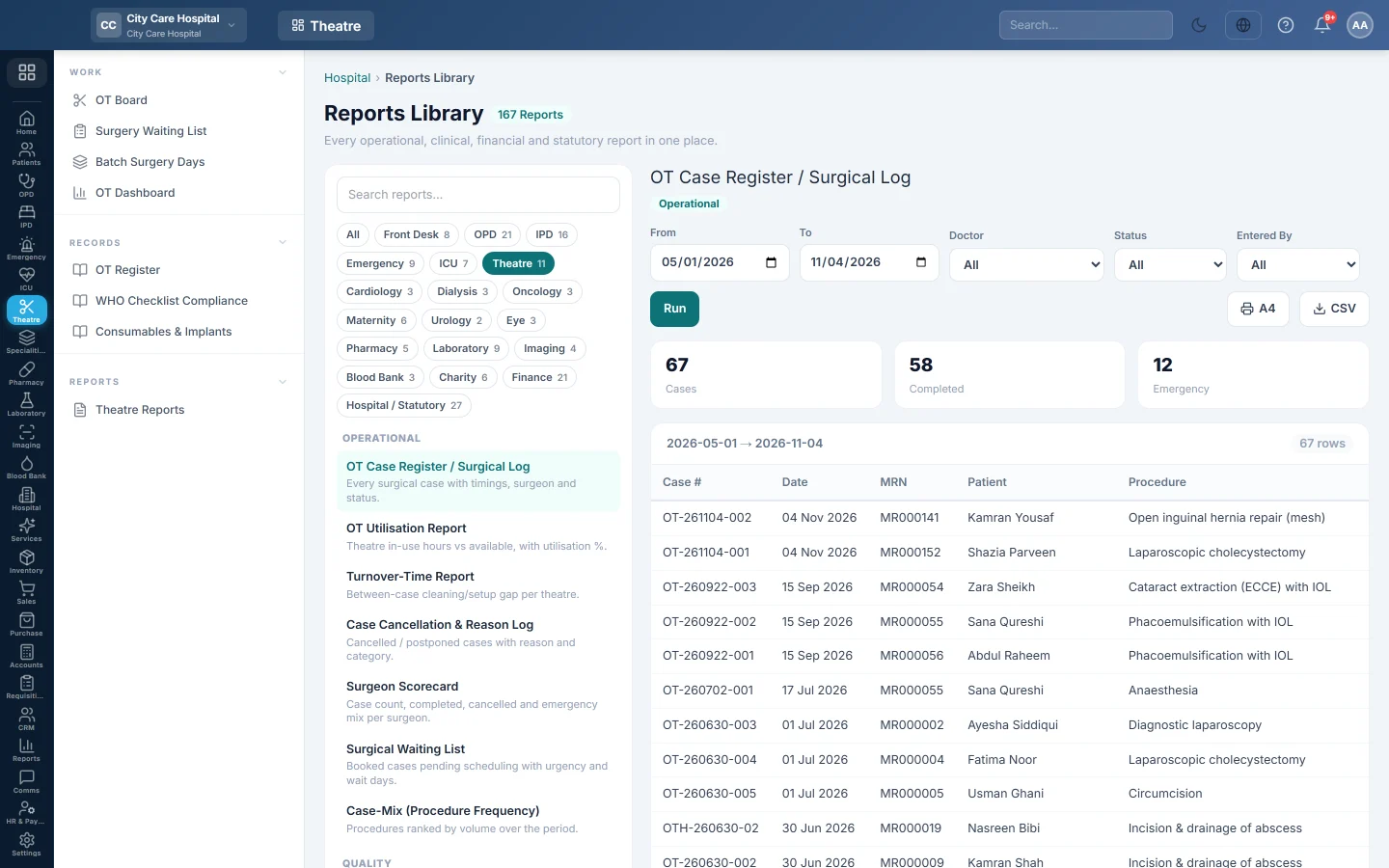
The theatre register - every surgical case in a period with procedure, surgeon, theatre, priority and status.
The OT Register lists every surgical case scheduled in a period. It is the theatre's statutory operation register.
Before you begin
- Your role needs the hospital reports permission. See Users & Roles.
- The report runs in the Reports Library.
Where to find it
Open Operation theatre → Records → OT Register. It opens as OT Case Register / Surgical Log.
Run the register
- Set From and To. The register lists cases scheduled in this period.
- Optionally pick a Doctor (the surgeon), a Status or a user in Entered By.
- Click Run.
- Click A4 to print, or CSV to download every row.
What the report shows
The tiles count Cases, Completed and Emergency.
| Column | What it shows |
|---|---|
| Case #, Date | The case number and scheduled date. |
| MRN, Patient | Who was operated on. |
| Procedure | The procedure scheduled. |
| Surgeon, Theatre | Who operated and where. |
| Priority | Elective or Emergency. |
| Status | Scheduled, Pre-op, Anaesthesia, In Progress, Recovery, Completed or Cancelled. |
| Entered By, Entered At | Who scheduled it and when. |
Common questions
How do I see only operations done? Set Status to Completed.
Where are the timings? Each case's patient-in, incision and closure times are on the case. For theatre time used, run OT Utilisation Report in Theatre Reports.
Where are implants listed? In Consumables & Implants.
Merci. Si vous avez encore besoin d’aide, écrivez à info@eloerp.net.