Consumables & Implants
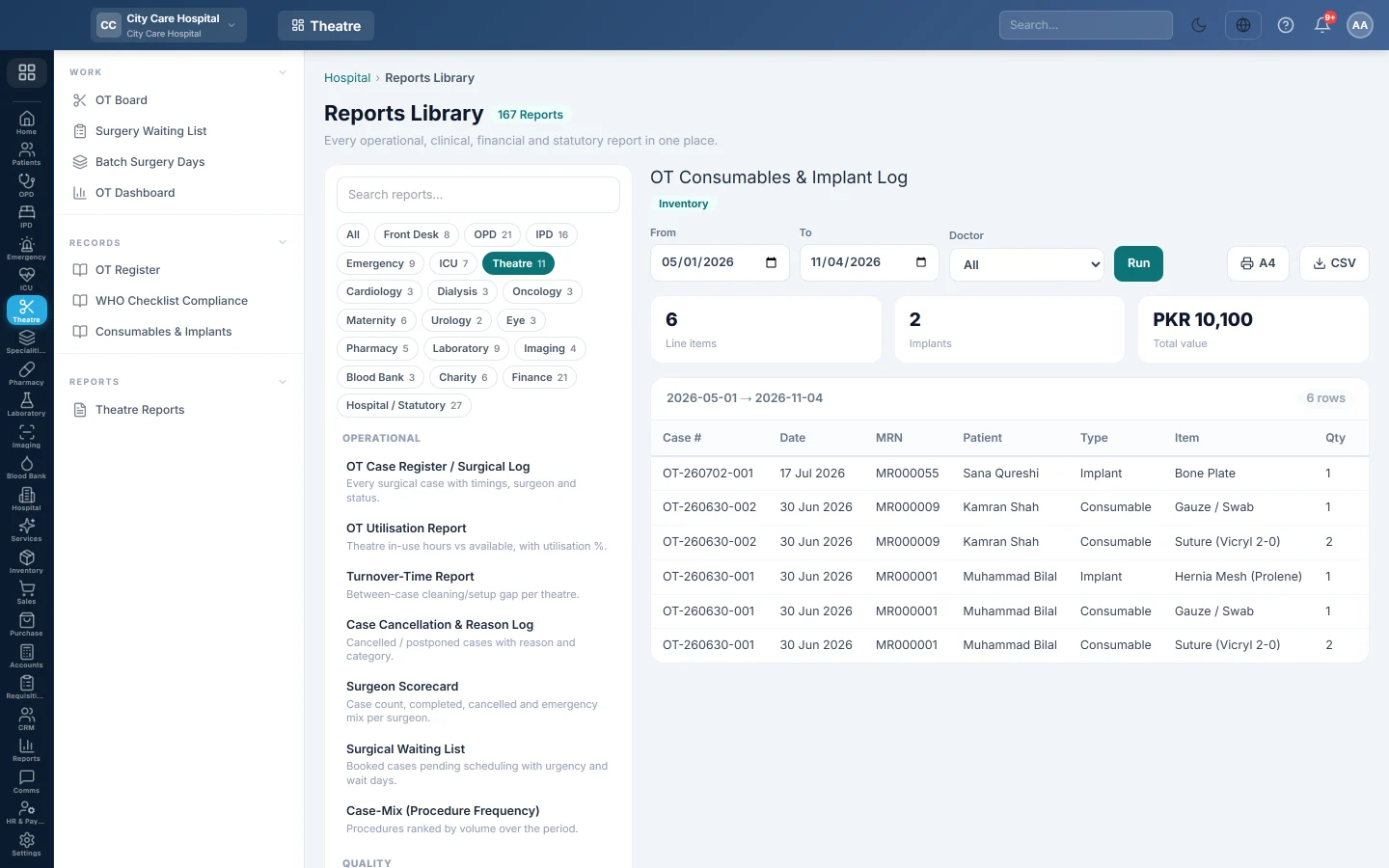
Every consumable and implant used in operations in a period, with quantity, value, lot or UDI and expiry, for cost and implant traceability.
Consumables & Implants lists what was used in each operation. It shows the cost, and lets you trace an implant to the patient by its lot number if it is ever recalled.
Before you begin
- Your role needs the hospital reports permission. See Users & Roles.
- Items are recorded on each case's Items tab. See Run a surgery case.
Where to find it
Open Operation theatre → Records → Consumables & Implants. It opens as OT Consumables & Implant Log.
Run the log
- Set From and To.
- Optionally pick a Doctor (the surgeon).
- Click Run.
- Click A4 to print, or CSV to download every row.
What the report shows
The tiles show Line items, Implants and the Total value.
| Column | What it shows |
|---|---|
| Case #, Date | The case and its date. |
| MRN, Patient | Who the item was used on. |
| Type | Consumable, Implant, Drug or Equipment. |
| Item, Qty, Value | What was used, how many, and its value. |
| Lot/UDI, Expiry | The implant's lot or unique device number, and its expiry. |
Common questions
An implant has no lot number. It was not entered on the case. Record the Lot and Expiry for every implant.
A supplier recalled a lot. How do I find the patients? Export the CSV and filter the Lot/UDI column.
Thank you. If you still need help, write to info@eloerp.net.