ER Register
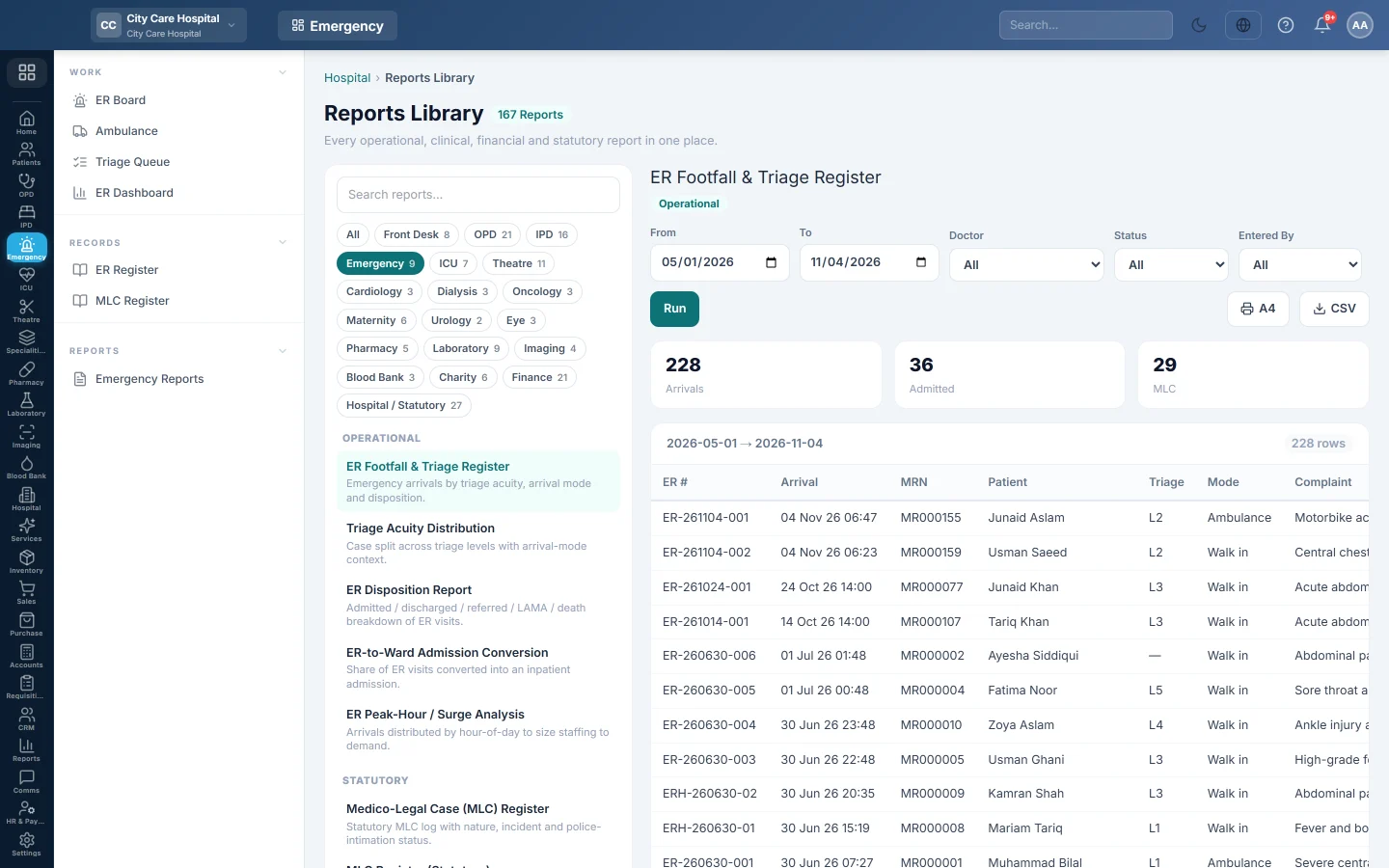
The emergency register - every arrival with triage level, arrival mode, complaint and where the patient went, to print or export.
The ER Register lists every emergency arrival in a period, with its triage level, how the patient came and where they went. It is the casualty department's daily register.
Before you begin
- Your role needs the hospital reports permission. See Users & Roles.
- The report runs in the Reports Library.
Where to find it
Open Emergency → Records → ER Register. It opens as ER Footfall & Triage Register.
Run the register
- Set From and To.
- Optionally pick a Doctor, a Status or a user in Entered By.
- Click Run.
- Click A4 to print, or CSV to download every row.
Status can be Waiting, Triaged, In Treatment, Observation, Disposition or Closed.
What the report shows
The tiles count Arrivals, Admitted and MLC.
| Column | What it shows |
|---|---|
| ER #, Arrival | The visit number and arrival time. |
| MRN, Patient | Who arrived. |
| Triage | The acuity level, 1 to 5. |
| Mode | Walk-in, Ambulance, Referral or Police. |
| Complaint | The presenting complaint. |
| Disposition | Where the patient went: admitted, discharged, referred, LAMA and so on. |
| Entered By, Entered At | Who registered the arrival and when. |
Common questions
How do I see only medico-legal cases? Use the MLC Register.
A row has no disposition. The visit is still open on the ER Board.
Can I count arrivals by hour? Yes. Run ER Peak-Hour / Surge Analysis in Emergency Reports.
شكرًا لك. إذا كنت لا تزال بحاجة إلى مساعدة، راسلنا على info@eloerp.net.