Ambulance
Run the hospital's ambulances - add vehicles, take requests, dispatch a vehicle and crew, complete the run with the distance, and charge the fare to the patient's bill or collect it.
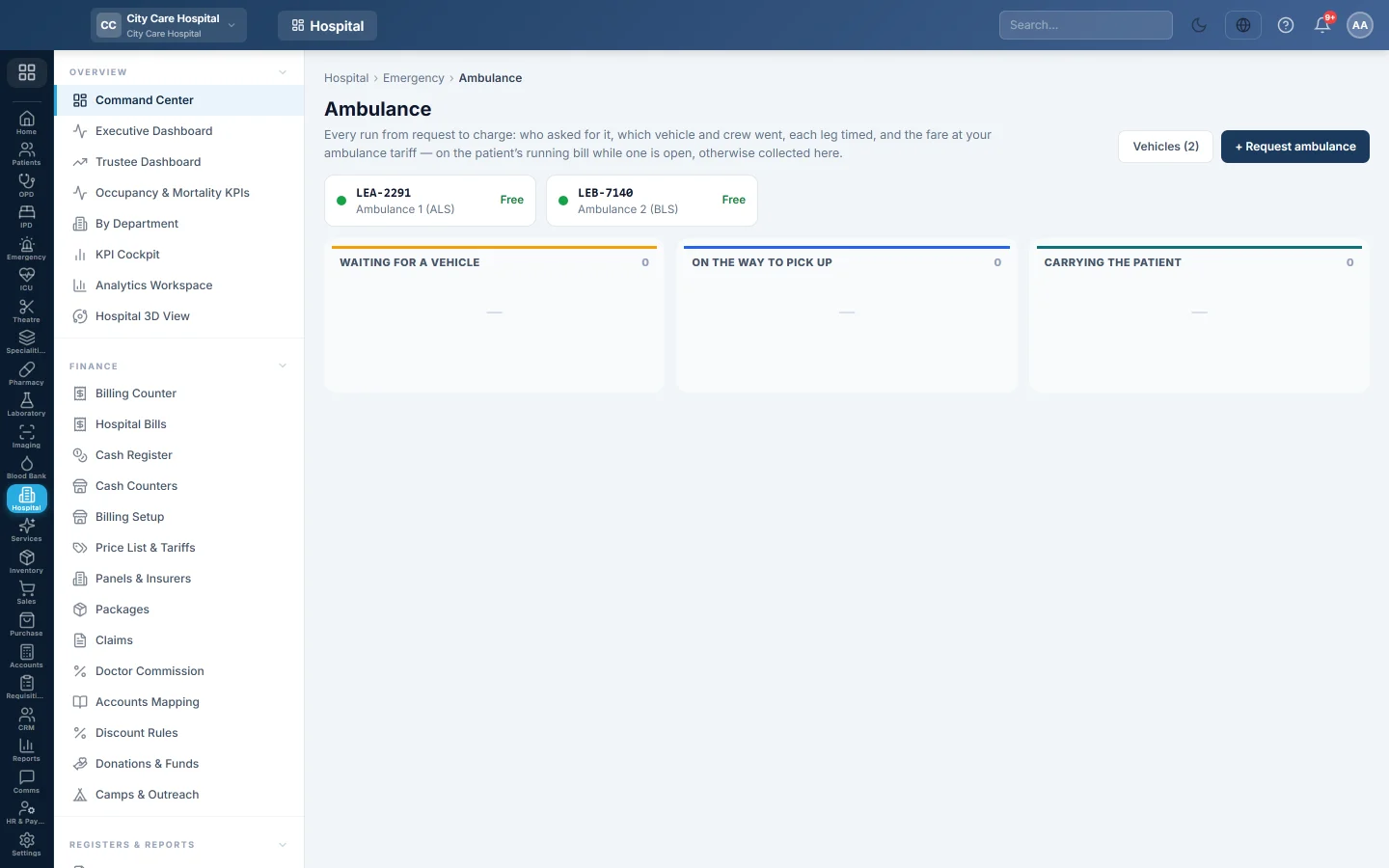
Ambulance tracks every run from the request to the charge: who asked for it, which vehicle and crew went, and the fare. The fare goes on the patient's running bill when one is open; otherwise you collect it here.
Before you begin
- The ambulance fares are on the price list: a base fare per vehicle type and a per-km rate. See Price List & Tariffs.
- Collecting a fare needs an open cash shift. See Cash Register.
Where to find it
Open Emergency → Work → Ambulance. An ER visit also has an Ambulance button once the hospital has a vehicle.
Add a vehicle
Until you add one, the page says No ambulance is set up. and asks you to add the hospital's vehicles.
- Click Add an ambulance, or Vehicles.
- Type the Registration and a Name, for example Ambulance 1.
- Choose the Type: basic life support, advanced life support, patient transport or mortuary van.
- Type the Usual driver and the Vehicle phone.
- Leave On the road ticked.
- Click Save vehicle.
Untick On the road when a vehicle is off for repair. A vehicle that is out on a run cannot be taken off the road until it is back.
Request an ambulance
- Click Request ambulance.
- Pick the Patient and the reason in Why.
- Choose the Priority: Routine, Urgent or Emergency.
- Type Pick up at and Going to, for example a hospital, ward or home address.
- Choose the vehicle type in Needs, or Any vehicle.
- Add a note For the crew, for example on oxygen, stretcher case.
- Click Request.
Dispatch and complete a run
- Click Dispatch on the request.
- Choose the Ambulance, the Driver and the Crew (paramedic / nurse).
- Click Dispatch. The run shows under Out.
- When it is back, click Complete.
- Type the Distance (km) and a Handover note. Tick No charge for a charity or the hospital's own transfer.
- Click Complete run.
The fare is the base fare for the vehicle type plus the per-km rate times the distance.
Collect a fare
Runs finished after the patient's bill was closed wait under Waiting to be paid.
- Click Collect on the run.
- Choose the Payment method and a Reference.
- Click Collect & bill.
To cancel a run, click Cancel, give the reason under Why, and click Cancel run.
Common questions
The Ambulance button does not show on an ER visit. The hospital has no vehicle on the road yet. Add one here first.
The fare was not charged. The run was completed with No charge, or no ambulance tariff is set on the price list.
Where are the finished runs? Under Today's finished runs, with the cancelled ones.
شكرًا لك. إذا كنت لا تزال بحاجة إلى مساعدة، راسلنا على info@eloerp.net.