Triage Queue
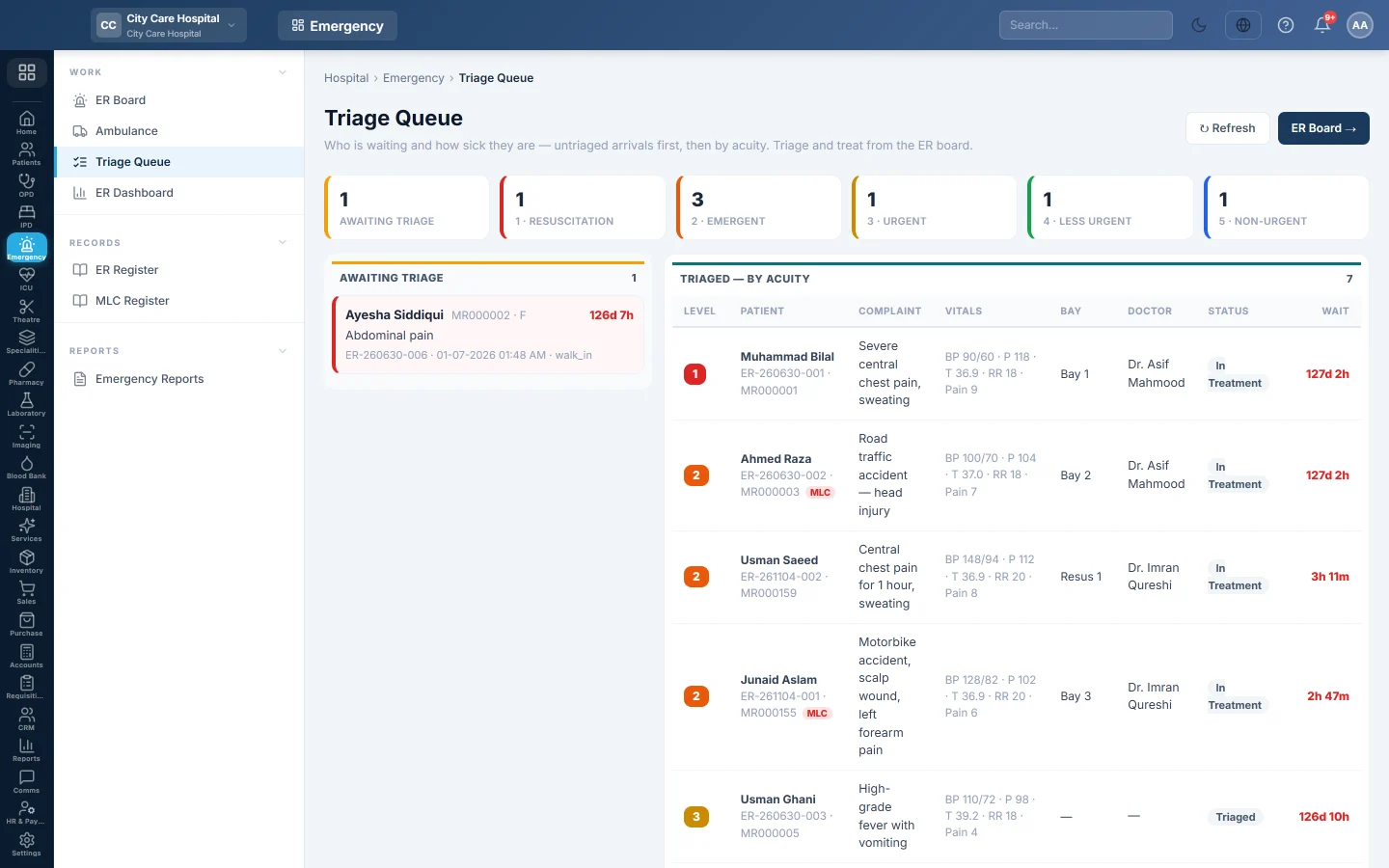
Who is waiting in the emergency and how sick they are - untriaged arrivals first, then triaged patients by acuity, with waits past each level's target flagged.
The Triage Queue shows who is waiting in the emergency and how urgent they are. Untriaged arrivals come first, then triaged patients by acuity.
Before you begin
- Patients appear here once they are registered on the ER Board. You triage and treat them there.
Where to find it
Open Emergency → Work → Triage Queue.
Read the queue
- Read the tiles: Awaiting triage, then one tile per level, 1 · Resuscitation to 5 · Non-urgent.
- Awaiting triage lists new arrivals with their complaint, arrival time and mode. A card waiting more than 15 minutes is highlighted.
- Triaged — by acuity lists each patient's Level, Complaint, Vitals, Bay, Doctor, status and wait.
A wait turns red when it passes the level's target: immediate for level 1, 10 minutes for 2, 30 for 3, 60 for 4 and 120 for 5.
Click ER Board → to triage or treat a patient. Click ↻ Refresh to reload.
Common questions
Can I triage from this page? No. It is a view. Triage on the ER Board.
A wait shows many days. The visit was never closed. Open it on the board and record the disposition.
What do the levels mean? Level 1 needs resuscitation now; level 5 can safely wait. Your triage nurse picks the level.
شكرًا لك. إذا كنت لا تزال بحاجة إلى مساعدة، راسلنا على info@eloerp.net.