Doctor Schedules
The doctors' clinic time table - weekly hours per doctor and department, slot length, daily token limit and room - which drives the appointment slots.
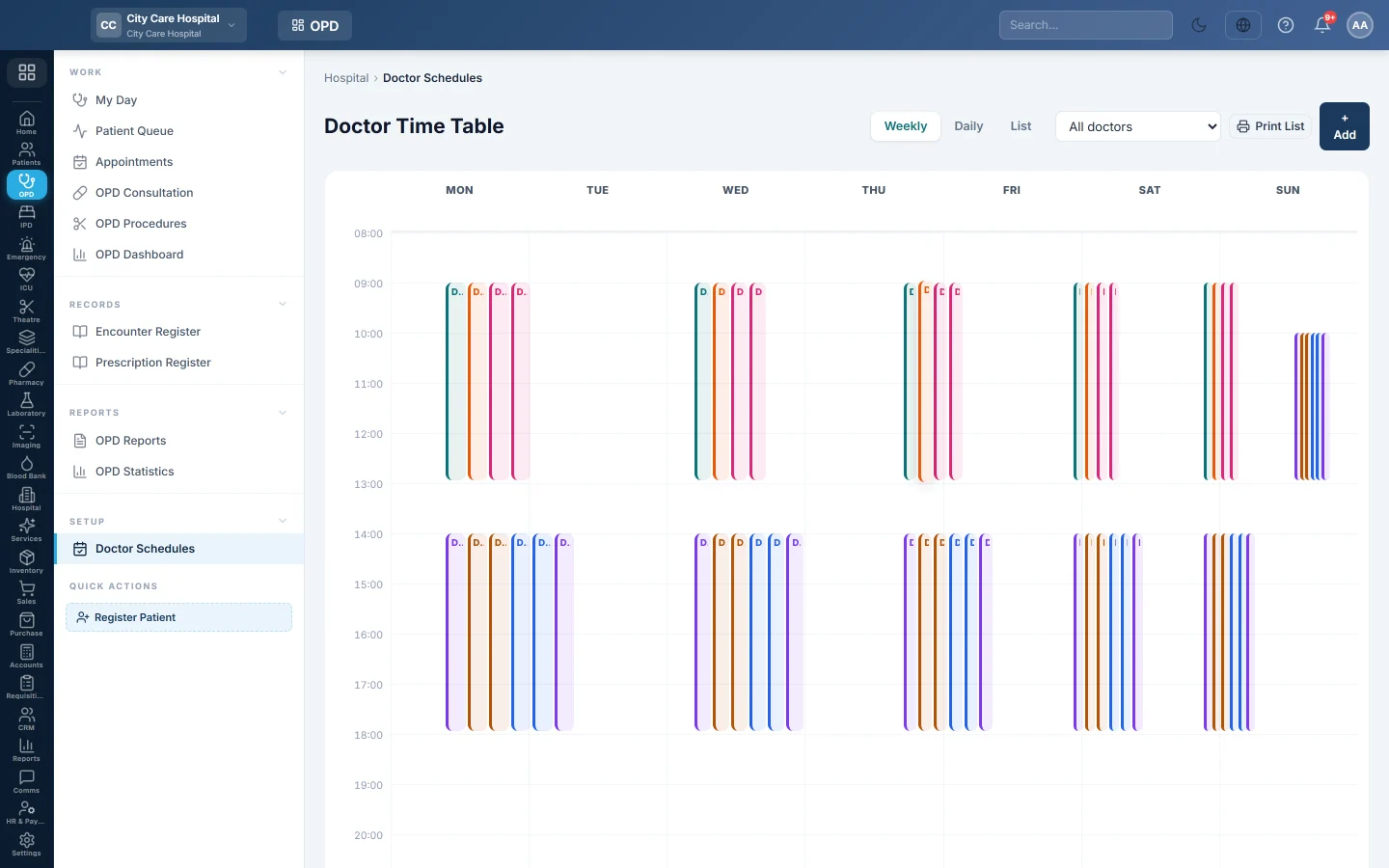
Doctor Schedules is the OPD time table. Each row is a doctor's clinic on a day: the hours, the slot length and the daily limit. Appointments are booked into these slots.
Before you begin
- The doctors and departments exist. See Doctors and Departments.
- Rooms are set up if a doctor sits in different rooms on different days. See Rooms.
- Adding or changing schedules needs the schedules manage permission. See Users & Roles.
Where to find it
Open Outpatients (OPD) → Setup → Doctor Schedules. The page is titled Doctor Time Table.
Add a clinic session
- Click + Add.
- Choose the Doctor and the Department.
- Choose the Day of week.
- Set the Start and End time.
- Set the Slot (min), for example 15 for four patients an hour.
- Optionally set Max tokens / day. Leave it empty for no limit.
- Optionally pick the Room for this session.
- Click Save.
Add one session per clinic day. A doctor with a morning and an evening clinic gets two sessions on that day.
An extra clinic on one date
Fill in Only on this date to add a one-off clinic. It replaces the weekly hours on that date only, and shows one day in the list.
Read the time table
- Weekly shows every doctor's blocks across the week.
- Daily shows the doctors and their hours for one day.
- List shows every session with its Hours, Slot, Max/day and Active, with Edit and Delete.
Use All doctors to see one doctor only. Click a block to edit it. The print button prints the time table.
Common questions
The slots do not appear when booking. The session is for another weekday, it is not Active, or the doctor is on leave that day.
How do I stop bookings for a day the doctor is away? Record the leave on the doctor. Appointments then show The doctor is on leave and offer the next day back.
Does the limit stop walk-ins? Only if Daily limits count is All patients under Queue rules on Patient Queue. With Bookings only, walk-ins are never turned away.
Where does the doctor see the schedule? Under My Timetable on My Day.
Teşekkür ederiz. Hâlâ yardıma ihtiyacınız varsa info@eloerp.net adresine yazın.