OPD Statistics
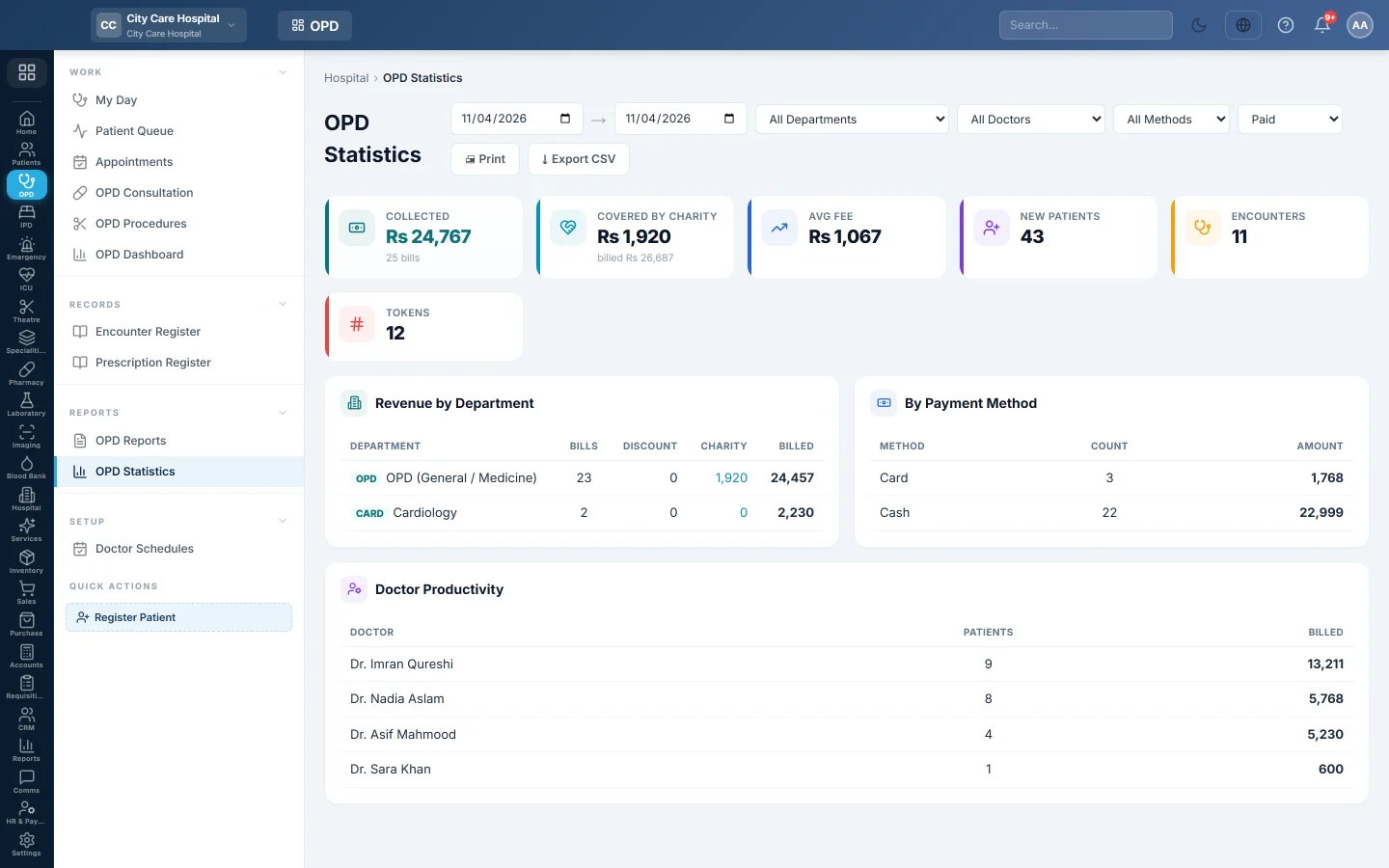
The OPD money report - fees collected, average fee, new patients, consultations and tokens, with revenue by department, payment method and doctor, to print or export.
OPD Statistics shows what the outpatient department billed and collected, with the patient counts behind it. The medical superintendent prints it at the end of the day.
Before you begin
- Your role needs the hospital reports permission. See Users & Roles.
- The figures come from OPD bills, such as consultation fees taken at the Billing Counter.
Where to find it
Open Outpatients (OPD) → Reports → OPD Statistics. The page is titled OPD Statistics.
Run the report
- Set the date range at the top.
- Optionally pick All Departments, All Doctors or All Methods to narrow it.
- Choose the bill status: Paid (the default), Unpaid, Partial, Cancelled or All Statuses.
- Read the result. It refreshes each time you change a filter.
What the report shows
- Collected, with the number of bills.
- Covered by charity, when charity paid part of any bill.
- Avg Fee, New Patients, Encounters and Tokens.
- Revenue by Department: bills, discount and amount per department.
- By Payment Method: count and amount for cash, card and other methods.
- Doctor Productivity: patients and amount billed per doctor.
Click Print for a signed-off A4 page with the filters printed on it. Click Export CSV for the bill-by-bill register with the same filters.
Common questions
The collection does not match the cash shift. This report counts OPD bills only. A cash shift also holds lab, pharmacy and other payments. See Cash Register.
A doctor shows no bills. Fees taken without a doctor on the bill are not credited to anyone in Doctor Productivity.
What is the difference from OPD Reports? This page is the money summary. OPD Reports is the list of clinical and operational registers.
Gracias. Si todavía necesita ayuda, escriba a info@eloerp.net.