Encounter Register
The OPD day-book of consultations, with patient, department, doctor, chief complaint, signed or open status and who entered it.
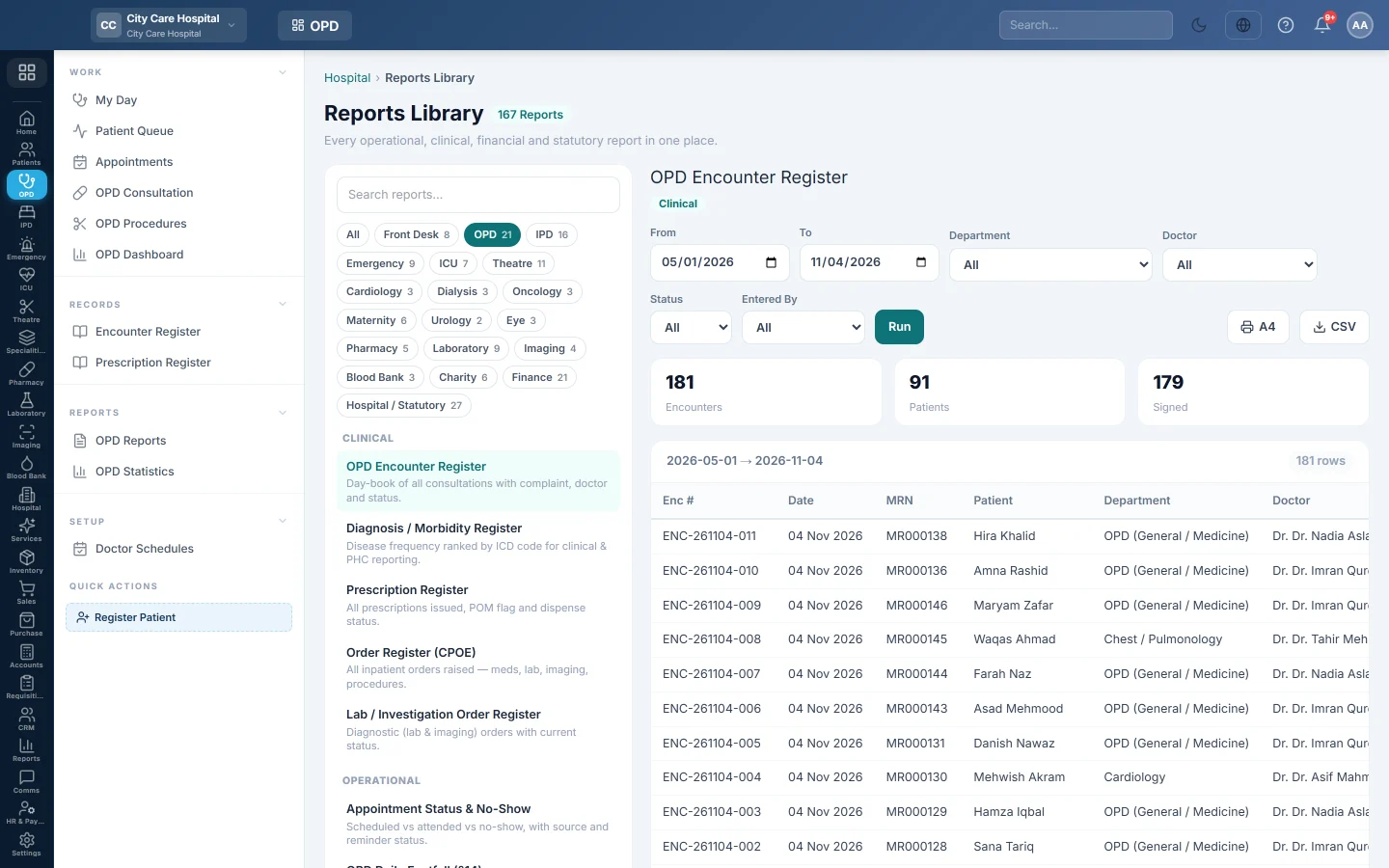
The Encounter Register is the OPD day-book: one row per consultation. Use it to count the day's consultations and to find notes that are still unsigned.
Before you begin
- Your role needs the hospital reports permission. See Users & Roles.
- The report runs in the Reports Library.
Where to find it
Open Outpatients (OPD) → Records → Encounter Register. It opens as OPD Encounter Register and runs for the current month.
Run the register
- Set From and To.
- Optionally pick a Department, a Doctor, a Status (Open or Signed) or a user in Entered By.
- Click Run.
- Click A4 to print, or CSV to download every row.
What the report shows
The tiles count Encounters, distinct Patients and Signed consultations.
| Column | What it shows |
|---|---|
| Enc # | The consultation number. |
| Date | The consultation date. |
| MRN, Patient | Who was seen. |
| Department, Doctor | Where and by whom. |
| Complaint | The chief complaint typed by the doctor. |
| Status | Open (draft) or Signed. |
| Entered By, Entered At | The user who saved it and when. |
The newest consultations are at the top.
Common questions
How do I find consultations nobody signed? Set Status to Open. The Unsigned Encounter Aging report in OPD Reports also groups them by age.
Where are the diagnoses? This register shows the complaint only. For diagnoses, run the Diagnosis / Morbidity Register in OPD Reports.
One patient has two rows on a day. They saw two doctors or two departments, so there are two consultations.
Thank you. If you still need help, write to info@eloerp.net.