Receivable from Couriers
See how much cash-on-delivery money each courier still owes you and how much each payment gateway has yet to settle, with the age of what is pending.
This page shows the money your couriers and payment gateways are holding for you: cash collected from customers, or card payments captured, that has not yet reached your bank. Use it to chase late remittances.
Before you begin
- Your couriers are set up on Courier Accounts. Each courier gets its own COD clearing account the first time you dispatch a COD order with it or post its remittance.
- A payment gateway appears once your online store has taken a card or wallet payment through it.
- Your role needs View Money in Transit or View E-commerce Financial Report. See Users & Roles.
Where to find it
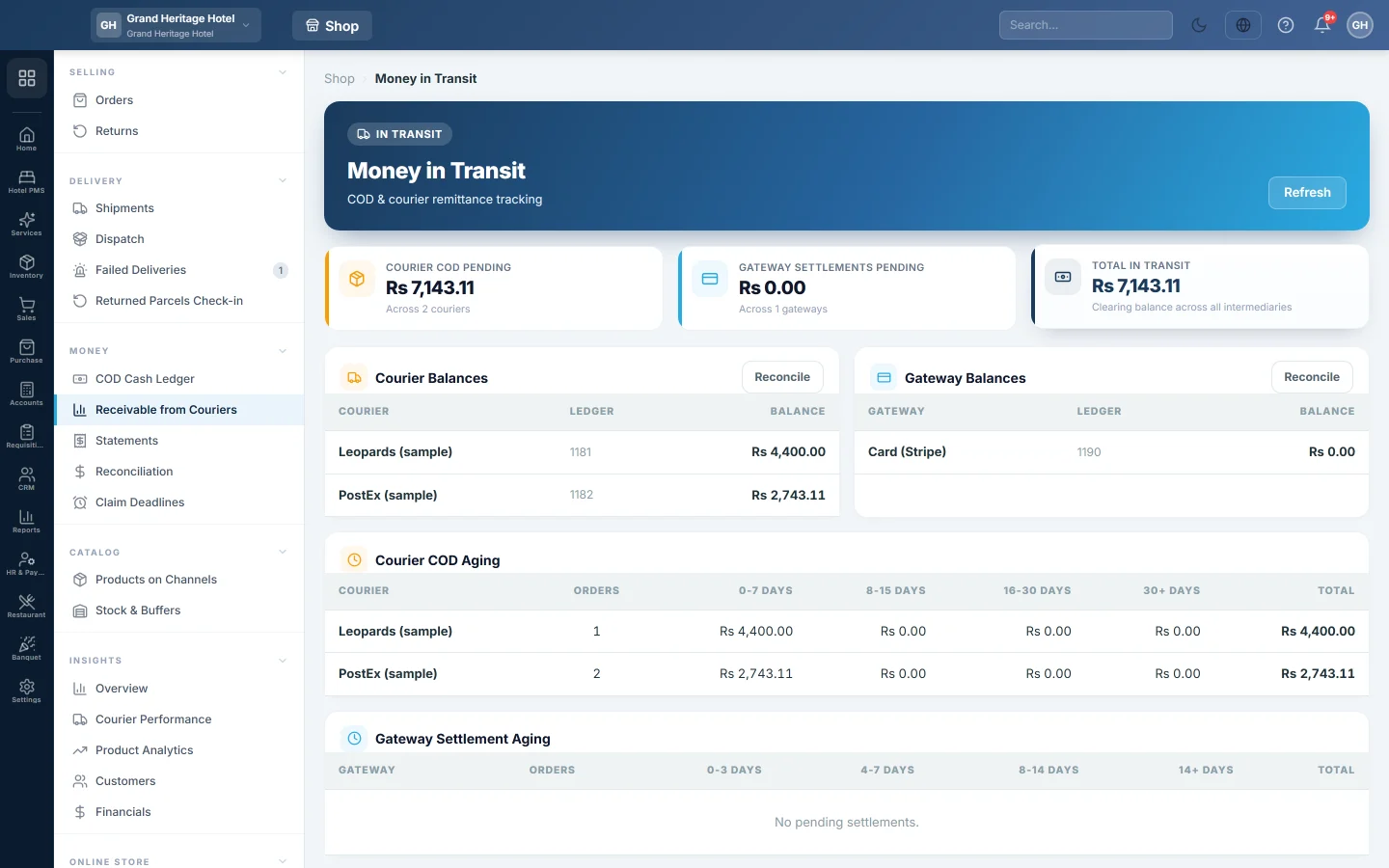
Open Online shop → Money → Receivable from Couriers. The page opens with the heading Money in Transit.
Read the totals
The three boxes at the top show:
- Courier COD Pending: what all active couriers owe you, from their COD clearing accounts.
- Gateway Settlements Pending: what all payment gateways have yet to pay out.
- Total In Transit: the two together.
Click Refresh to load the figures again.
See each courier and gateway
Courier Balances lists each active courier, the code of its clearing account under Ledger, and its Balance. Gateway Balances does the same for each gateway.
Click Reconcile on either table to open Reconciliation and settle what has been paid.
Find late money
Courier COD Aging lists, per courier, the invoiced COD orders that are out with the courier or delivered and not yet on a remittance. Returned and cancelled orders are left out, because that money is no longer in transit. Orders is how many there are. The amounts are split by days since dispatch: 0-7 Days, 8-15 Days, 16-30 Days and 30+ Days, with the Total.
Gateway Settlement Aging does the same for paid prepaid orders not yet on a payout, by days since the invoice: 0-3 Days, 4-7 Days, 8-14 Days and 14+ Days.
What happens in the books
Nothing is posted from this page. When you dispatch a COD order, its invoice is debited to the courier's COD Clearing account instead of the customer. When you post the courier's remittance, the bank is debited and the clearing account is credited, so the balance here falls. Prepaid orders work the same way through the gateway's Clearing account.
Common questions
A courier is missing from the list. Only active couriers are listed. Turn the courier back on in Courier Accounts.
The Ledger column shows a dash. That courier has no COD clearing account yet. It is made the first time you dispatch a COD order with it.
The balance does not match the aging total. The balance is the clearing account, which can also hold manual entries and returns. The aging lists only invoiced orders not yet on a remittance.
Where do I record the money when it arrives? On Statements. See Match a courier COD statement.
Terima kasih. Jika masih butuh bantuan, kirim email ke info@eloerp.net.