Supplier Ledgers
See what you owe each supplier and open any supplier's statement of bills, payments and returns.
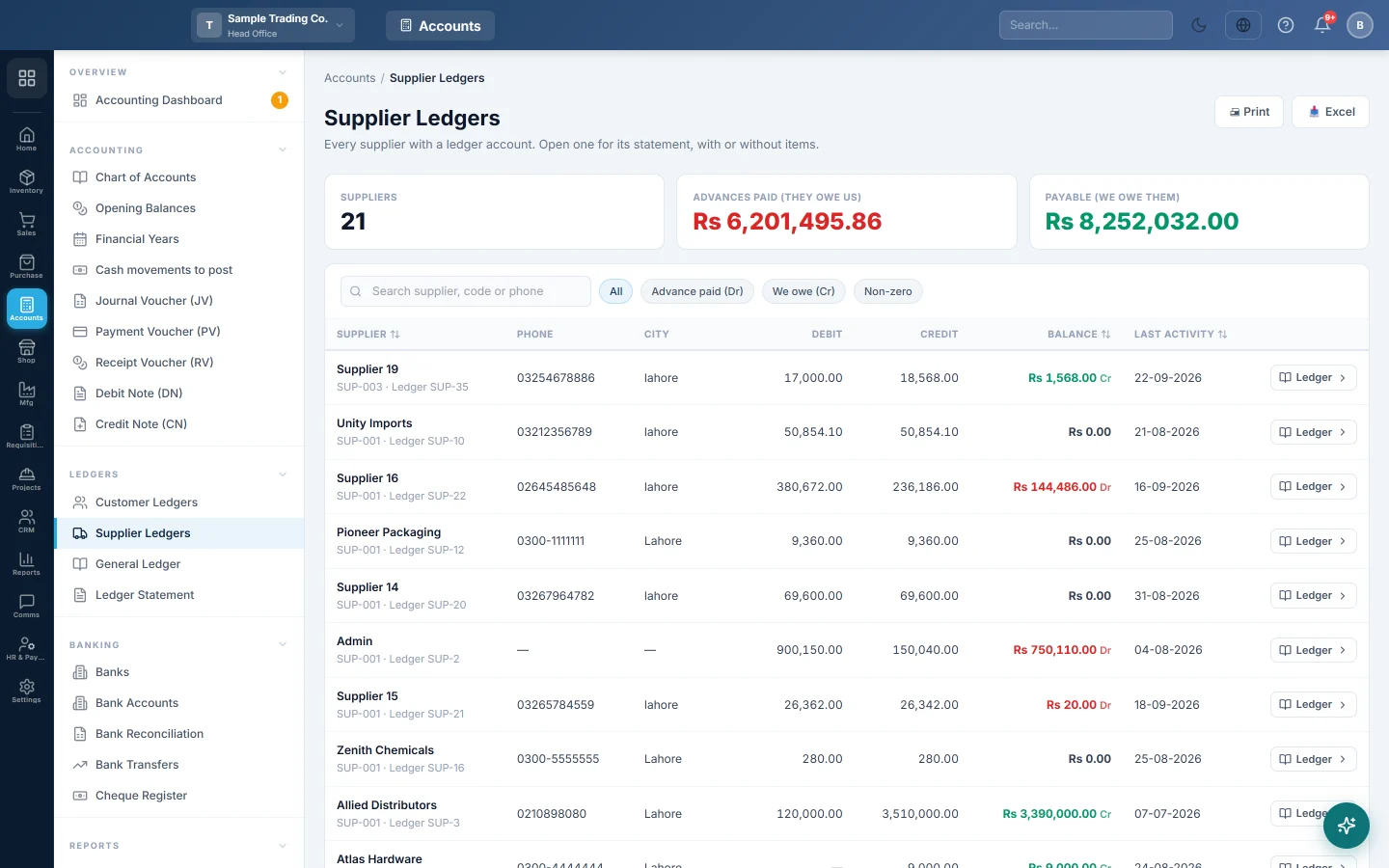
Supplier Ledgers lists every supplier with a ledger account and its balance. Open one to see its statement: each bill, payment and return, with a running balance.
Before you begin
- You need permission to view suppliers or the supplier ledger. See Users & Roles.
- Balances come from confirmed documents and vouchers only. Drafts do not count.
Where to find it
Open Purchases → Suppliers → Supplier Ledgers. When your company has the Accounts module, this opens the same page under Accounts, described in Supplier Ledgers.
You can also open one supplier's statement from All Suppliers: click the three dots on the row, then Ledger.
Find a supplier's balance
- Type a name, code or phone in Search supplier, code or phone.
- Use the chips to narrow the list: We owe (Cr), Advance paid (Dr) or Non-zero.
- Click Balance or Last activity to sort.
The cards show Payable (we owe them) and Advances paid (they owe us) across all suppliers.
Open a supplier's statement
- Click the supplier's row, or Ledger on it.
- Set From and To and click Apply.
- Choose Summary, or Detailed (items) to show the items of each invoice and return.
- Click Print or Excel to share it with the supplier.
Each line shows the Date, Type, Reference, Debit (Payment/Return), Credit (Purchase) and the running Balance. The top of the statement shows Total Purchases, Total Paid and the Outstanding Balance.
Common questions
What do Dr and Cr mean here? Cr means you owe the supplier. Dr means the supplier owes you, usually because you paid in advance or returned goods.
A bill is missing from the statement. It is still a draft, or it was entered in another branch. Confirm it, or check the branch in the top bar.
The balance here differs from the Balance column on the invoices list. The ledger also counts the opening balance, payments made on vouchers and debit notes. The invoices list shows each bill on its own.
How do I pay what I owe? Pay a single bill with Add Payment on the invoice, or record a Payment Voucher (PV).
Terima kasih. Jika masih butuh bantuan, kirim email ke info@eloerp.net.