Statement and portal links in messages
Put each customer's private statement link (@Statement_Link) or the address of "My Account" (@Portal_Link) in invoice messages, overdue reminders, subscription reminders and bulk sends.
Two variables put your customer portal into your messages. @Statement_Link is the customer's own private statement link, which opens without signing in. @Portal_Link is the address of "My Account". A reminder that carries the statement link lets the customer see what they owe, and pay, in one tap.
Before you begin
- Your company has the customer portal. The two variables are listed only then. See Customer Portal.
- For @Statement_Link, the Statement card is on.
- A channel to send on. See Notification Channels.
Where to find it
- Templates: Communication → Notification System → Templates.
- Bulk messages: Communication → Notification System → Bulk Send.
- Subscription reminders: Subscriptions → Billing → Collections.
Where you can use them
| Message | Variables offered |
|---|---|
| Templates for sale invoices, quotations, orders, delivery notes, returns, POS invoices and installments, including the overdue invoice reminder | @Statement_Link and @Portal_Link |
| Templates for Subscription payment reminder | @Statement_Link and @Portal_Link |
| Bulk Send to customers | @Statement_Link and @Portal_Link |
Add the link to a template
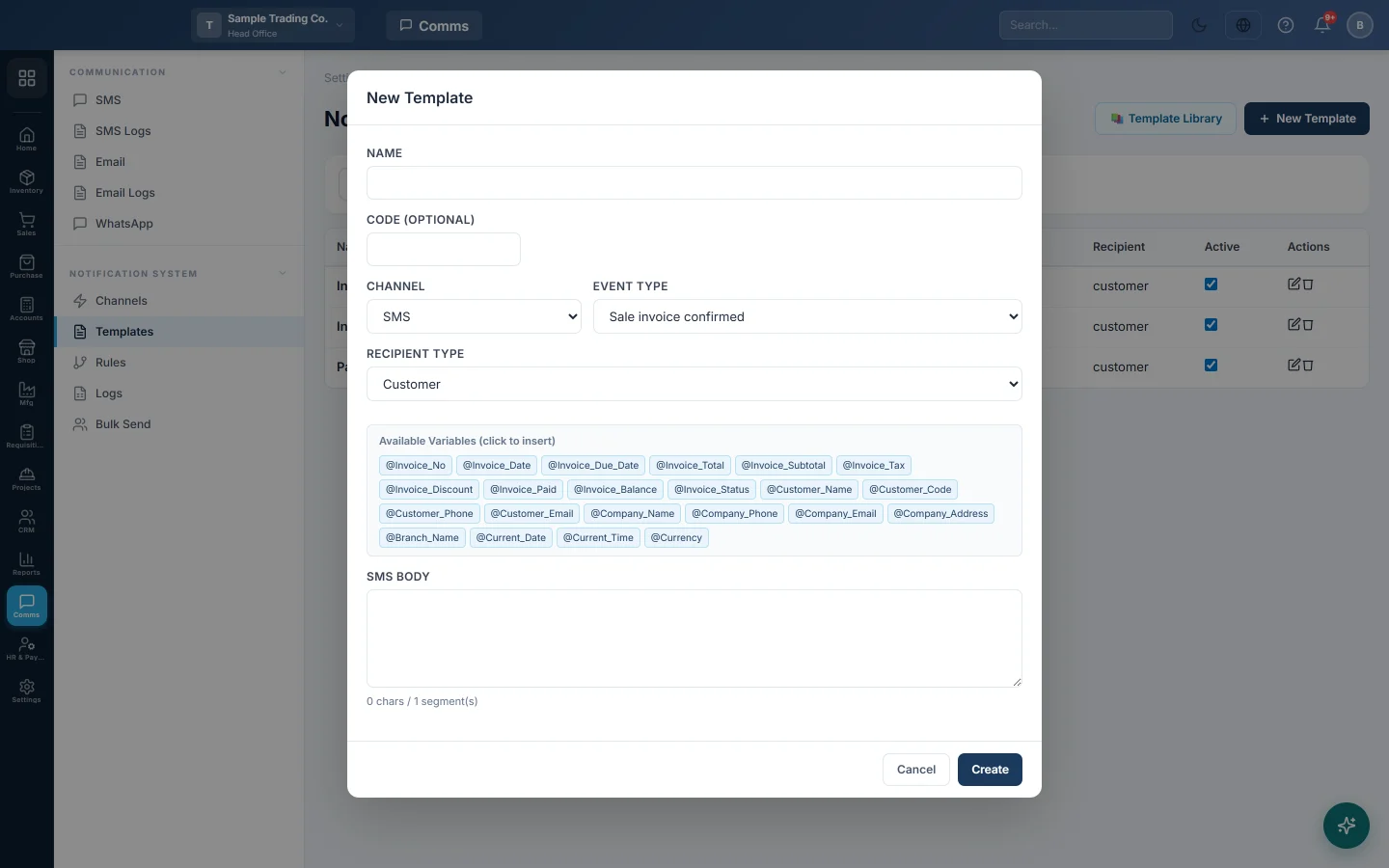
- Open Communication → Notification System → Templates and click the pencil on a template, or New Template.
- At the end of the message, write a short label with a colon, such as Statement:.
- Under Available Variables (click to insert), click @Statement_Link. It is added at the end of the message. You can also type it anywhere.
- Click Update or Create.
A sample overdue SMS:
Dear @Customer_Name, invoice @Invoice_No is overdue. Statement: @Statement_Link - Ali Traders
When a customer has no link
Each variable has a value only for some customers:
- @Statement_Link is filled when the company has the portal, the Statement card is on, and this customer may see their statement (their Portal access).
- @Portal_Link is filled when the company has the portal and at least one card is switched on.
When a variable is empty, EloERP removes it together with its label, so nothing dangles. The sample above reaches a customer without a statement as Dear Sara Khan, invoice INV-0042 is overdue. - Ali Traders.
The same link each time
A customer does not get a new link with every message. EloERP sends their current statement link again while it has more than a week left, then makes a new one. Links work for 30 days. You can switch any of them off on the customer, see Send a customer their statement link.
Subscription reminders
The built-in subscription reminder adds a line Statement: with the link under its text, for each customer whose statement is online. Customers without one get the reminder as before. Your own Subscription payment reminder template is never changed: add @Statement_Link to it yourself. See Collections.
Bulk Send
- Open Communication → Notification System → Bulk Send and click customers under Recipient Type.
- Write the message, and click @Statement_Link or @Portal_Link under Variables (click to add):.
- Send as usual. See Bulk Send.
Each customer gets their own link. A link is made only when the message uses one, so a bulk send without the variable makes none.
Common questions
I cannot see @Statement_Link in the list. Your company does not have the customer portal, or the template's event is not one of those in the table above.
A customer got the message without the link. They may not see their statement: check the Statement card, Who can see their statement and the customer's Portal access.
Is the link safe to send by SMS? It opens only that customer's statement, but anyone with it can read it. Send it only to the customer's own number.
Can I use the links for suppliers or employees? No. They are for customers only.
Terima kasih. Jika masih butuh bantuan, kirim email ke info@eloerp.net.