Bulk Send
Send one SMS, email or WhatsApp message to many customers, suppliers or employees at once, with each person's name filled in.
Bulk Send sends the same message to many people in one go: an Eid greeting to all customers, a price change to suppliers, or a notice to staff. Each message can carry the person's own name.
Before you begin
- The channel is set up and switched on. See Notification Channels.
- Your role needs the bulk send permission. See Users & Roles.
- Customers, suppliers and employees need a phone number for SMS and WhatsApp, or an email address for email. A customer with only a mobile number is sent to that number.
Where to find it
Open Communication → Notification System → Bulk Send.
Send a message to many people
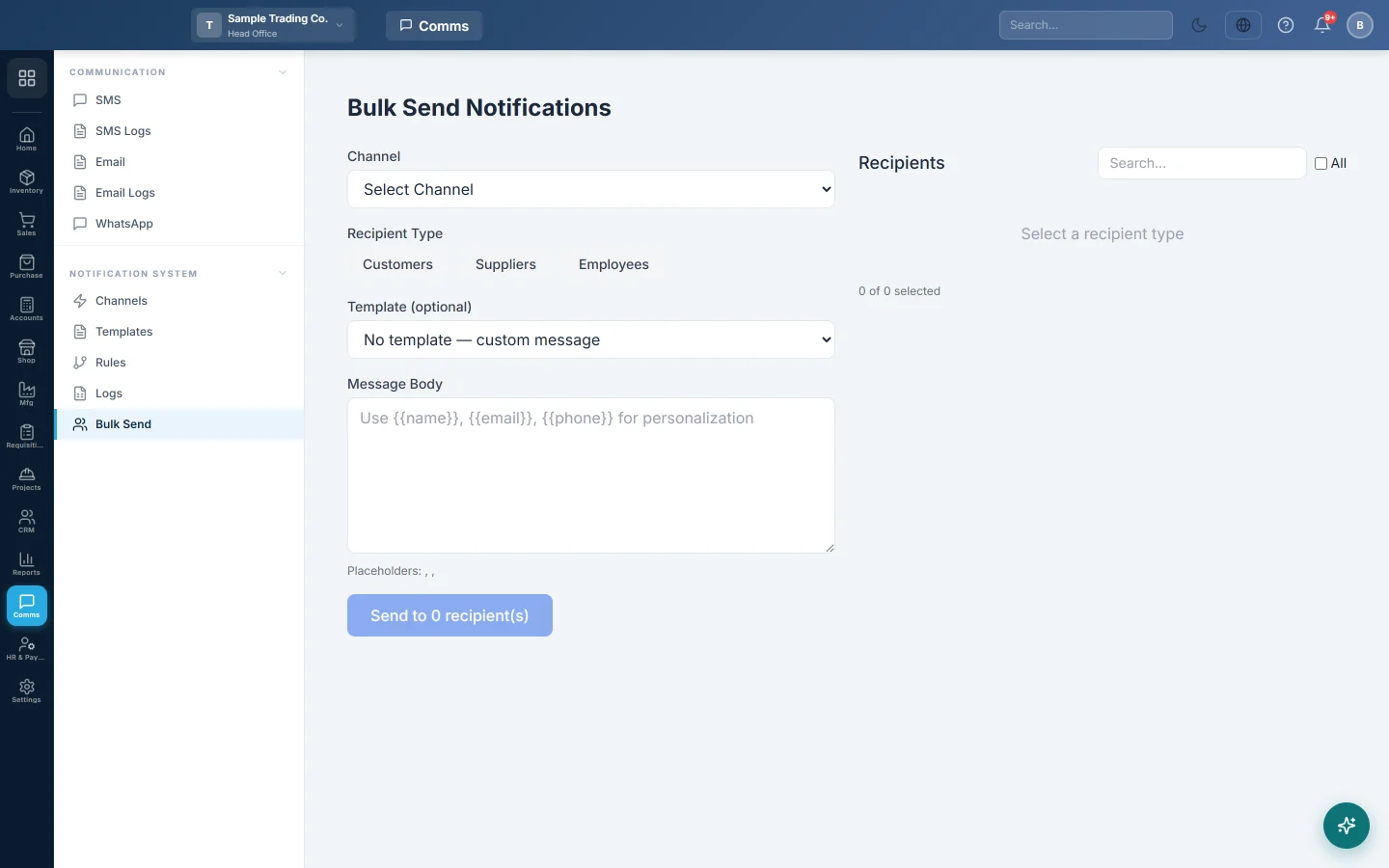
- Choose the Channel.
- Under Recipient Type, click customers, suppliers or employees. The list on the right fills.
- Tick the people to send to, or tick All. Use Search... to find someone.
- Optionally pick a Template (optional) to fill the message, or leave No template — custom message.
- For email, type the Subject.
- Type the Message Body. Use
{{name}},{{email}}and{{phone}}to fill in each person's details. Single braces such as{name}work too. - Check the preview, then click Send to n recipient(s).
- In Confirm Bulk Send, check the number of recipients and click Send Now.
A sample message:
Dear {{name}}, Eid Mubarak from all of us at Ali Traders. Our shop is open from 2 pm on Eid day.
When it finishes, you see how many were Sent and Failed, and the first errors, such as a person with no phone number.
Common questions
Some customers were skipped. They have no phone or mobile number (for SMS and WhatsApp) or no email (for email) on their record. The errors list names them.
Do template variables fill in? Yes. Besides {{name}}, {{email}} and {{phone}}, the person's variables are filled: @Customer_Name, @Customer_Phone, @Customer_Email and @Customer_Code, and the same for @Supplier_… and @Employee_…. @Name, @Email and @Phone work for anyone.
Where can I see each message? In Logs, with the event bulk_send.
Can I send to a customer group only? Not directly. Search the list and tick the customers you want.
Can each customer get their own statement link? Yes, when your company has the customer portal. With customers chosen, click @Statement_Link or @Portal_Link under Variables (click to add):. A customer with no statement online gets the message without the link and its label. See Statement and portal links in messages.
Terima kasih. Jika masih butuh bantuan, kirim email ke info@eloerp.net.