Start an optical store with sample data
Sign up as an optical store, load sample frames, lenses, customers, eye tests and orders to explore, then replace them with your own.
Choose Optical Store / Opticians as your business type and EloERP switches on Optical for you. Sample data fills the shop with examples to click through.
Sign up as an optical store
- On the sign-up page, pick Optical Store / Opticians in Industry.
- On the last step, tick Load sample data so I can explore.
- Finish sign-up. Optical is on the left bar when you sign in.
Load sample data later
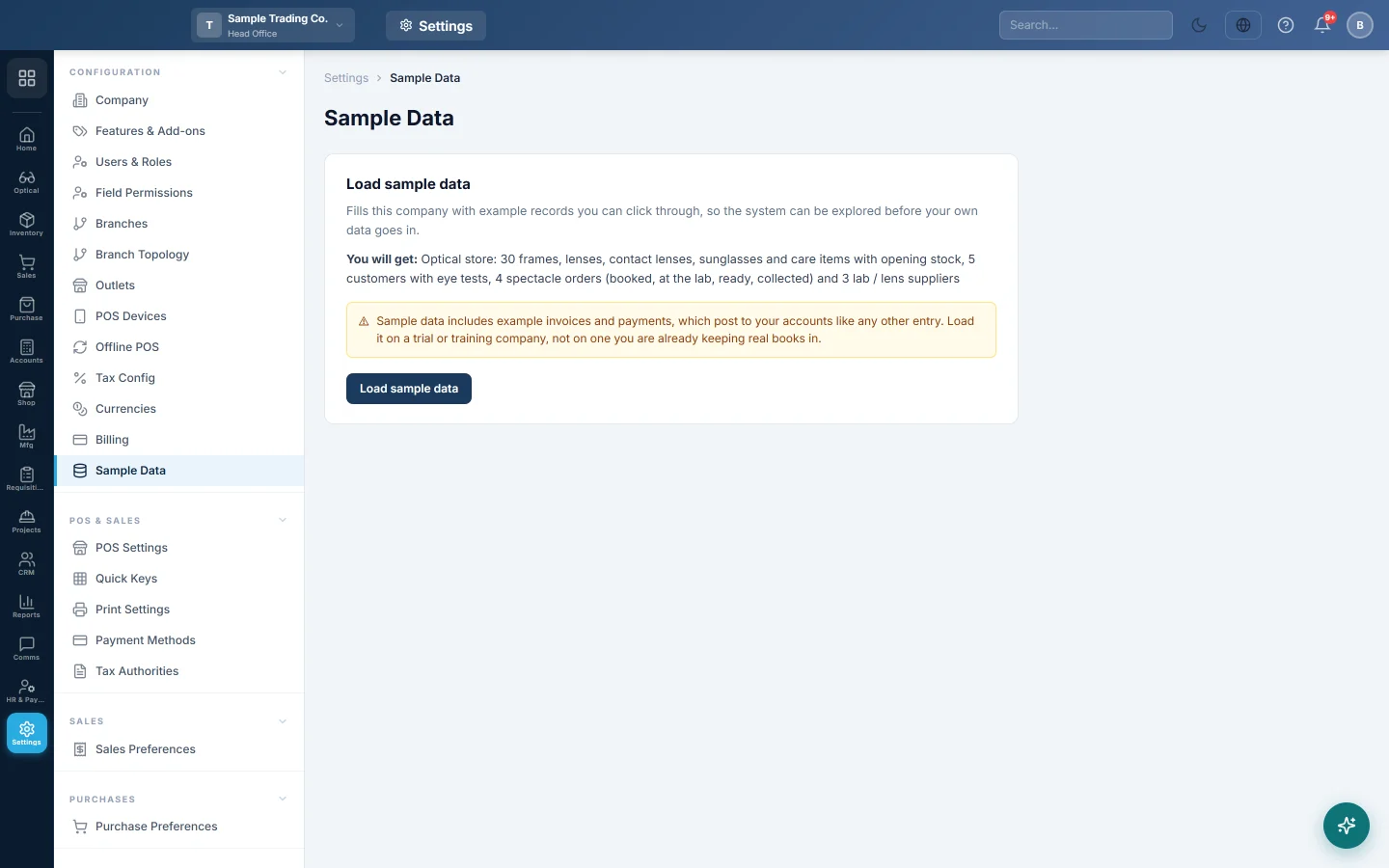
- Open Settings → Configuration → Sample Data.
- Read what will be added and click Load sample data.
The sample data is added within a minute or two.
What the sample contains
- Products: 30 with opening stock, in five categories:
- frames
- stock lenses by the pair
- contact lenses
- sunglasses
- care items, like solution, cases and cloths
- Customers and suppliers: 5 customers, and 3 suppliers (a lens lab and two distributors).
- Charges: a test fee and a fitting charge in Optical settings.
- Eye tests: one per customer. Two of them are due for a reminder.
- Spectacle orders: four, one at each stage: Booked, At the lab, Ready and Collected. Each is billed with an advance.
Replace the samples
Sample tests and orders say Sample record in their notes. Sample products have codes starting with SAMPLE-. Delete or edit them once your own frames and customers are in. Cancel the sample invoices in Sales before you delete their orders.
Common questions
Can I load it twice? Loading again adds nothing that is already there.
I signed up as a shop, not an optical store. Ask your provider to switch on Optical. Sample data then offers the optical sample.
Obrigado. Se ainda precisar de ajuda, escreva para info@eloerp.net.